Remove Cheque or Demand Draft Recipient

Remove a cheque or demand draft recipient easily using digibank online.

Part of: Guides > Your Guide to digibank

How to remove cheque or demand draft recipient

digibank online
laptop
login
authenticate
slider
slider
slider
slider
1
Step 1
Log in to digibank online with your User ID & PIN.
2
Step 2
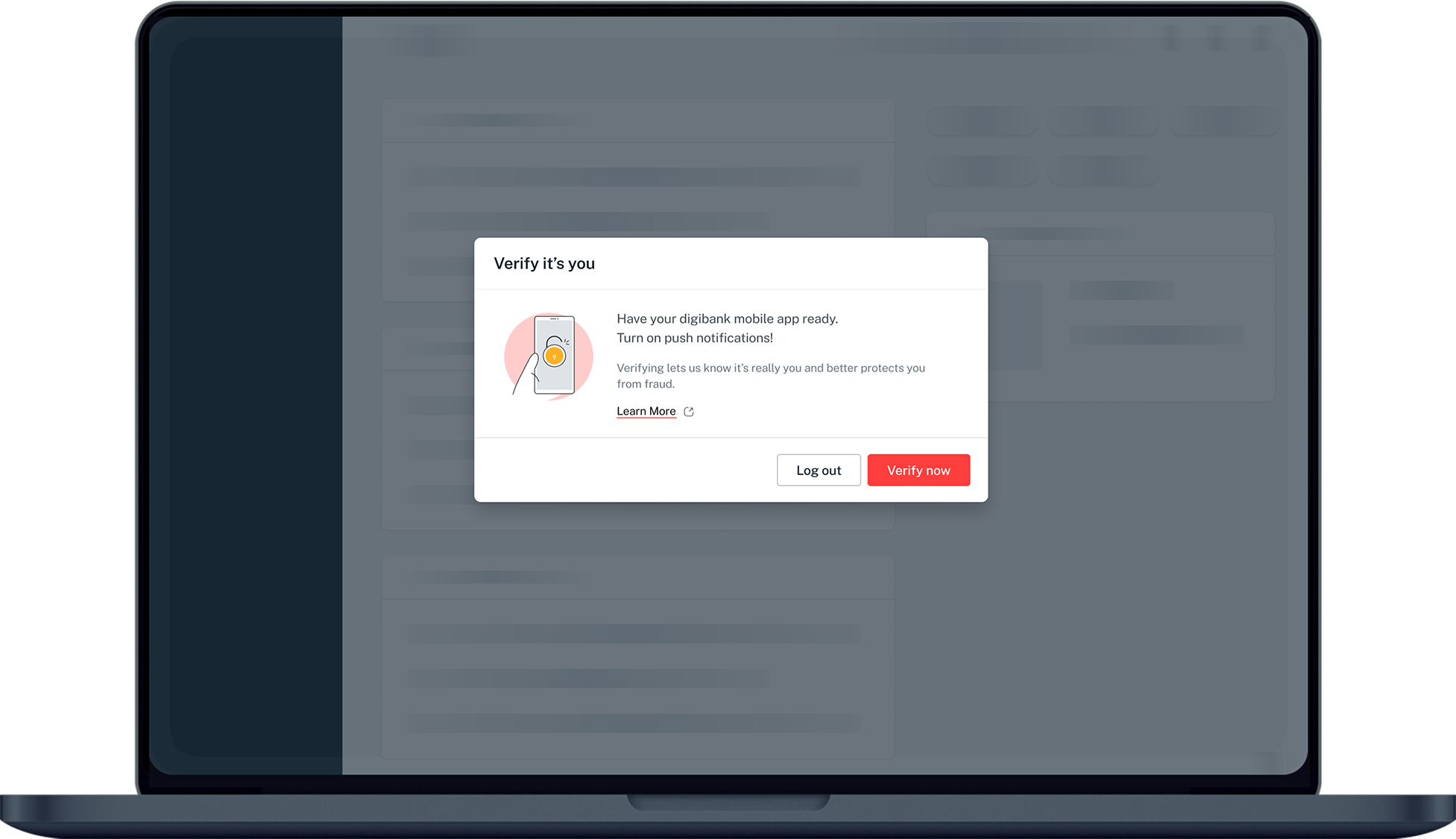
Complete the Authentication Process.
3
Step 3
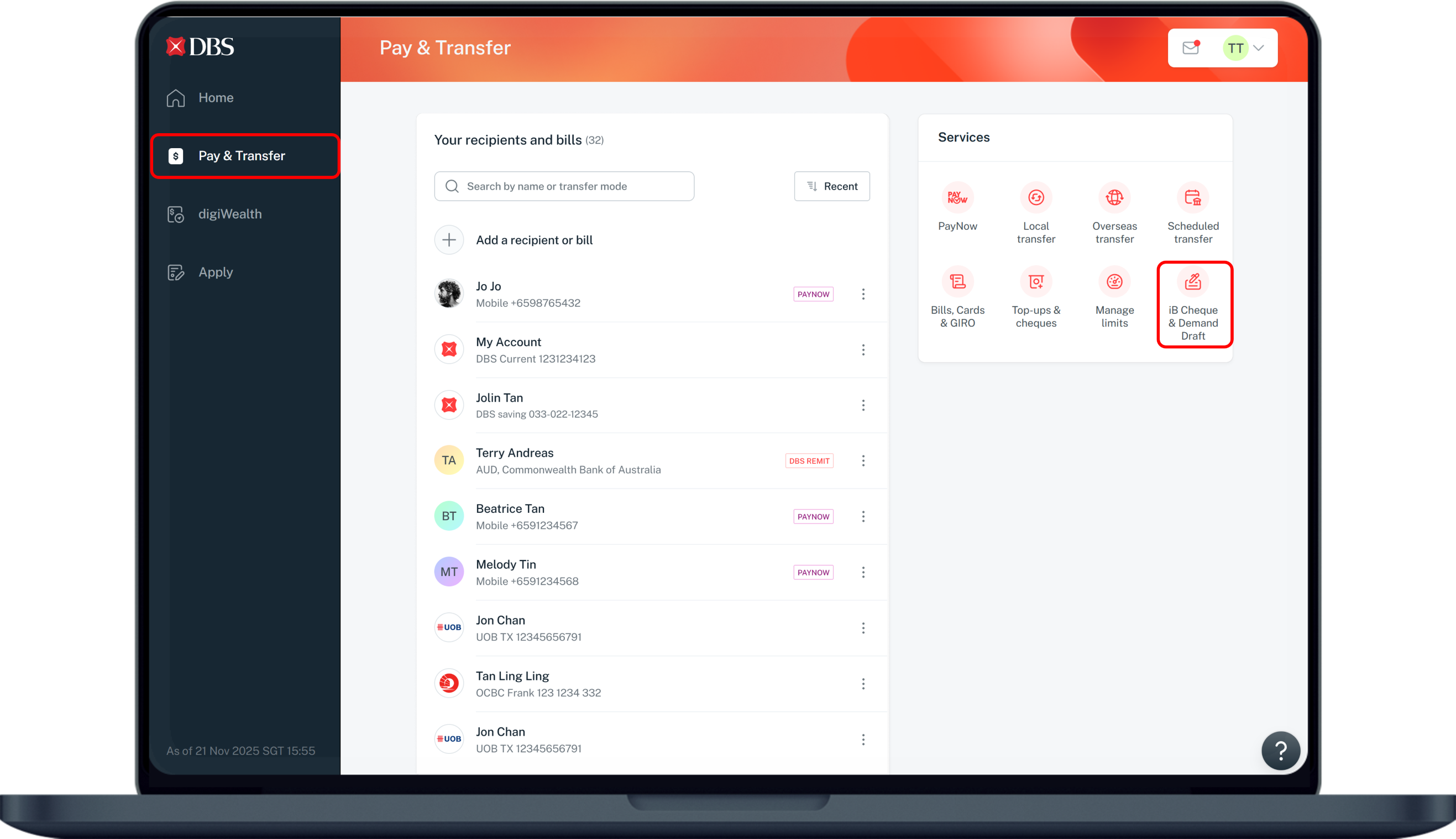
Click Pay & Transfer on the left menu and select iB Cheque & Demand Draft.
4
Step 4
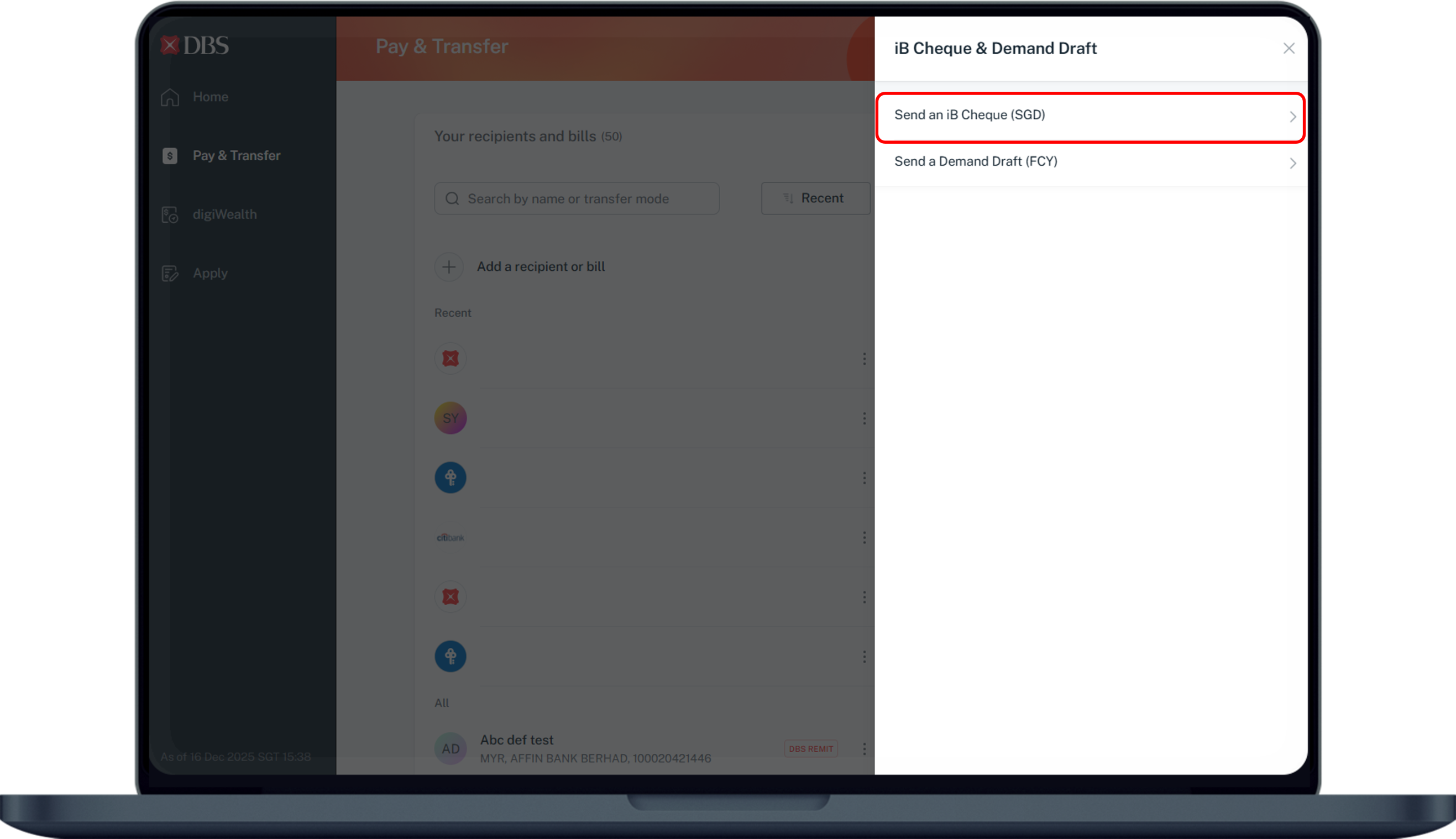
Select on Send an iB Cheque (SGD).
5
Step 5
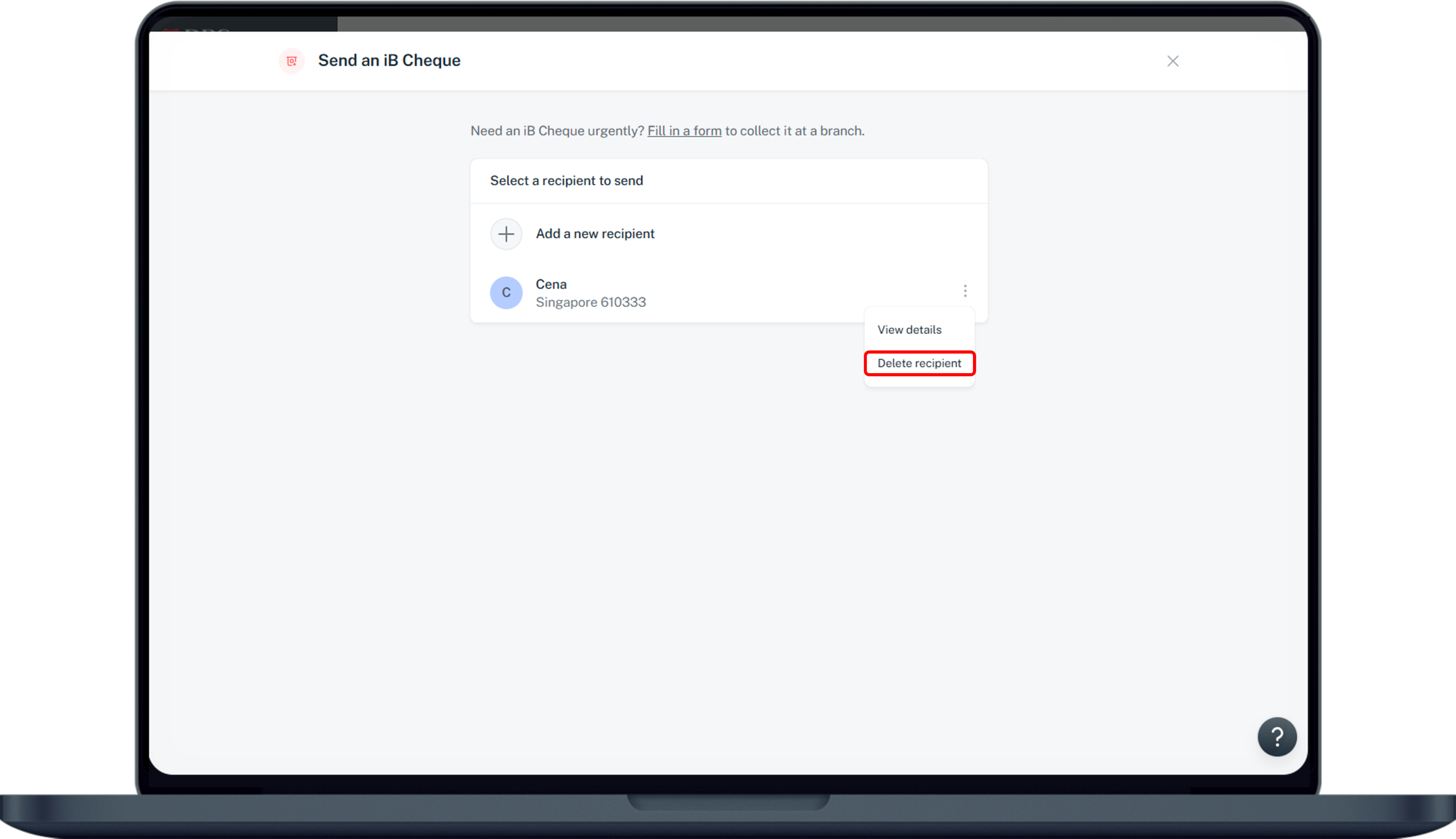
Click on the (⋮) ellipsis icon on the right of the recipient you wish to delete and select Delete recipient from the dropdown.
6
Step 6
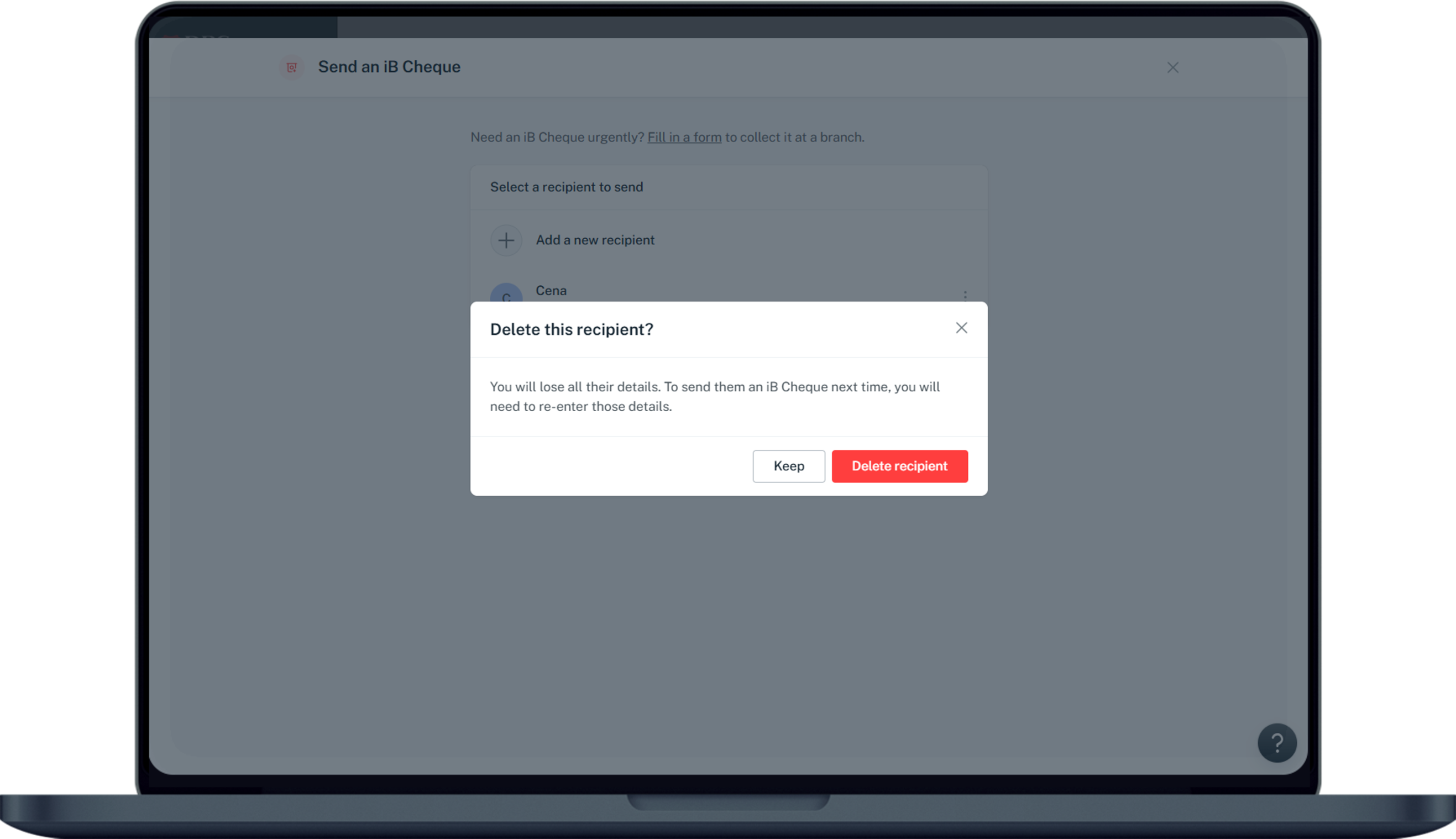
Click on Delete recipient to confirm your deletion request.
laptop
login
authenticate
slider
slider
slider
slider
1
Step 1
Log in to digibank online with your User ID & PIN.
2
Step 2
Complete the Authentication Process.
3
Step 3
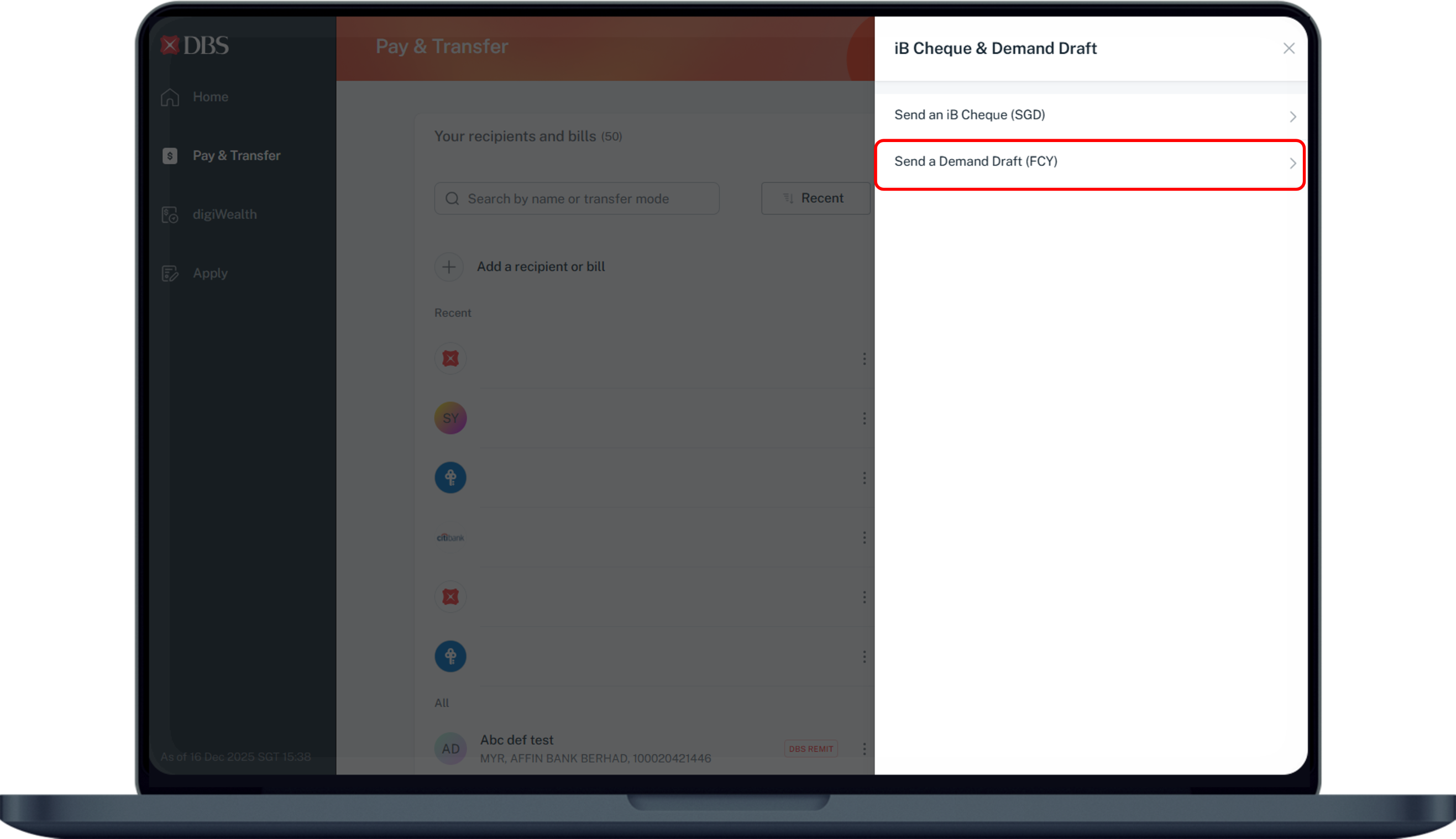
Click Pay & Transfer on the left menu and select iB Cheque & Demand Draft.
4
Step 4
Select on Send a Demand Draft (FCY).
5
Step 5
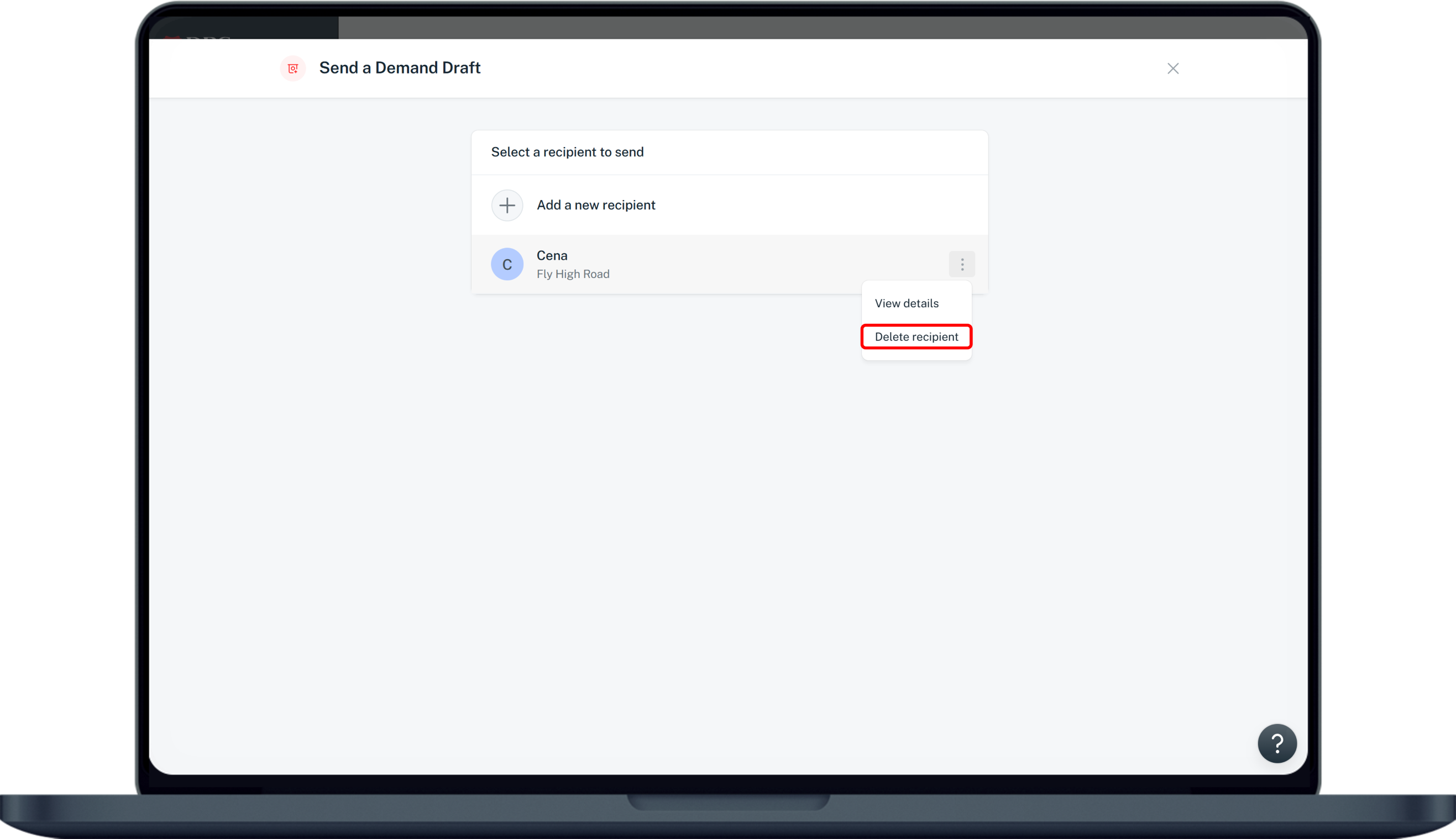
Click on the (⋮) ellipsis icon on the right of the recipient you wish to delete and select Delete recipient from the dropdown.
6
Step 6
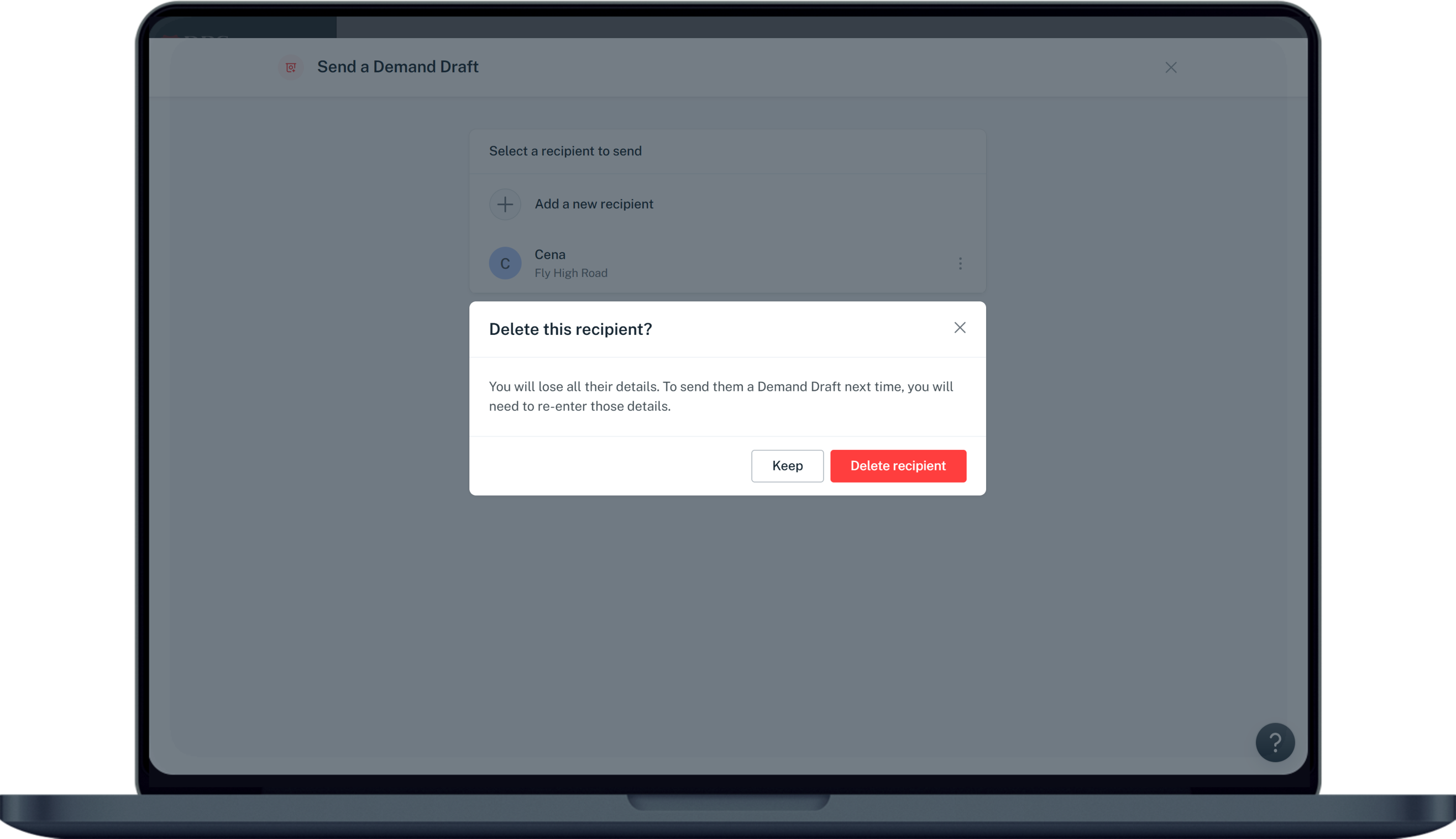
Click on Delete recipient to confirm your deletion request.

More information

  • You will lose all their reciept details once the removal of reciepent is processed.
    To send them an iB Cheque next time, you will need to re-enter those details.
Was this information useful?

We welcome your feedback

Information is easy to understand and find
Information is useful to answer your inquiries completely