View Active GIRO Arrangements
View your active GIRO arrangements easily using digibank online.
How to view GIRO arrangements
There are various channels which you may view your GIRO arrangement with us. The most convenient method would be via digibank mobile.
digibank mobile

1
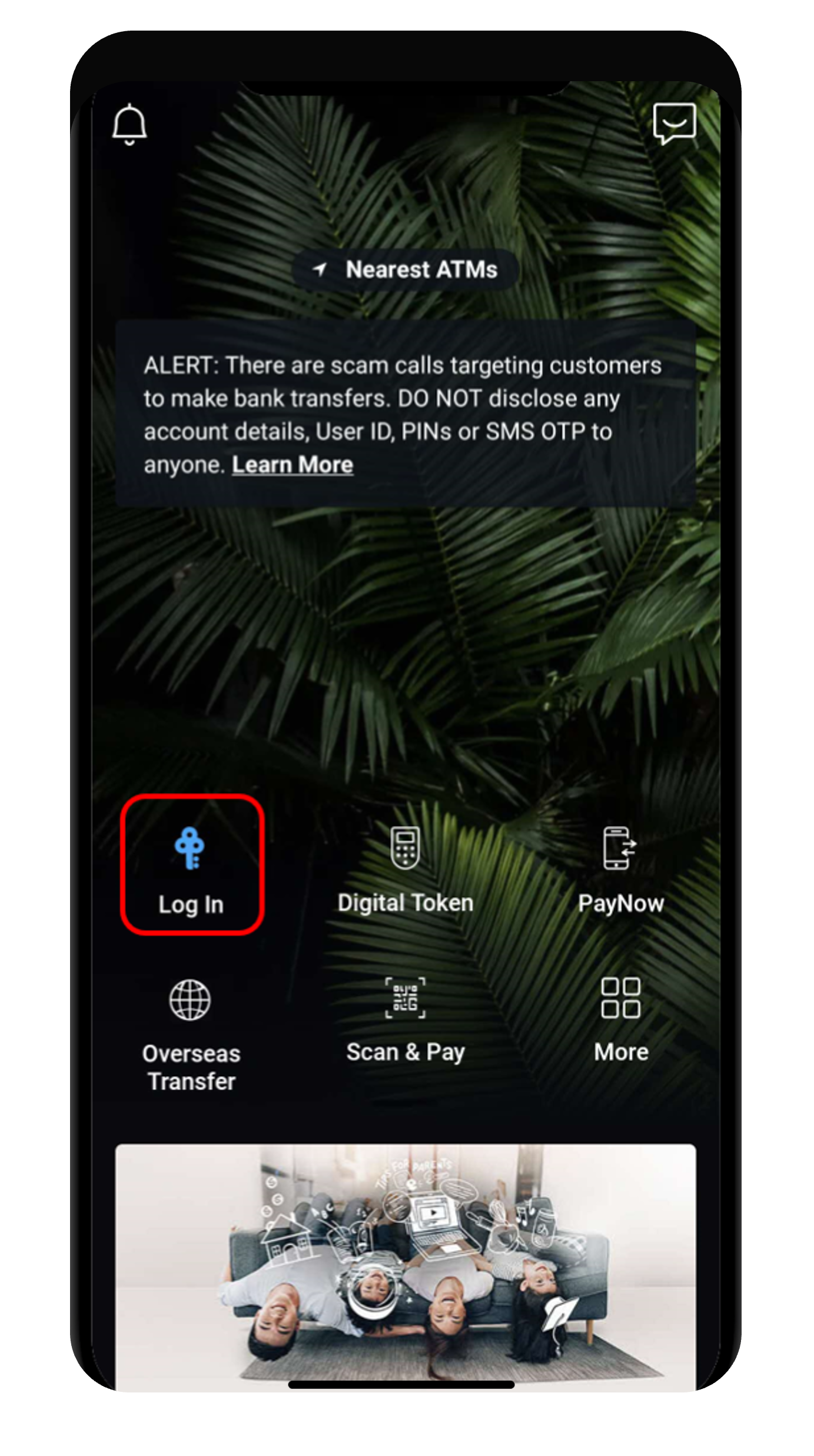
Step 1
Log in to digibank mobile with your Touch / Face ID or digibank User ID & PIN.
2
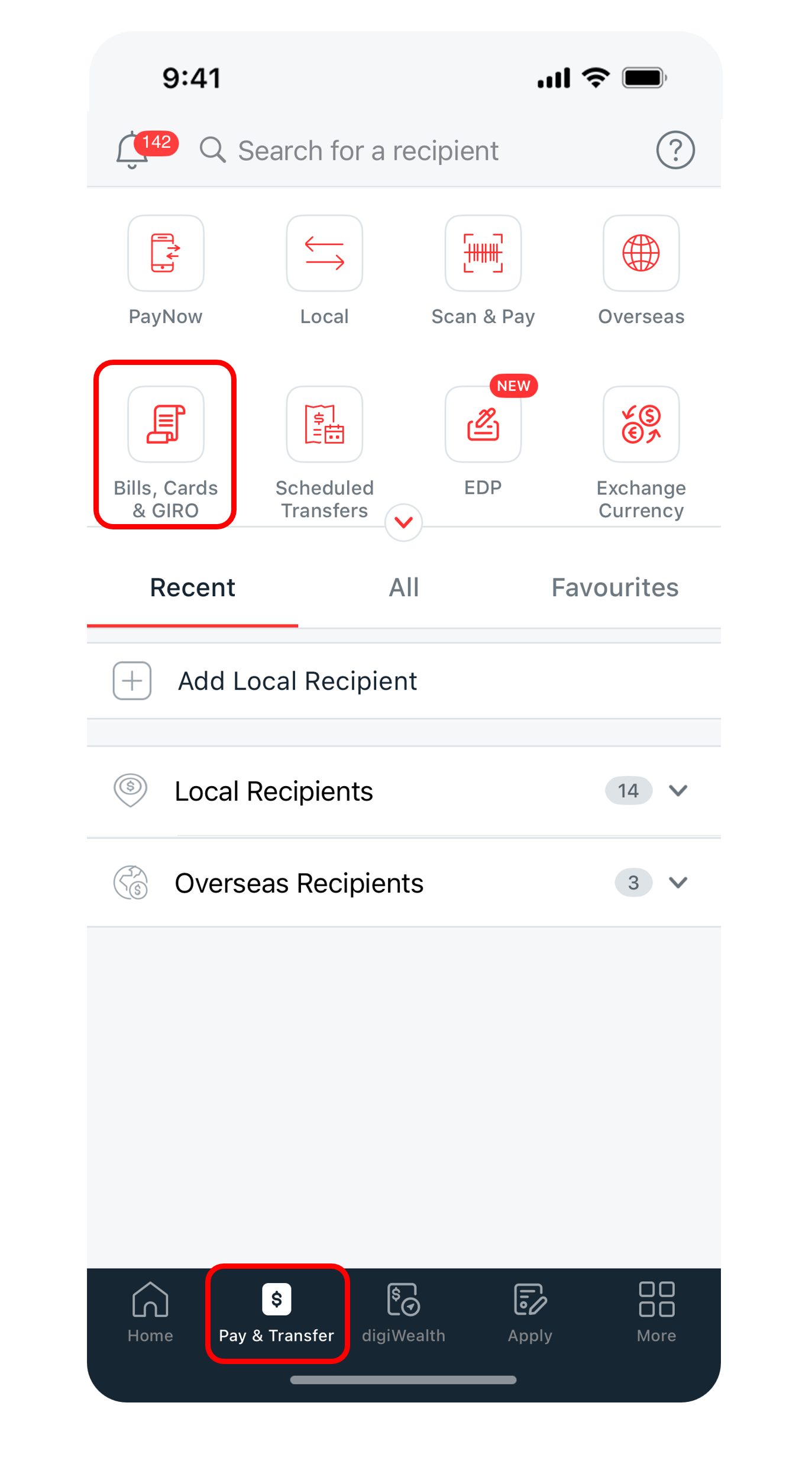
Step 2
Tap Pay & Transfer at the bottom and select Bills, Cards & GIRO.
3
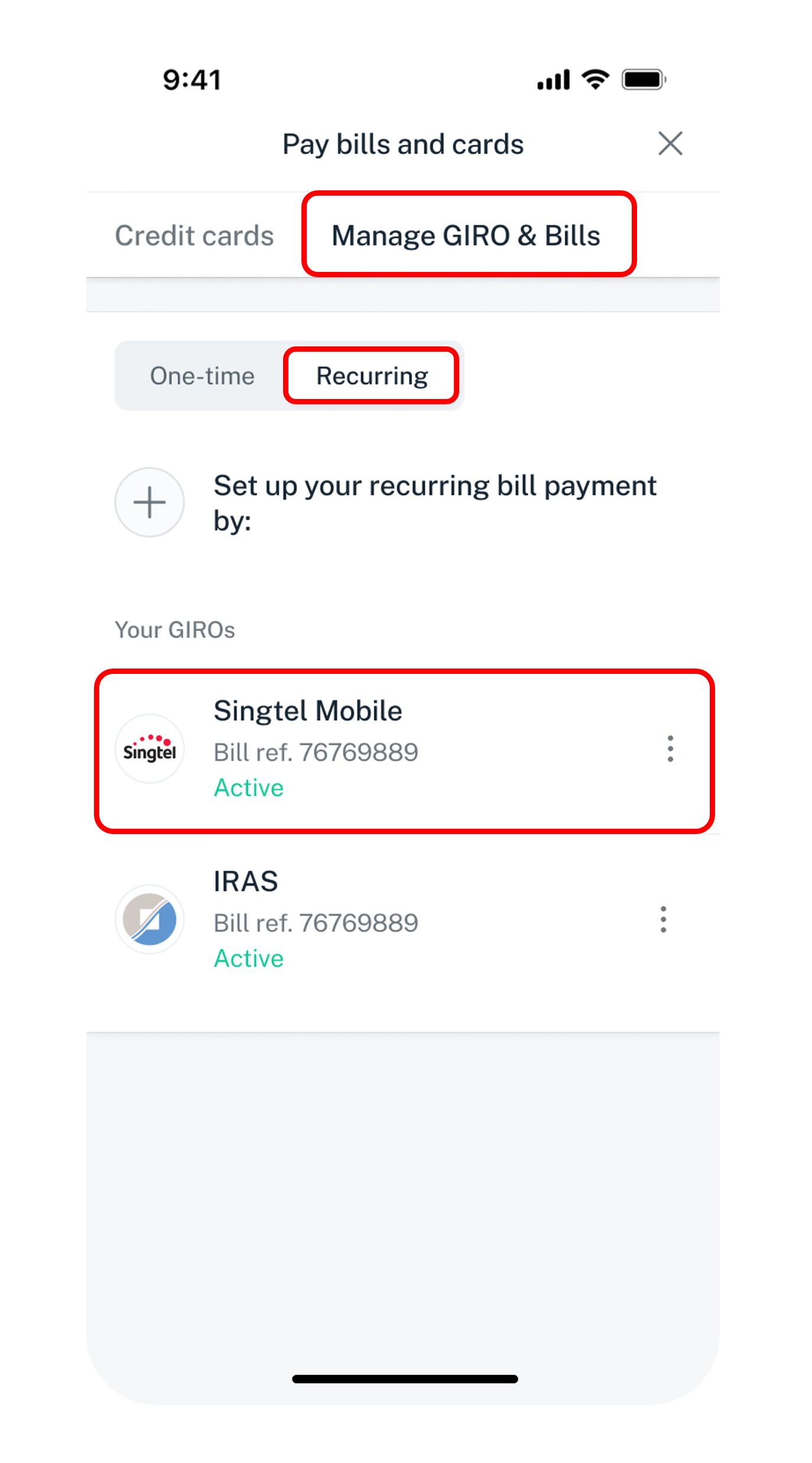
Step 3
On the top nagivation bar, swipe right to Manage GIRO & Bills. Tap on Recurring and select the billing organisation that you wish to view.
4
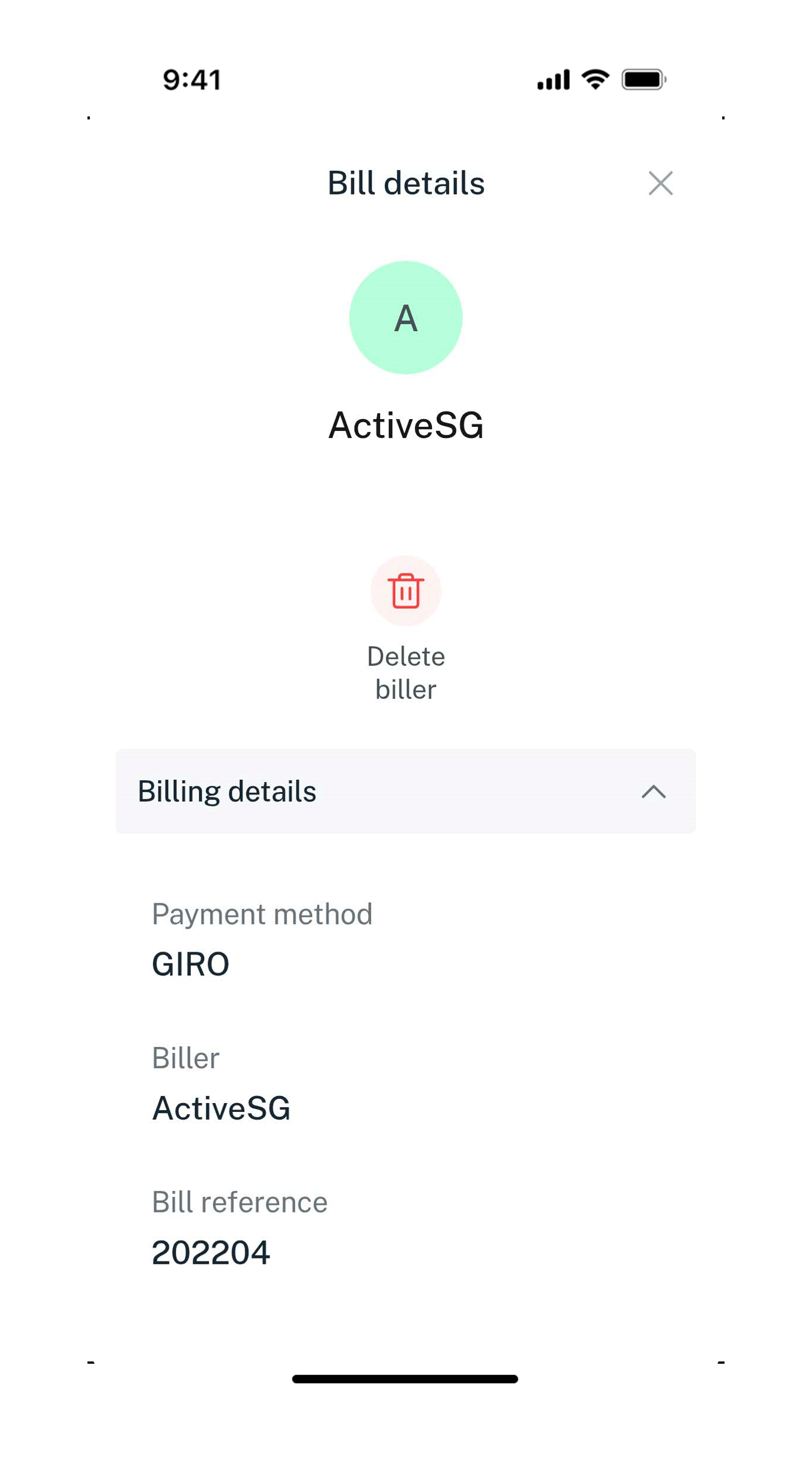
Step 4
Your Billing Details will be displayed.
digibank online
2
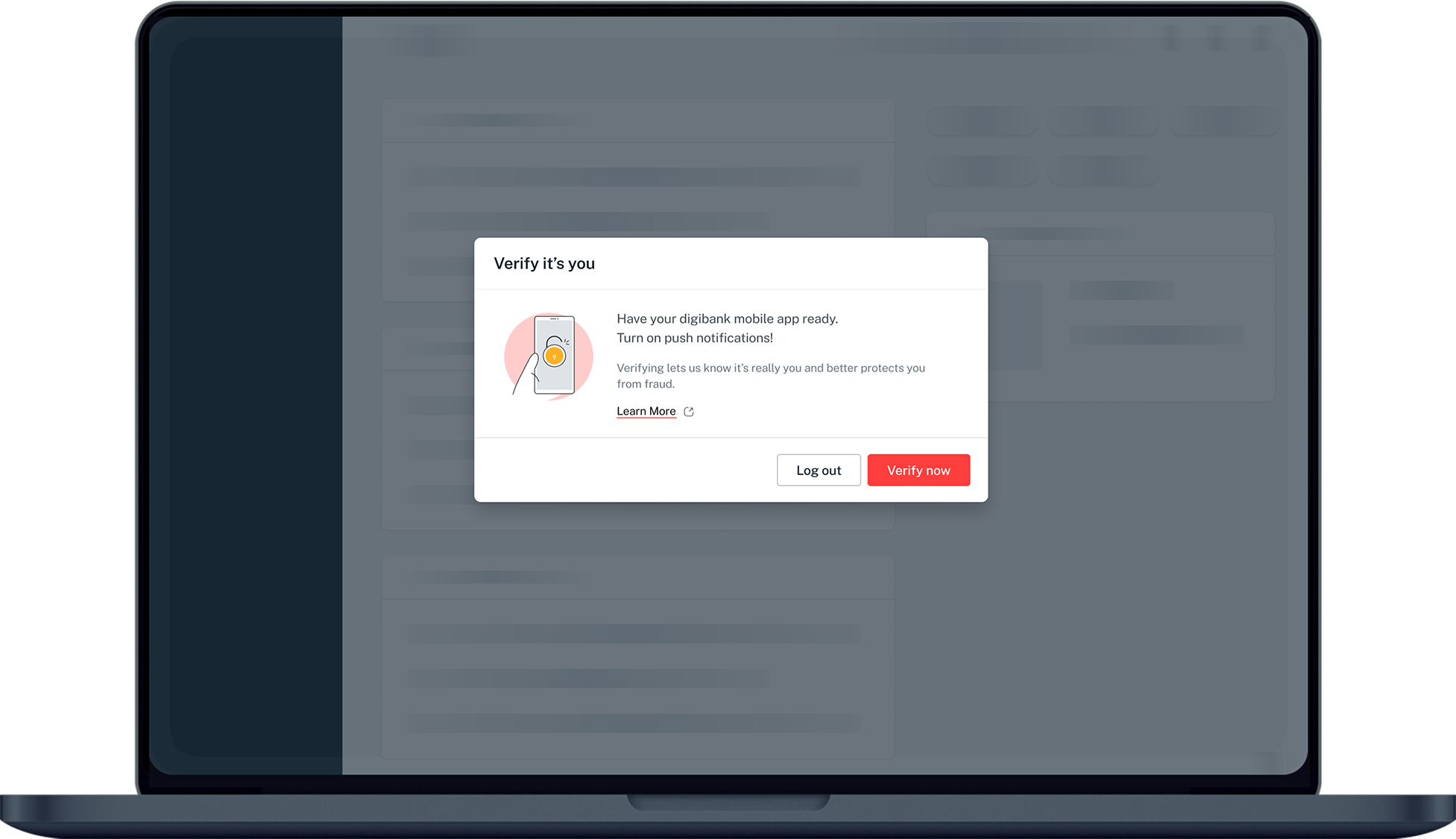
Step 2
Complete the Authentication Process.
3
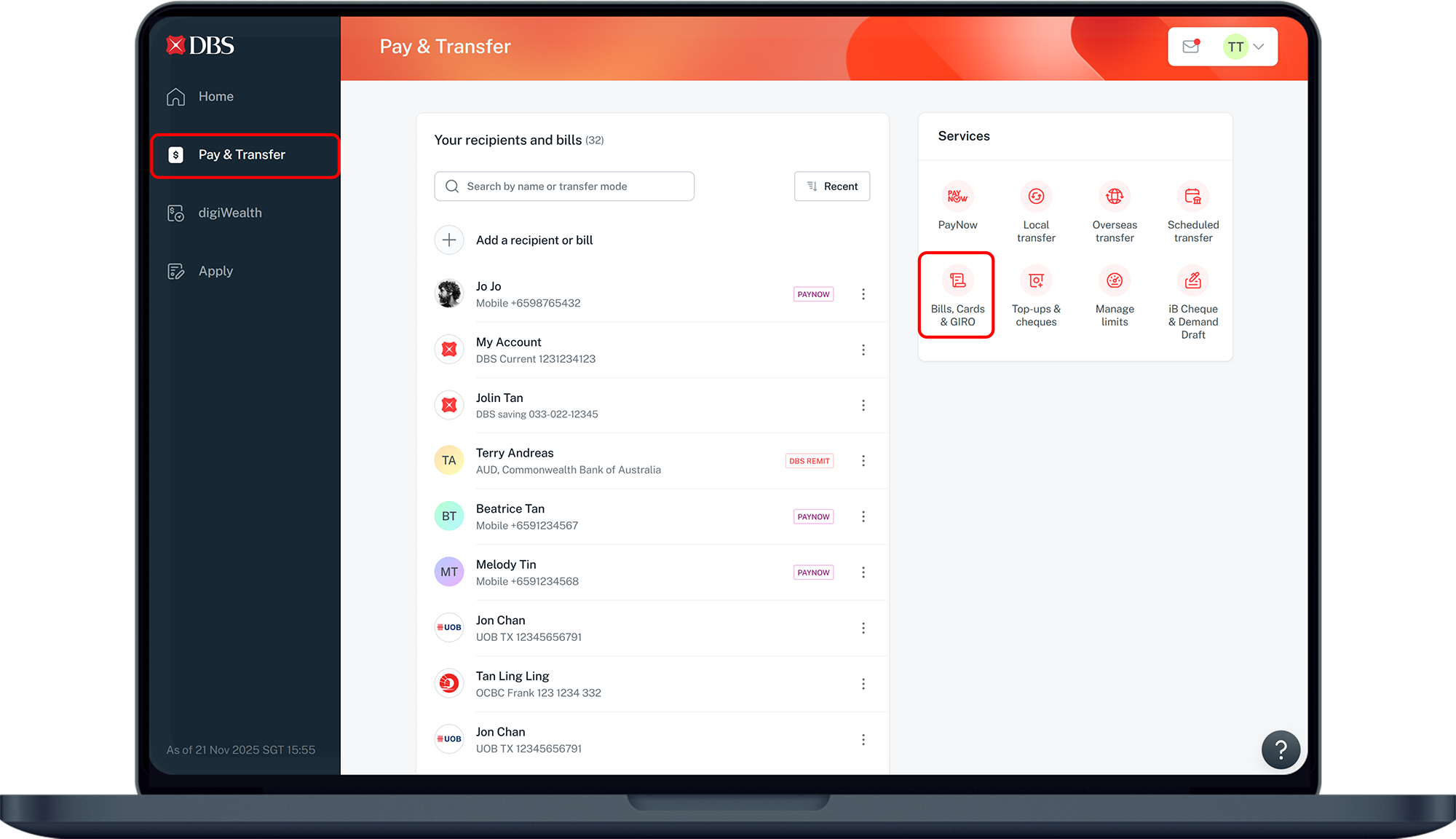
Step 3
Click Pay & Transfer on the left menu and under Services, click on Bills, Cards & GIRO.
4
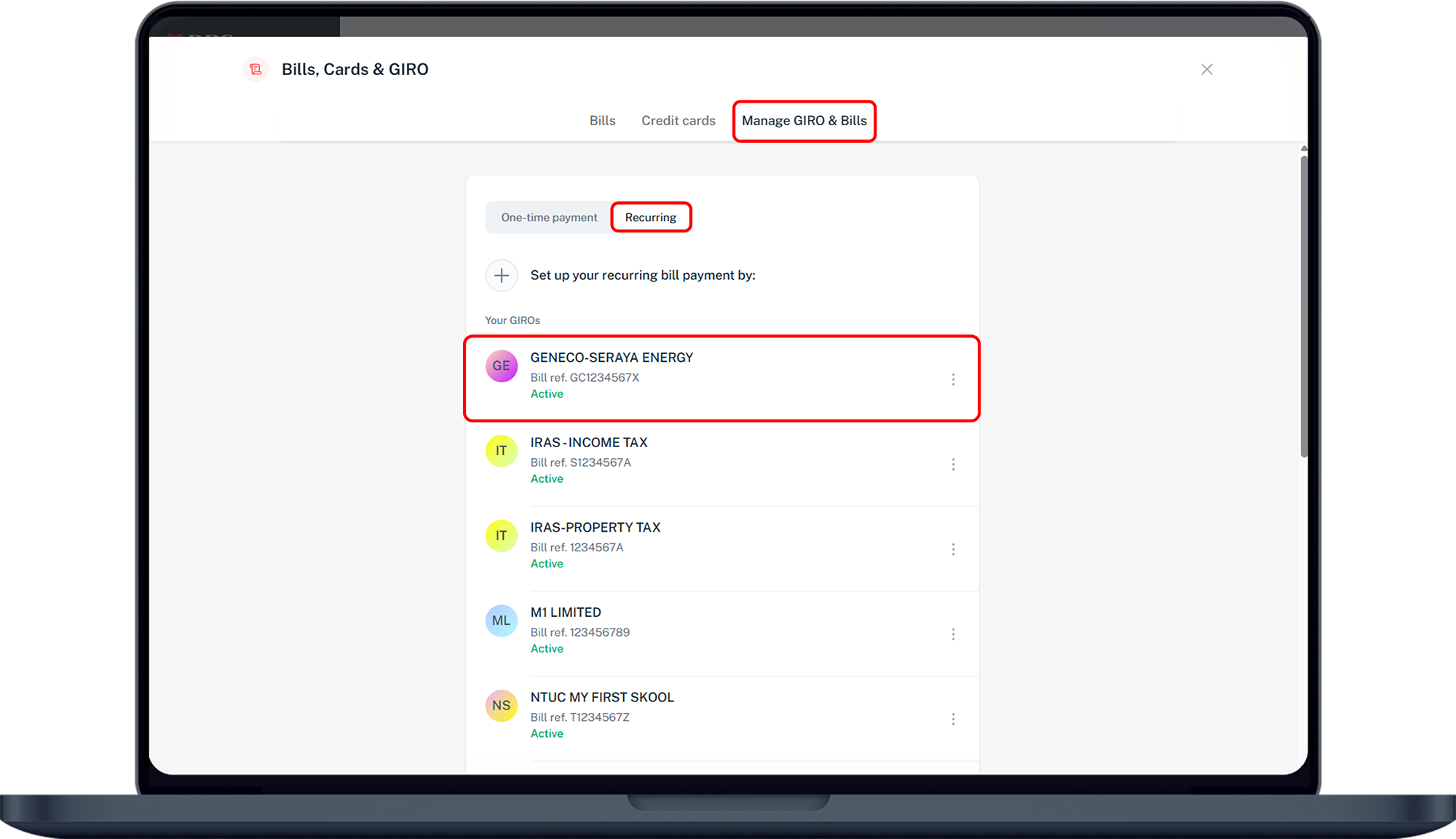
Step 4
Under Manage GIRO & Bills, click on Recurring and select the billing organisation that you wish to view.
5
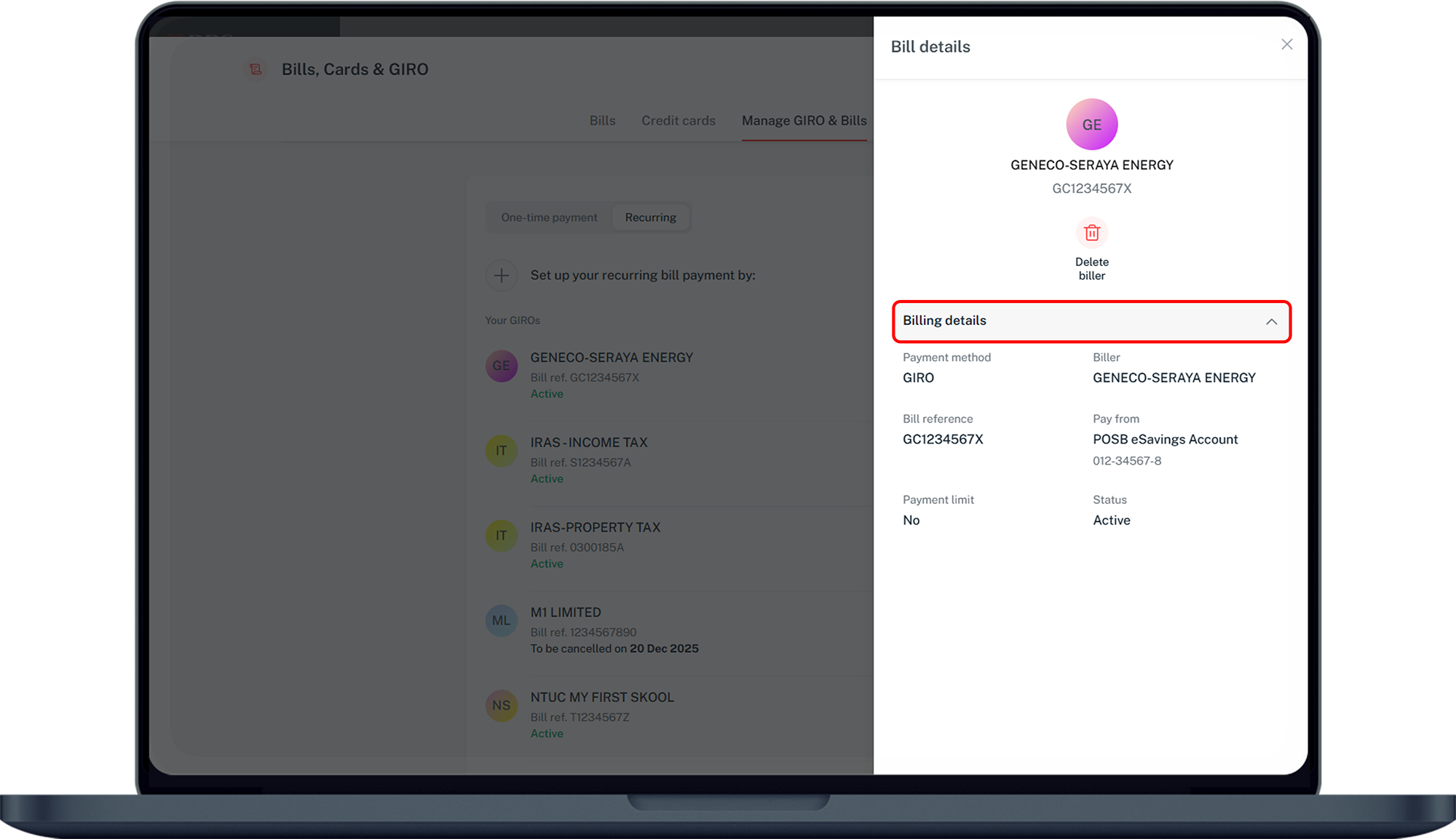
Step 5
Click on Billing details to display the details.
Was this information useful?