Transfer from CPFIS Account to CPF Ordinary Account

Perform a partial or full funds transfer to your CPF Ordinary account easily using digibank online.

Important information

  • There are no service charges for this request.
  • There is no minimum and maximum limit to the transfer amount, and you can transfer up to the available balance in your CPFIS account.
  • It will take 3 business days for the funds to be transferred to the CPF Ordinary account.

How to transfer from CPFIS Account to CPF Ordinary Account

digibank online
laptop
slider
slider
slider
slider
slider
slider
slider
1
Step 1
Log in to digibank online with your User ID & PIN.
2
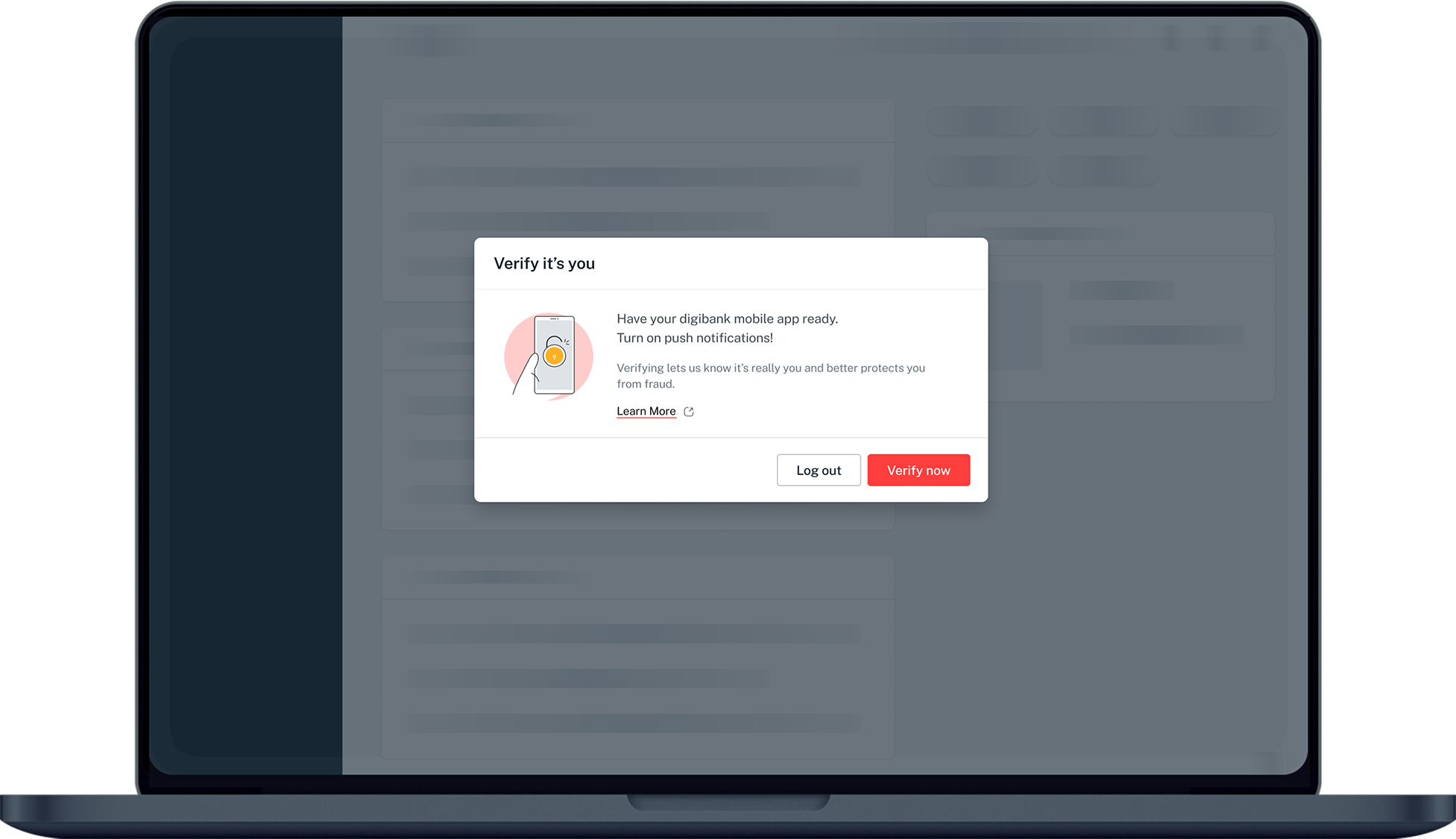
Step 2
Complete the Authentication Process.
3
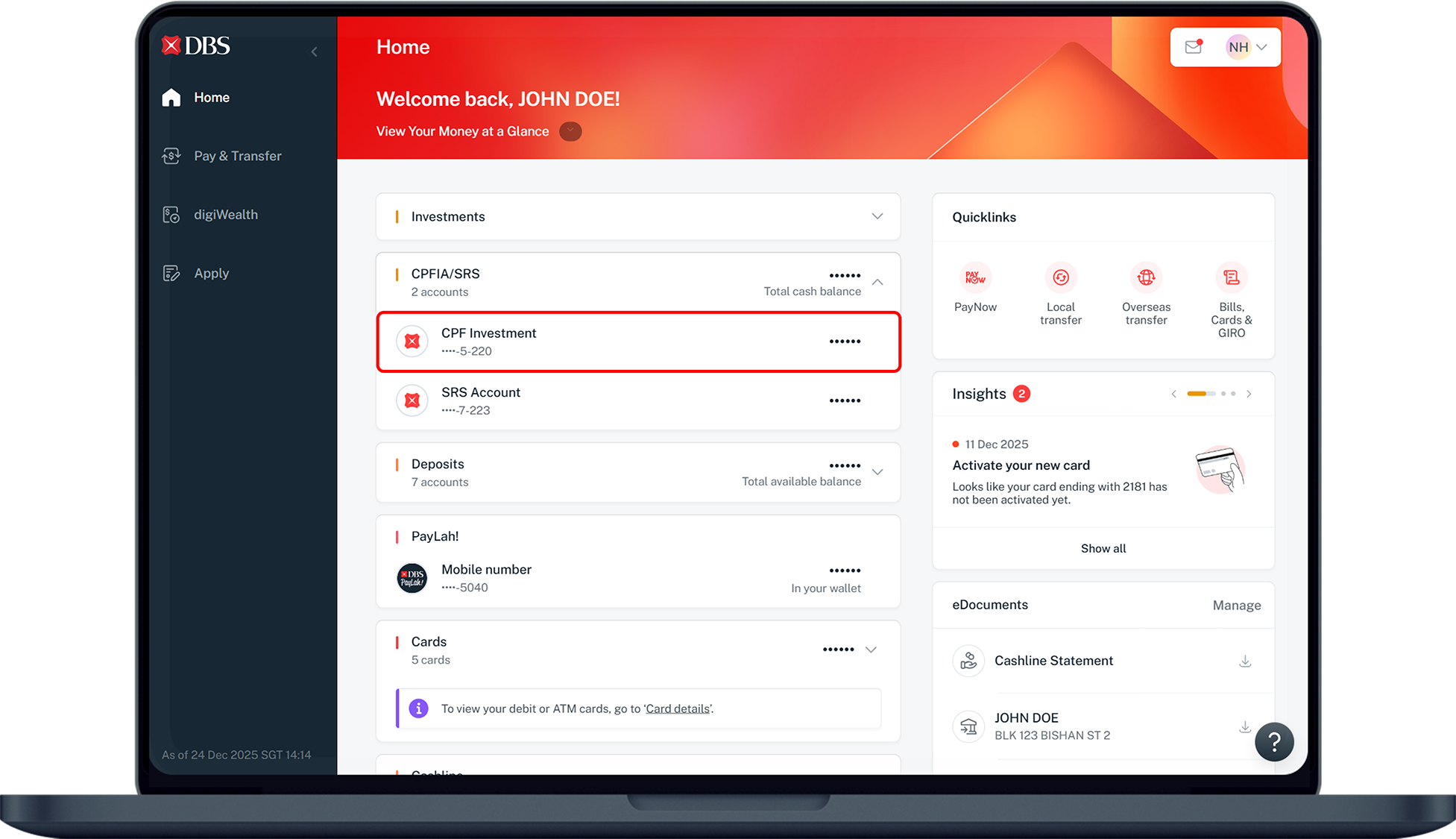
Step 3
Under Home, click on CPFIA/SRS and select your CPF Investment account.
4
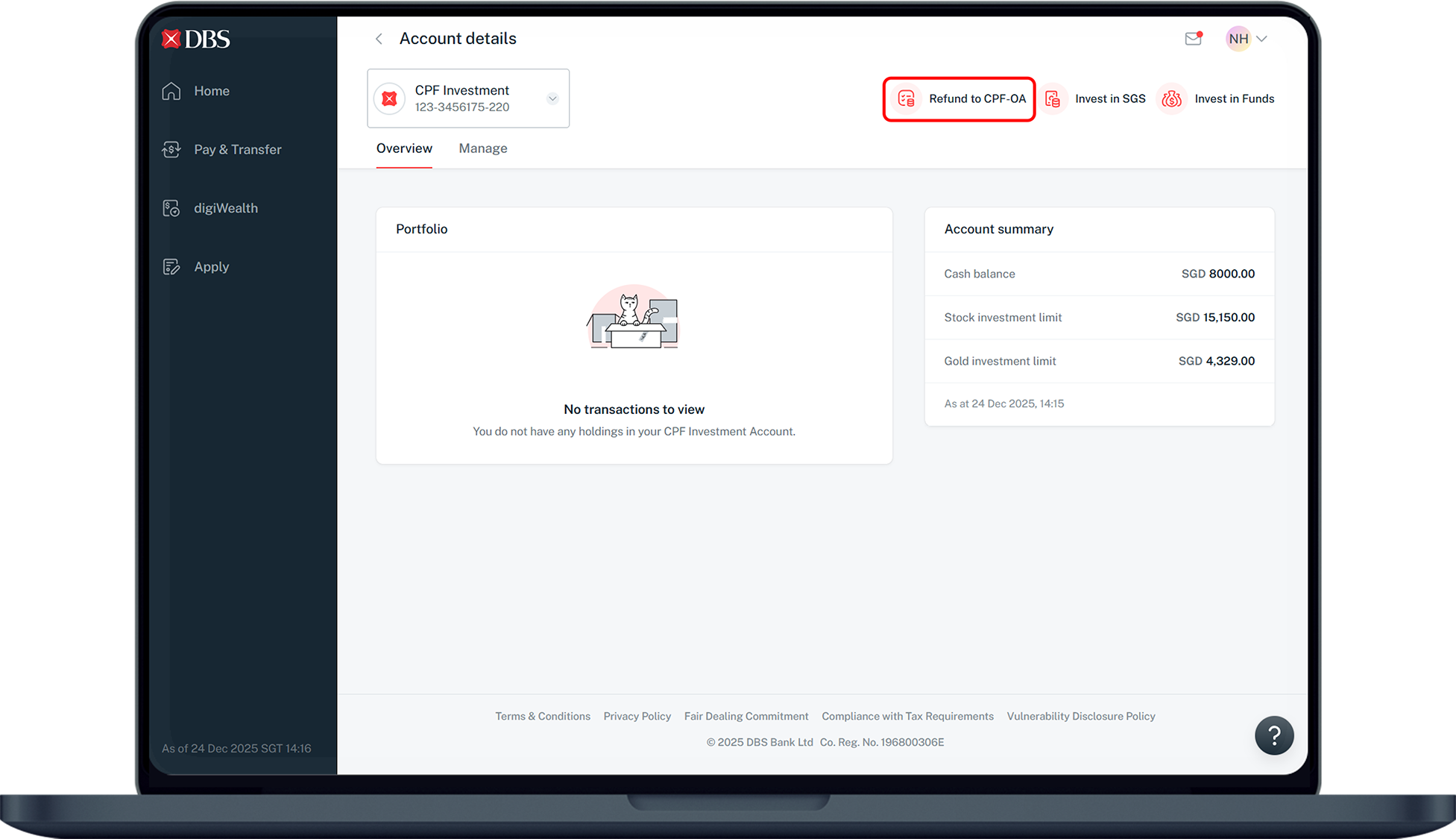
Step 4
Under Overview, select Refund to CPF-OA on the top right.
5
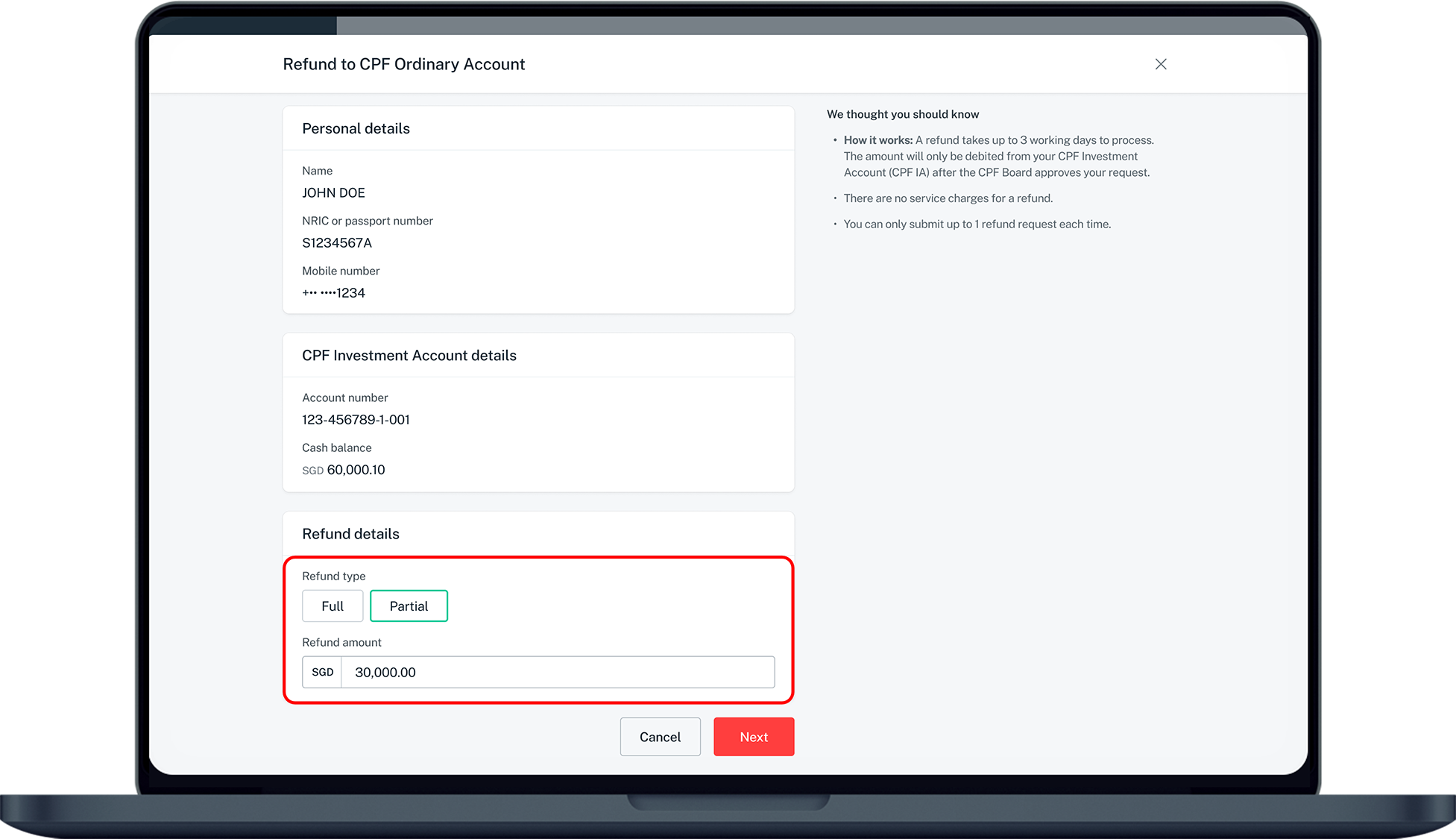
Step 5
Under Refund details, select Full or Partial refund.
If you have selected Partial, enter the amount to be transferred.
6
Step 6
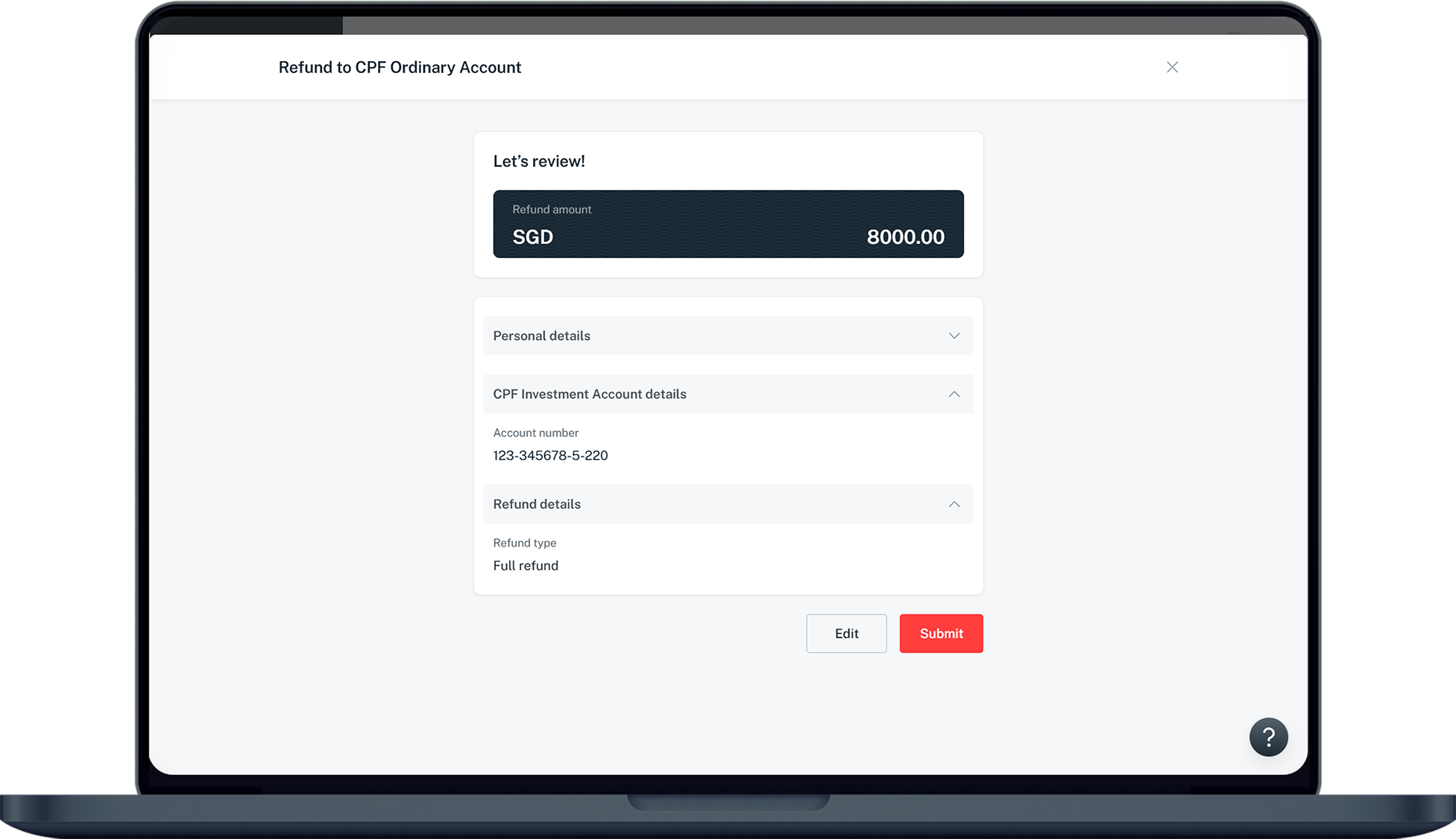
Verify that your details are correct and click Submit.
7
Step 7
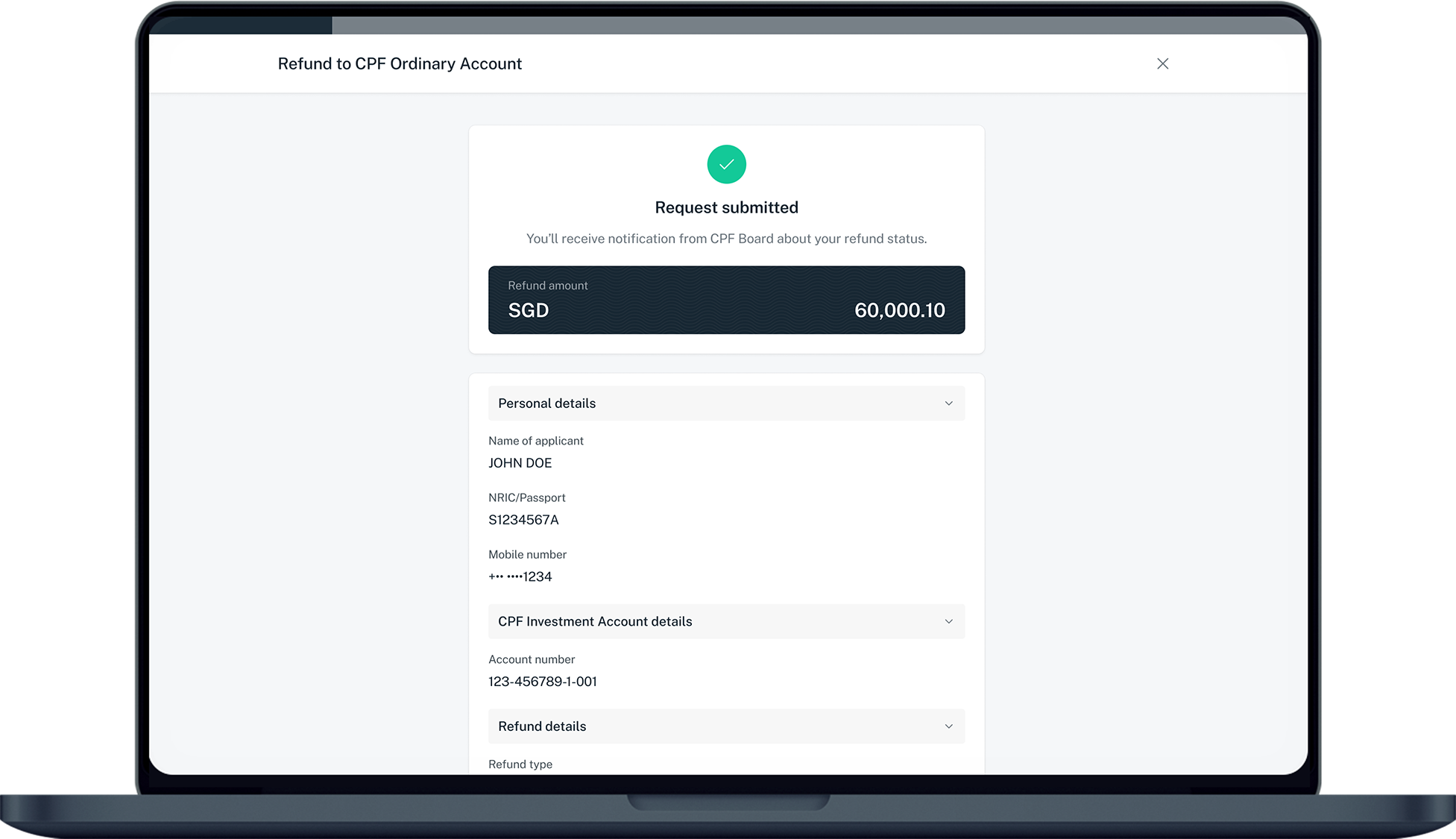
You've successfully submitted a refund request. CPF Board will send you a notification about your refund status.
Was this information useful?

We welcome your feedback

Information is easy to understand and find
Information is useful to answer your inquiries completely