Apply for IPO using Electronic Securities Application (ESA)
Understand the requirements and how you can easily apply for shares via digibank.
Important information
- You need to be a DBS/ POSB account holder.
- You need to have a digibank account or DBS/POSB ATM card.
- You must be at least 18 years old.
- You must be a Singaporean, Permanent Resident or a Foreigner currently residing in Singapore.
- You need to own an Individual CDP (Central Depository) Securities Account. If you do not own an Individual CDP Securities Account, you may apply for one here.
- Your mailing address in our Bank's record must be a valid Singapore mailing address. Learn more about Update Address.
How to apply for IPO using Electronic Securities Application (ESA)
digibank mobile
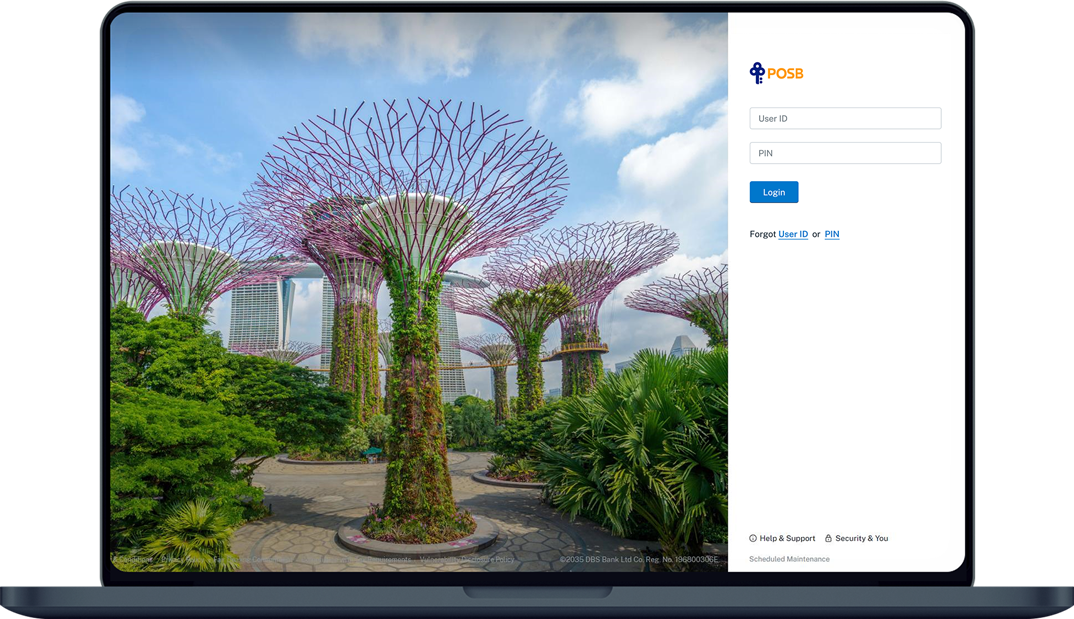
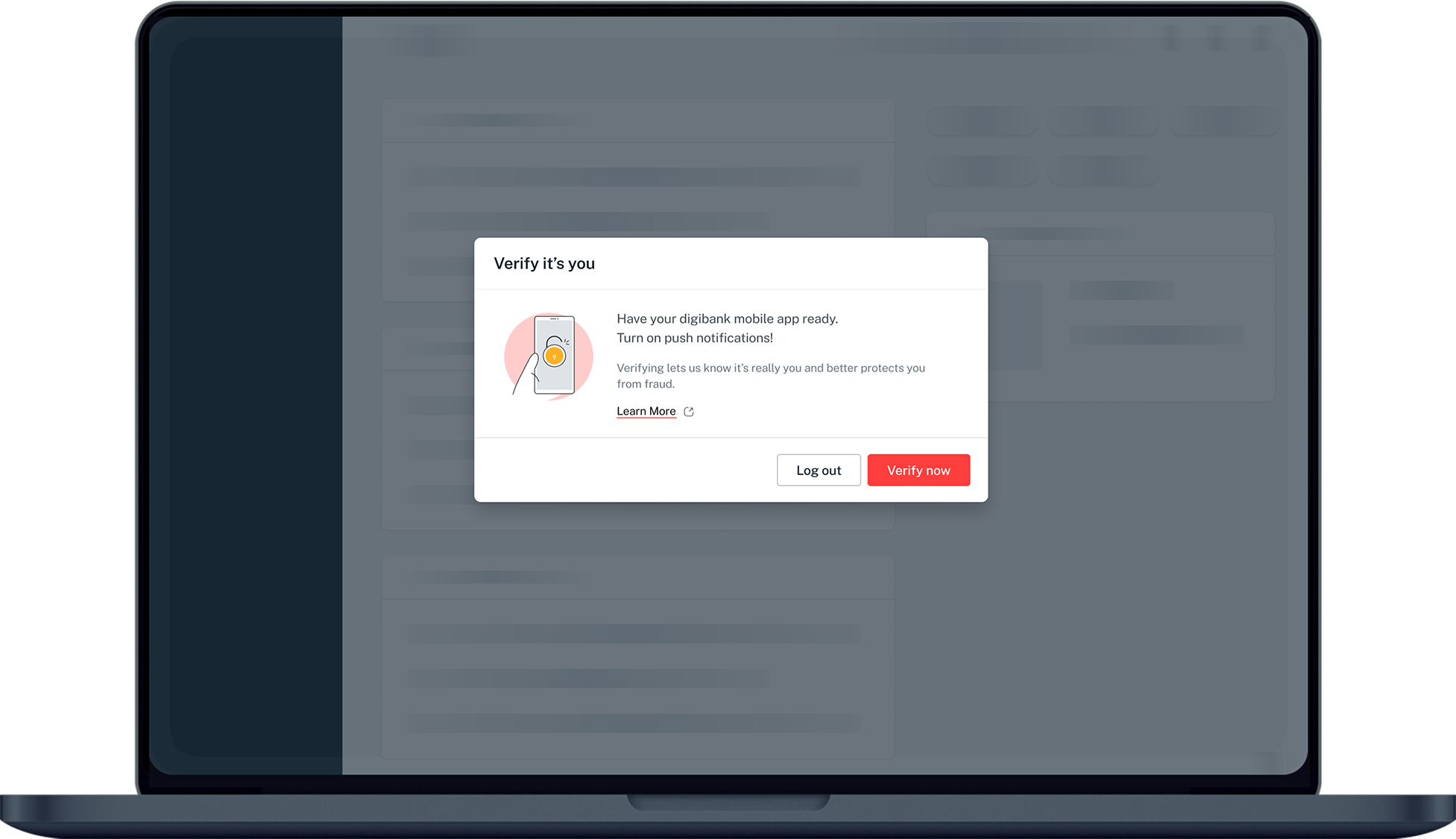
- Log in to digibank mobile with your Touch / Face ID or digibank User ID & PIN.
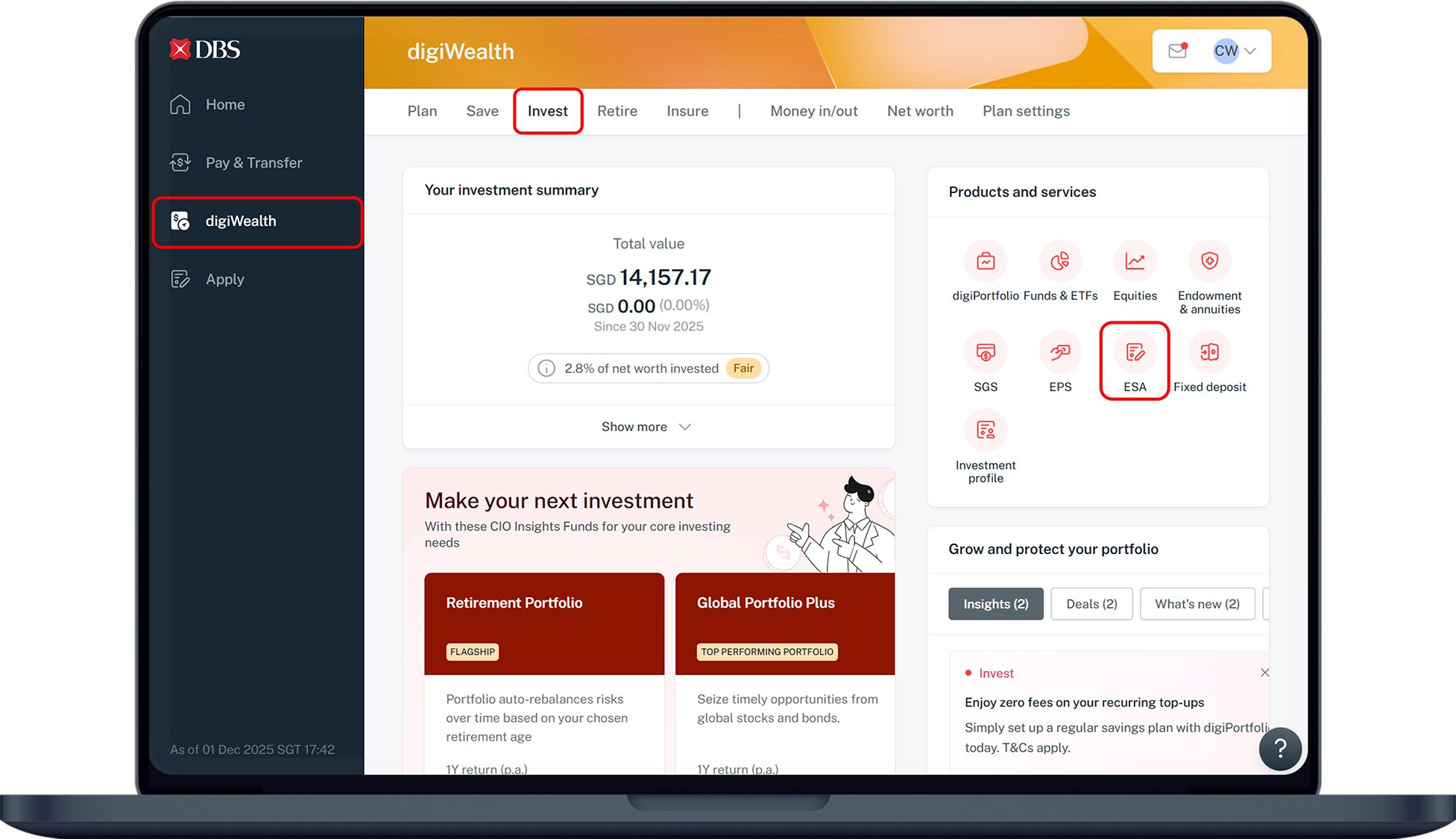
- Tap digiWealth at the bottom navigation.
- Under Invest, tap on Show all and select ESA.
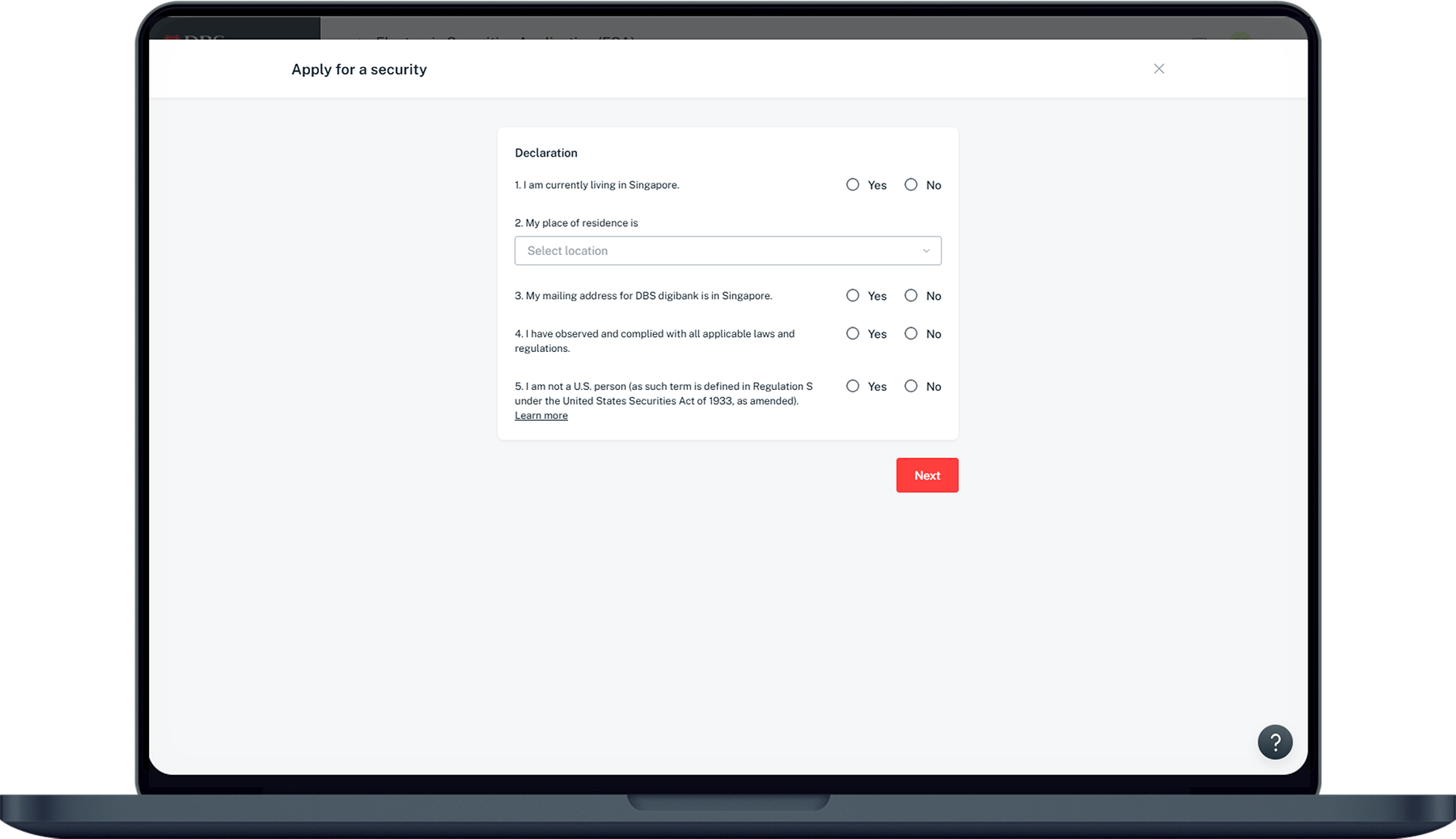
- Complete the Declaration by selecting on the appropriate boxes.
- Select your Country of Residence and tap Next.
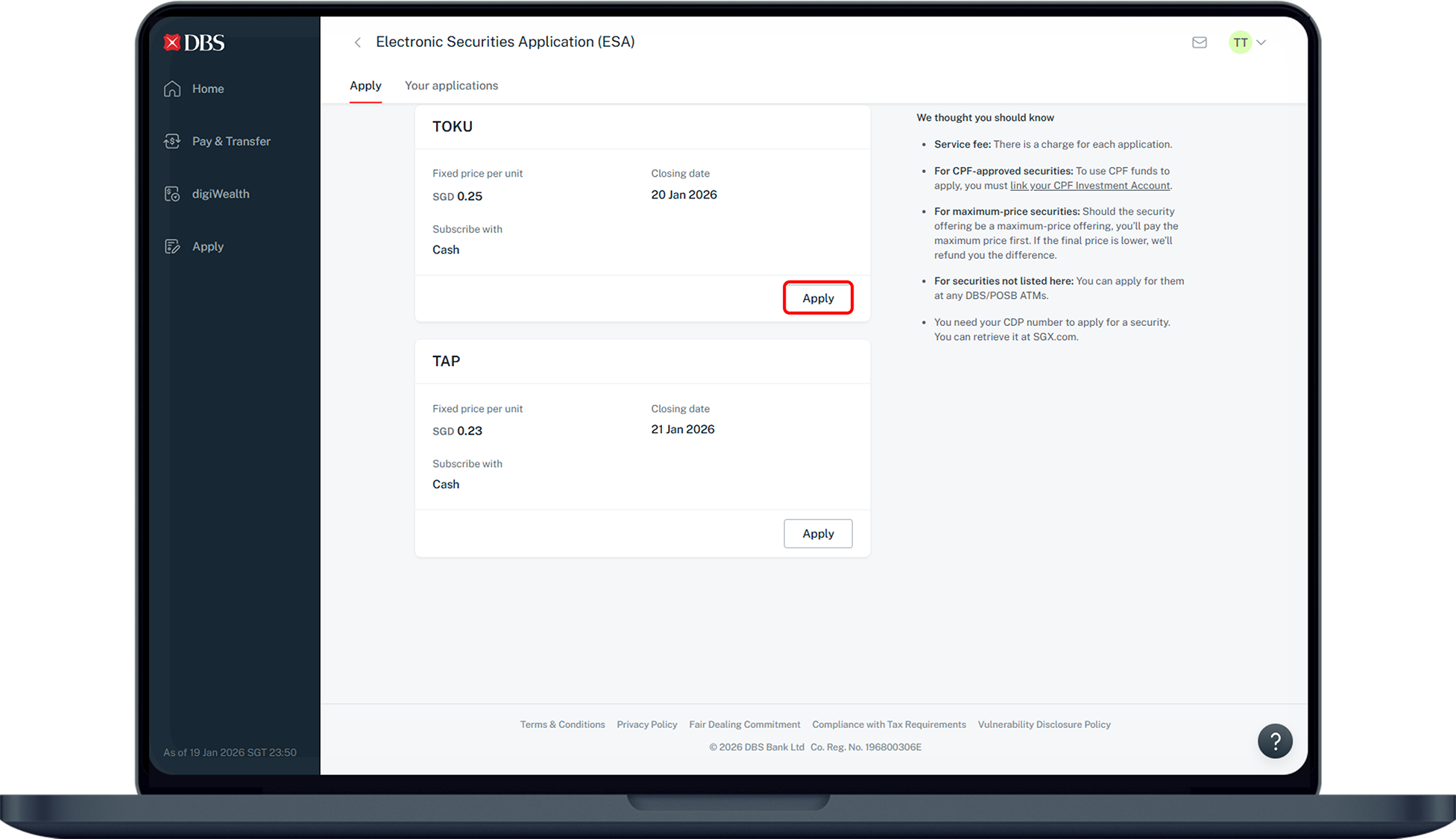
- Select the Securities Counter that you wish to apply for and tap Next.
- Read through the Agreement and Prospectus carefully and tap I Agree to proceed.
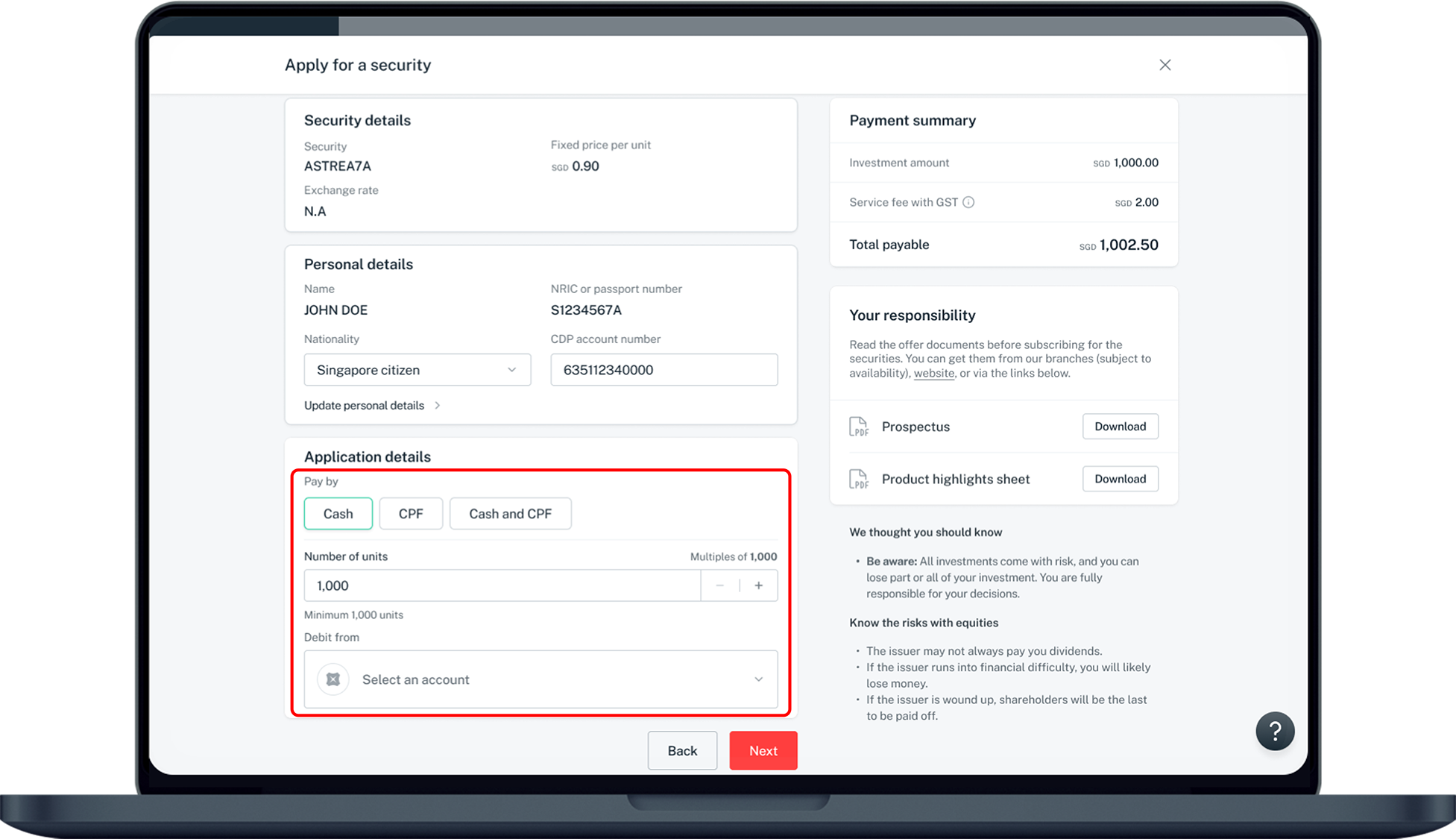
- Enter your Application Details and tap Next.
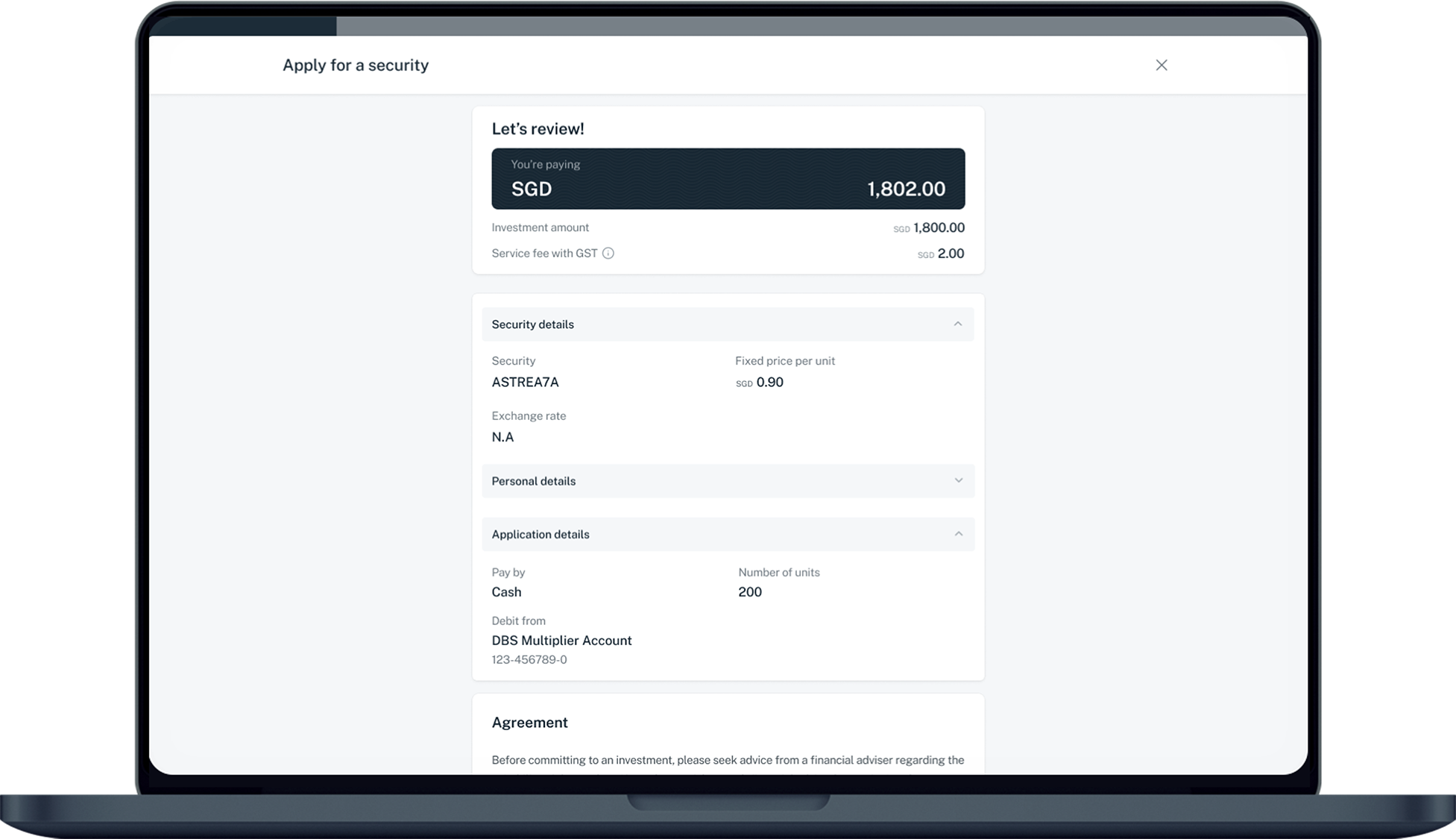
- Verify your details and tap Confirm to submit your application.
digibank online


More information
- Applications submitted cannot be amended or withdrawn. (Applications may only be withdrawn if a supplementary prospectus has been issued for the security after your application)
- Joint CDP accounts cannot be used to apply for ESA.
- Multiple applications are not allowed. Each Individual CDP account is entitled to one application only.
- This service is currently available for selected ESAs in respect of which internet applications are permitted. For ESAs not listed above, you may apply at any DBS/POSB ATMs.
- Number Of units using cash has a minimum application >= 1000 (multiples of 100).
- Please note that for CPF approved ESAs, availability of the use of CPF funds from your Ordinary Account is subject to the online linkage from CPF Board.
- A service charge is payable for each security application which will be debited from your account on application.
- Please note that for Maximum Price ESAs, the maximum price for each share is payable in full on application and is subject to refund if the final price is lower.
Was this information useful?