Issue an Online Cheque

Save on your cheque book fees! Simply issue an online cheque via digibank online.

Important information

  • Online Cheque has a validity period of 2 months and can only be deposited into an account with a bank in Singapore.
  • Online Cheques are mailed out at no charges to local addresses only.

How to issue an online cheque

digibank online

laptop
login
authenticate
slider
slider
slider
slider
slider
1
Step 1
Log in to digibank online with your User ID & PIN.
2
Step 2
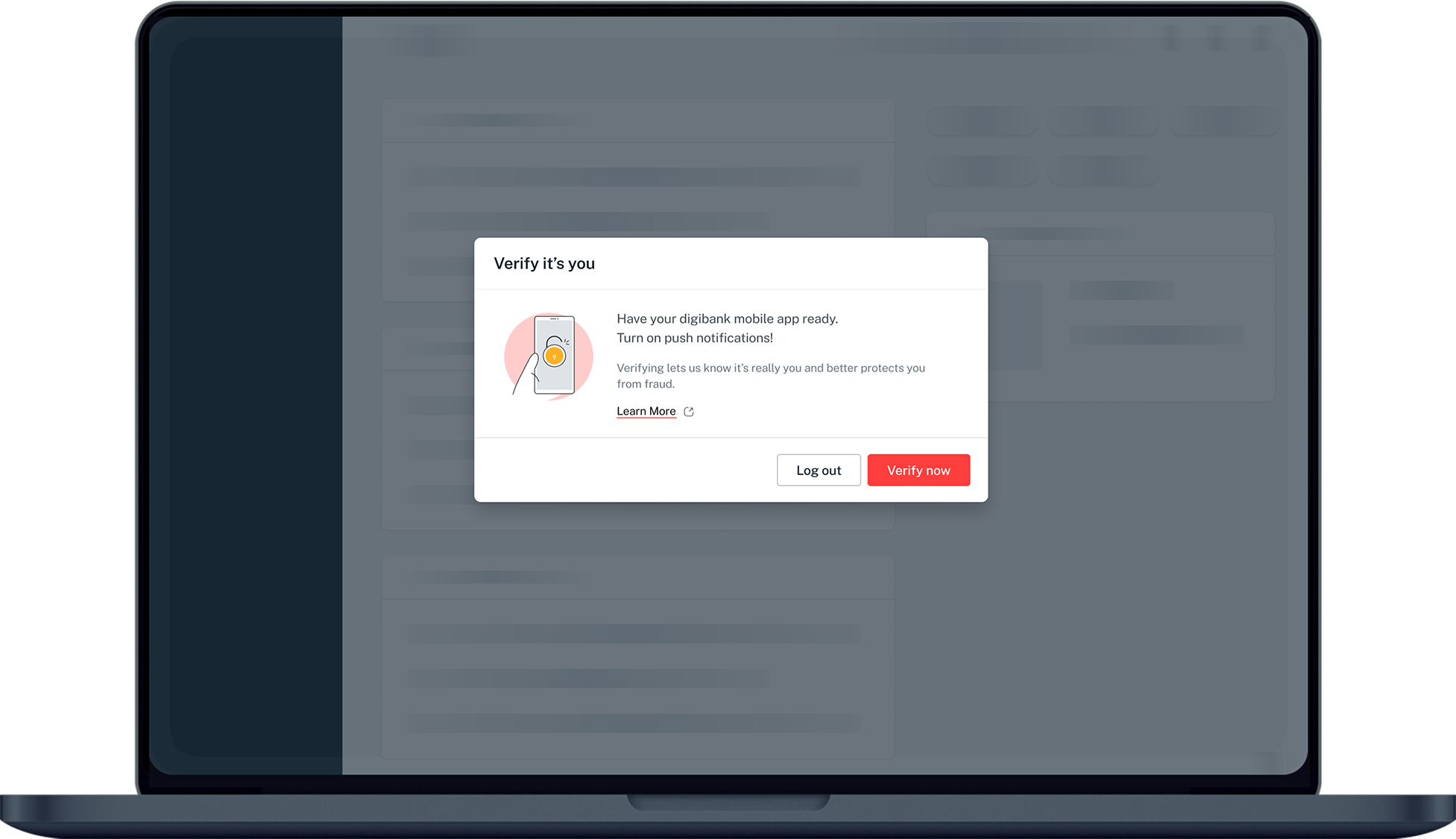
Complete the Authentication Process.
3
Step 3
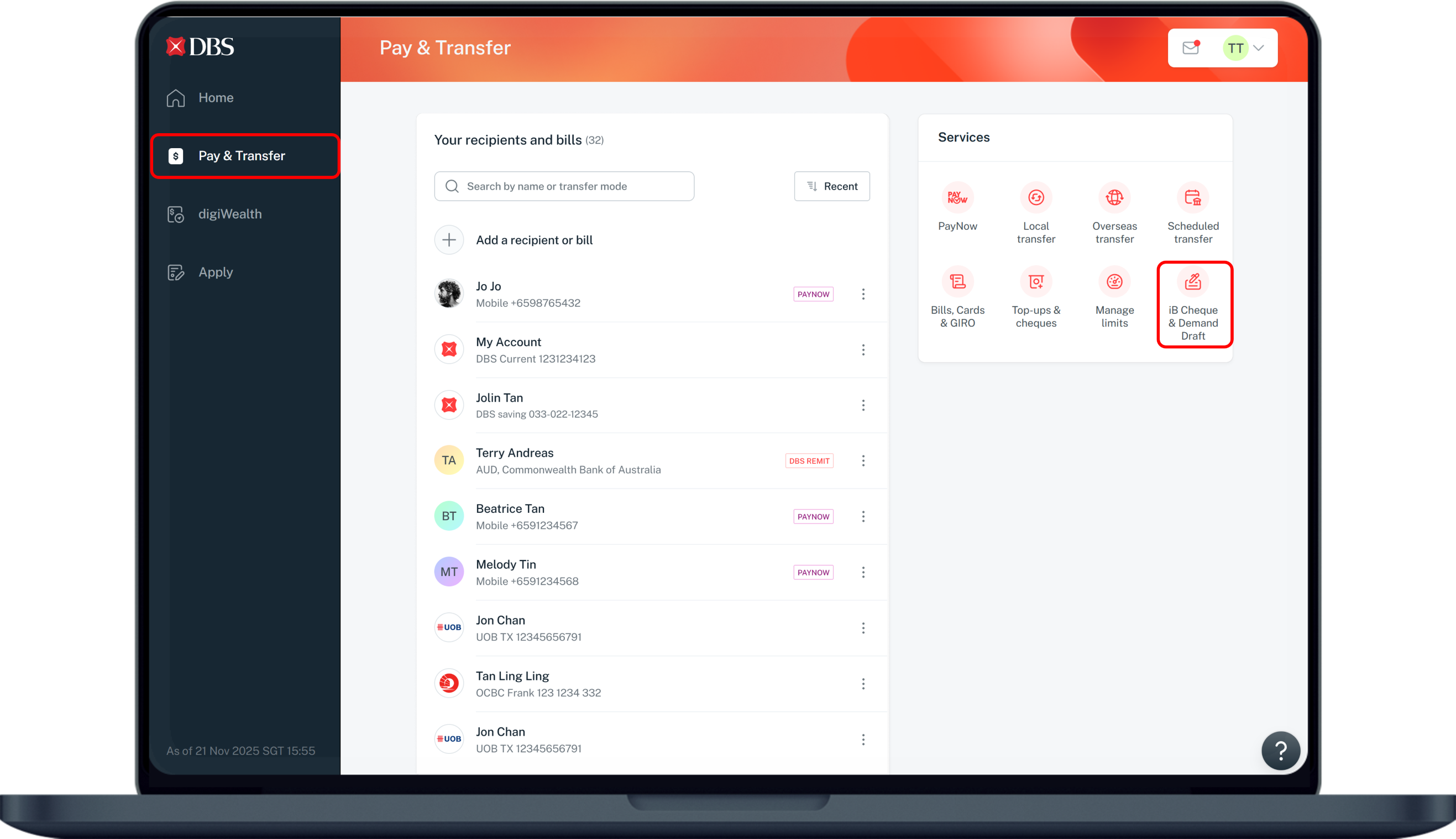
Click Pay & Transfer on the left menu and select iB Cheque & Demand Draft.
4
Step 4
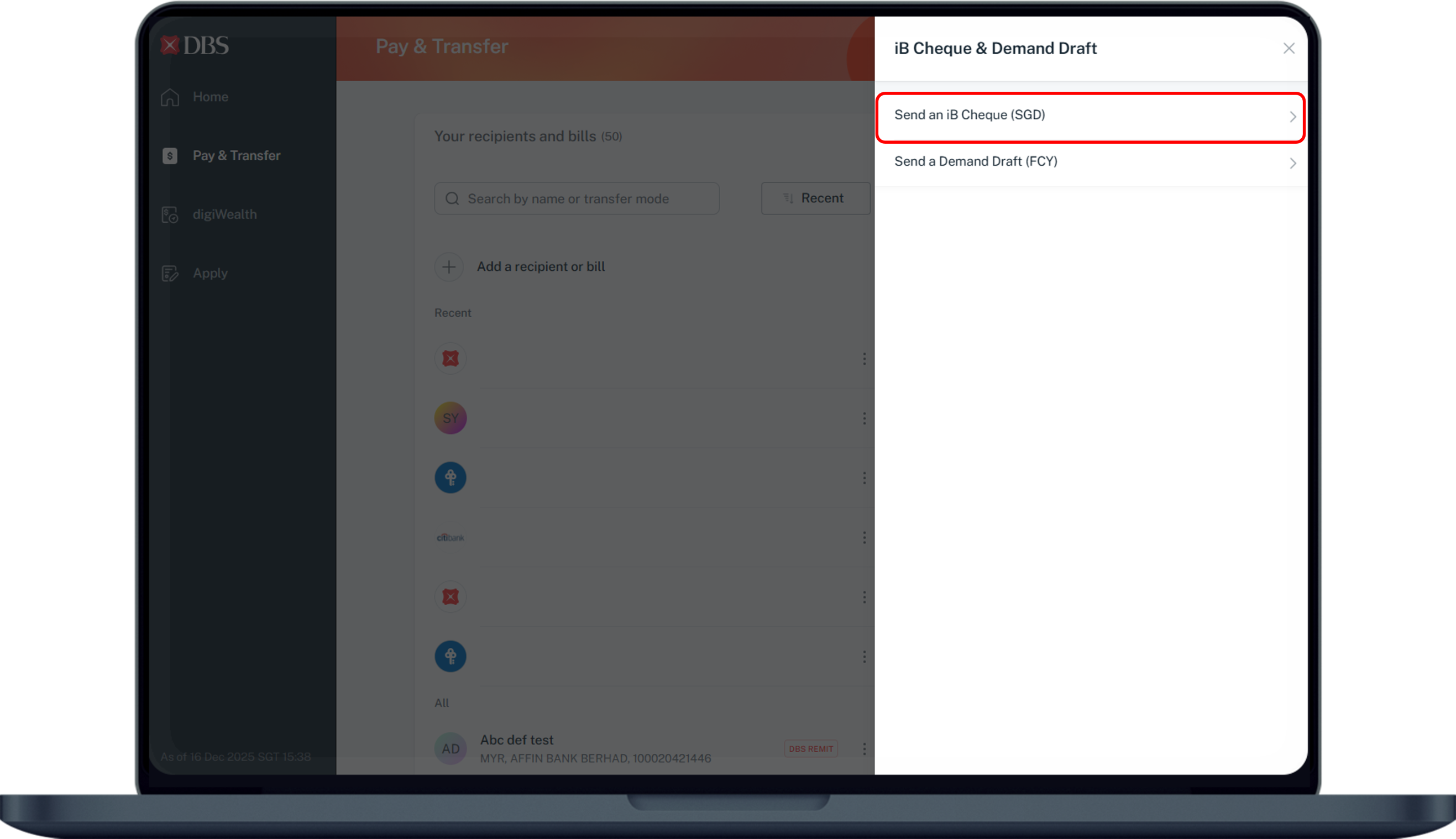
Select on Send an iB Cheque (SGD).
5
Step 5
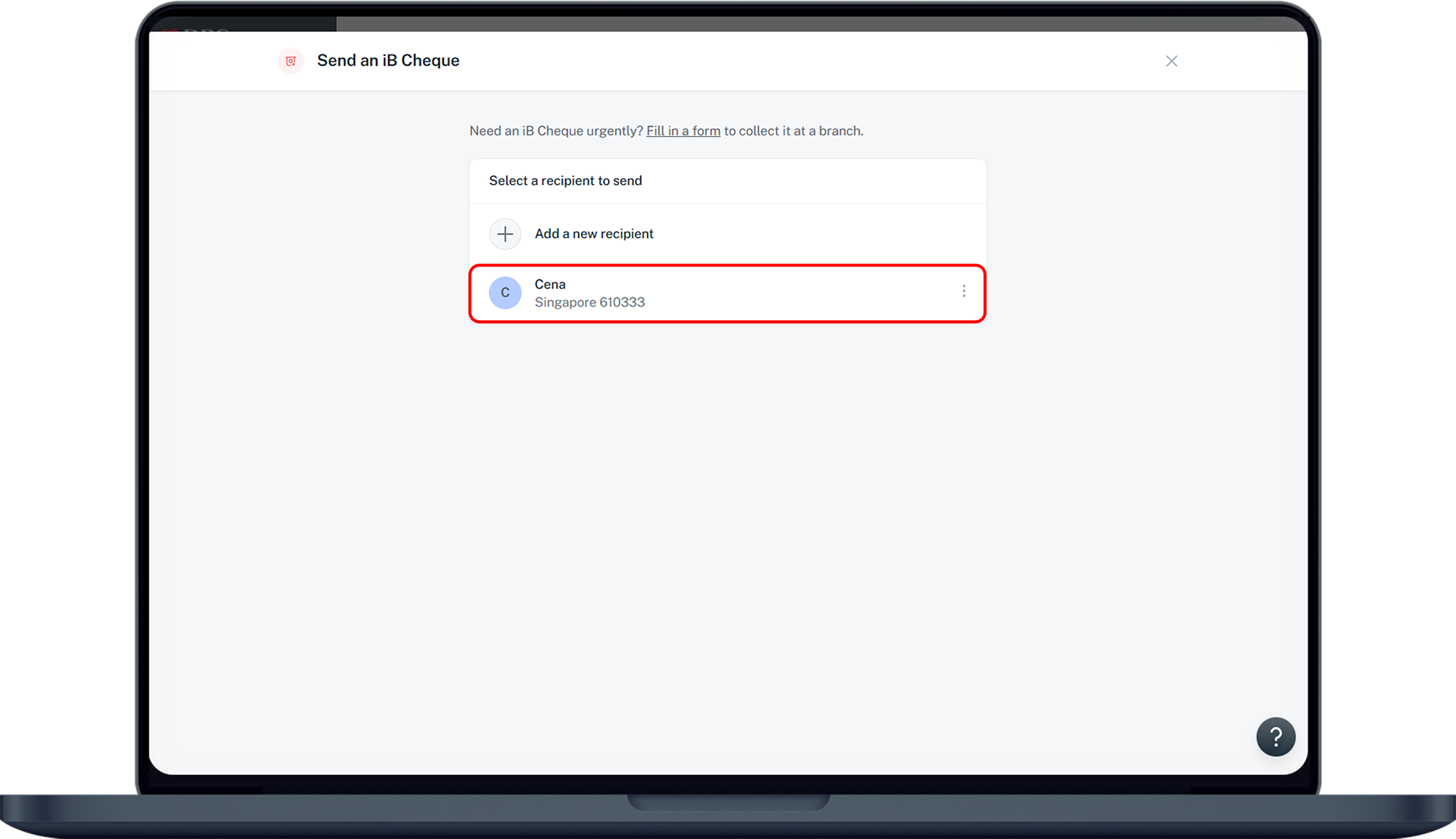
Select the Recipient you would like to issue an online cheque.
6
Step 6
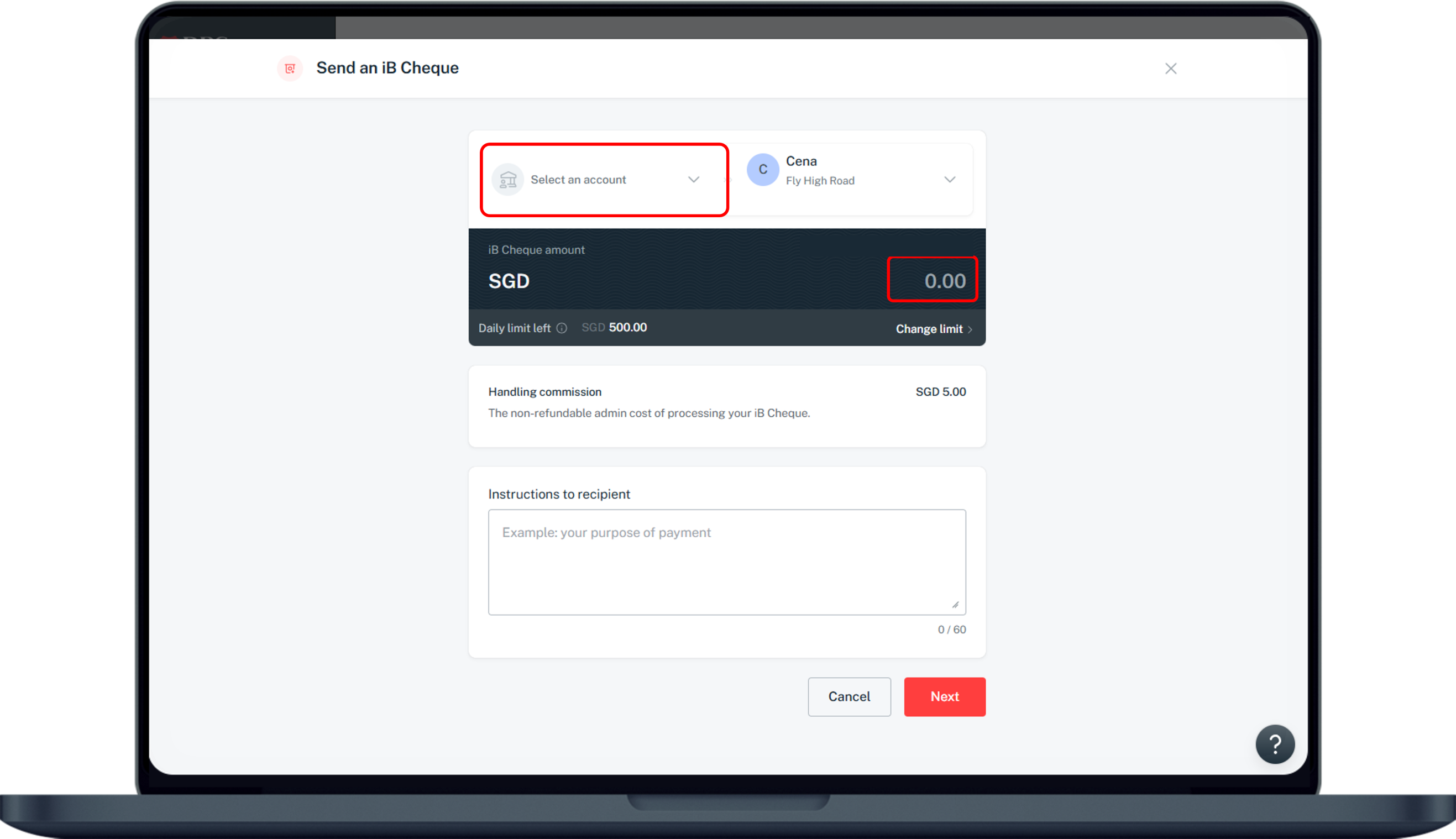
Select your account to be debited from and enter iB Cheque amount. Click on Next.
7
Step 7
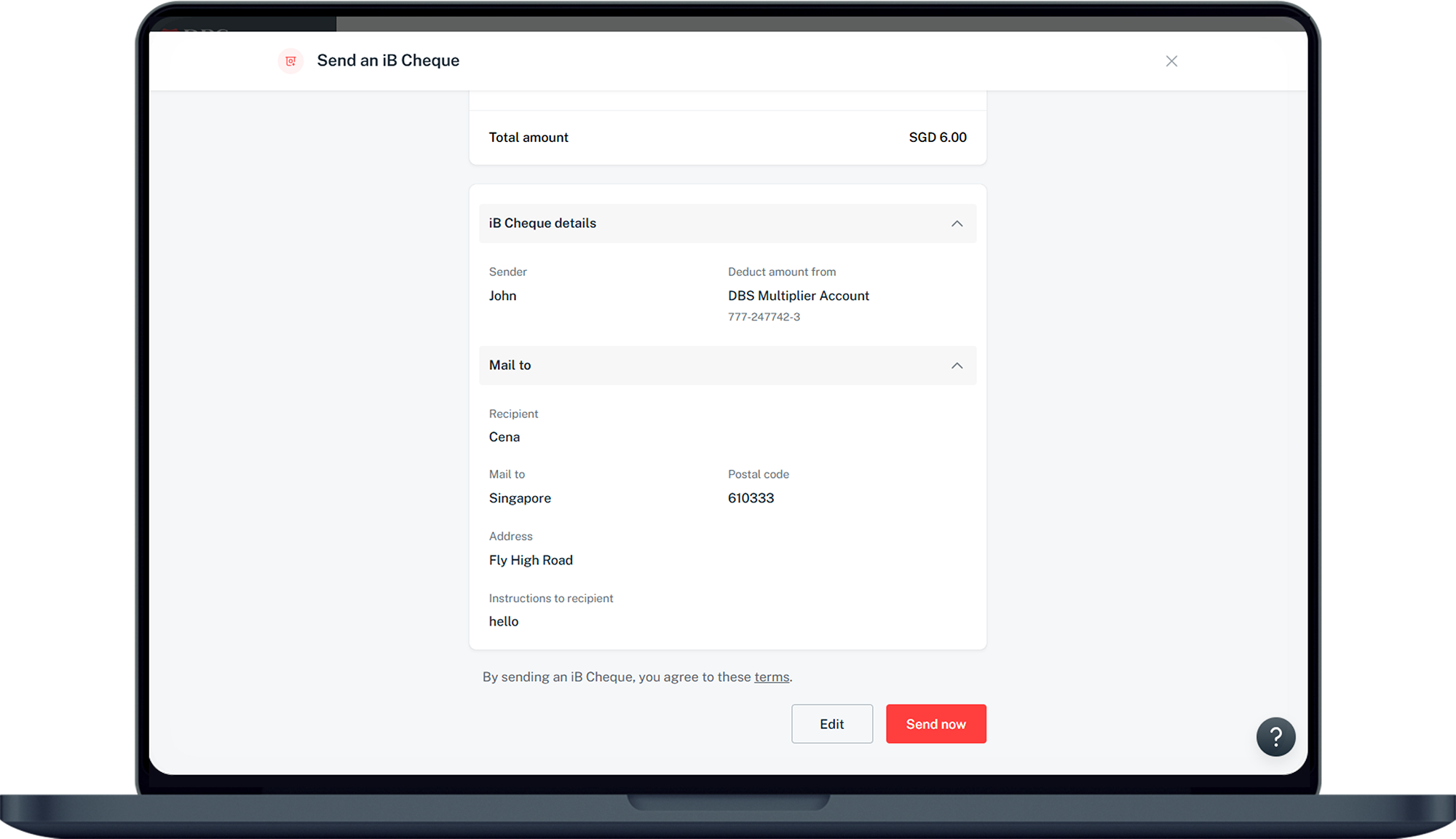
Verify your iB cheque details and click Send now.

More information

  • The cheque amount will be refunded to the debiting account 7 days after the Online Cheque expires.
Was this information useful?

We welcome your feedback

Information is easy to understand and find
Information is useful to answer your inquiries completely