Personalise your digibank mobile app

Find out how you can personalise your digibank mobile app by switching between Simple Mode and Full Mode.

Part of: Guides > Your Guide to digibank

How to personalise your digibank mobile app
phone frame
slider
slider
slider
slider
1
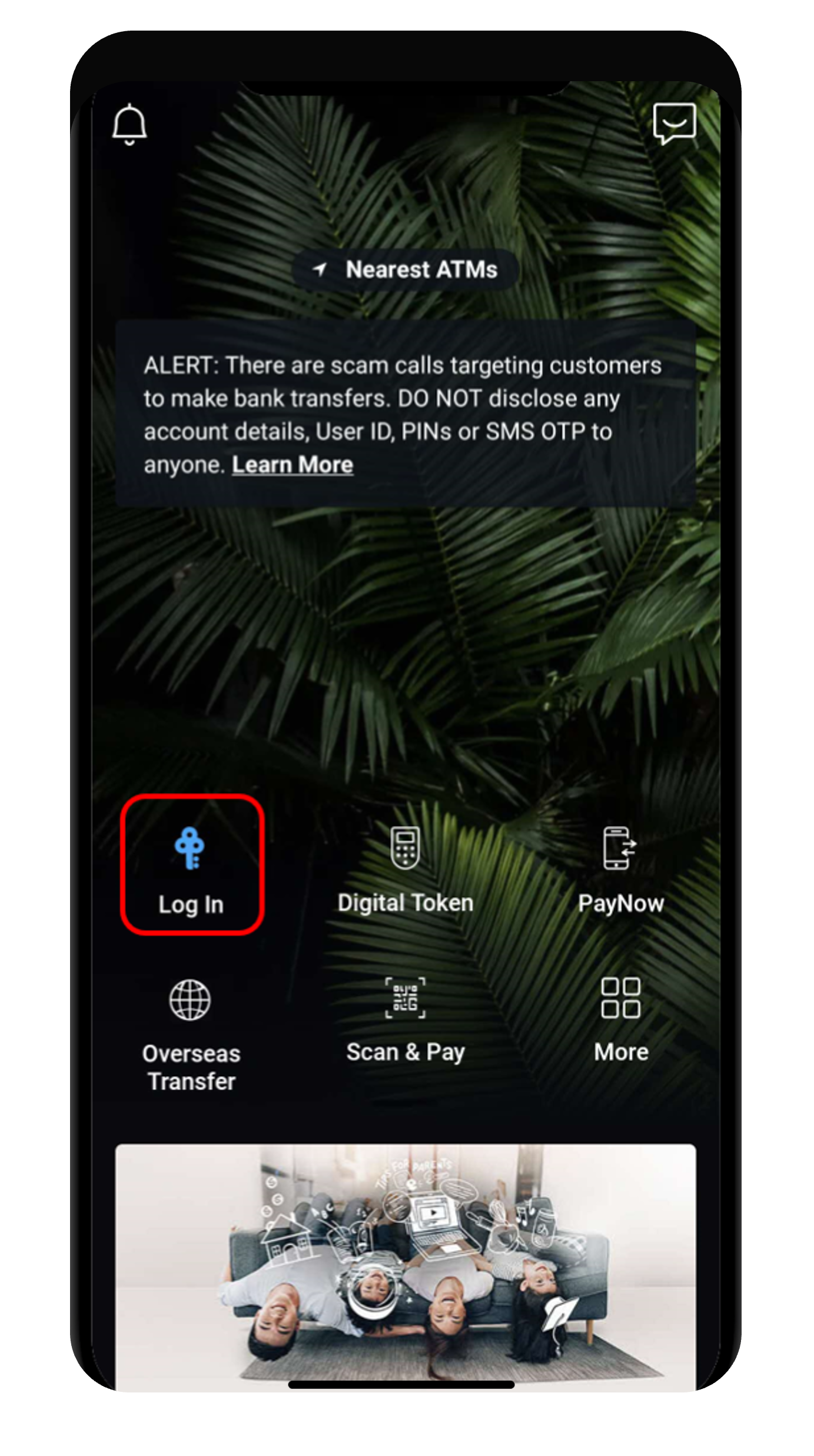
Step 1
Log in to digibank mobile with your Touch / Face ID or digibank User ID & PIN.
2
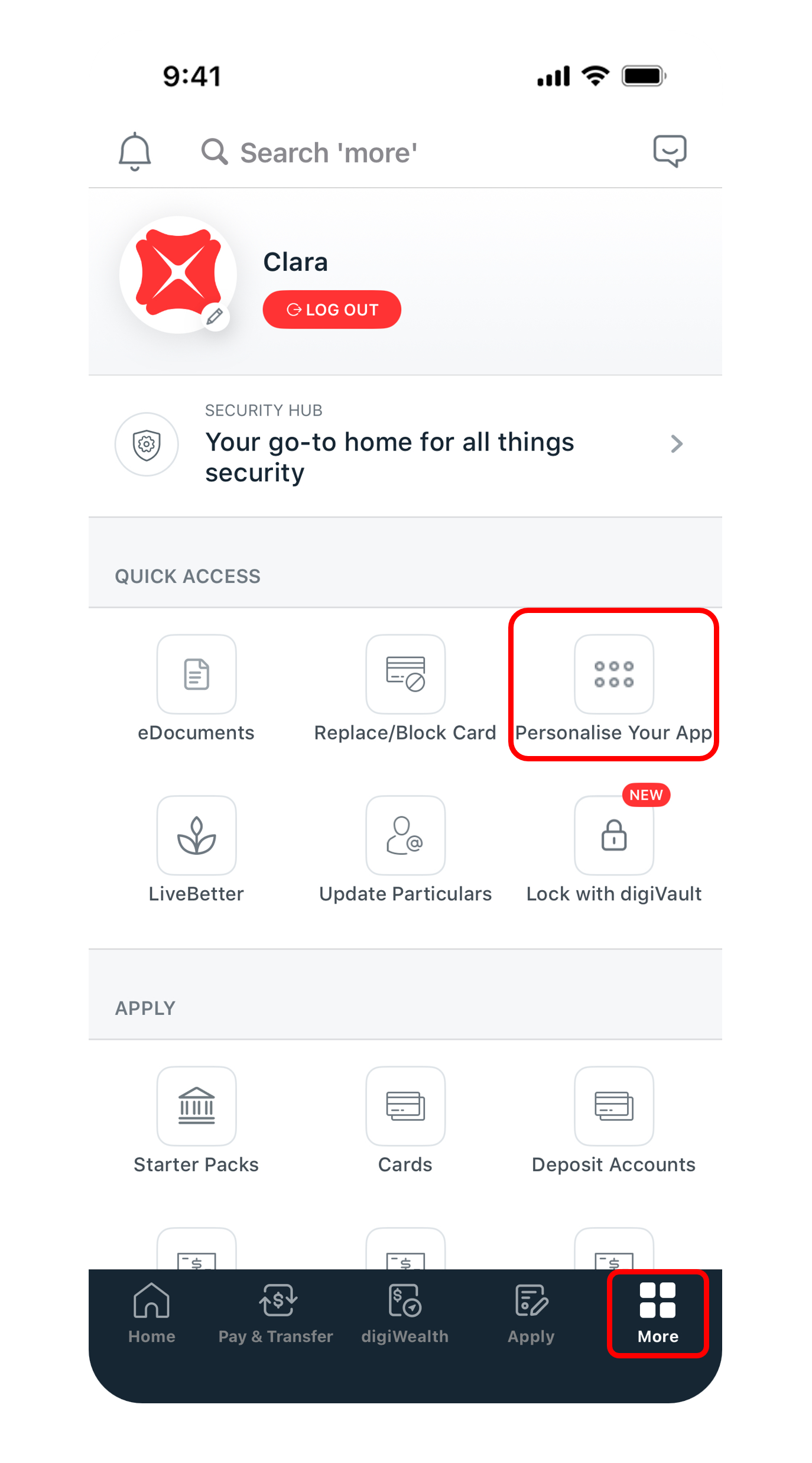
Step 2
Tap More on the bottom navigation bar, and under Quick Access, select Personalise Your App.
3
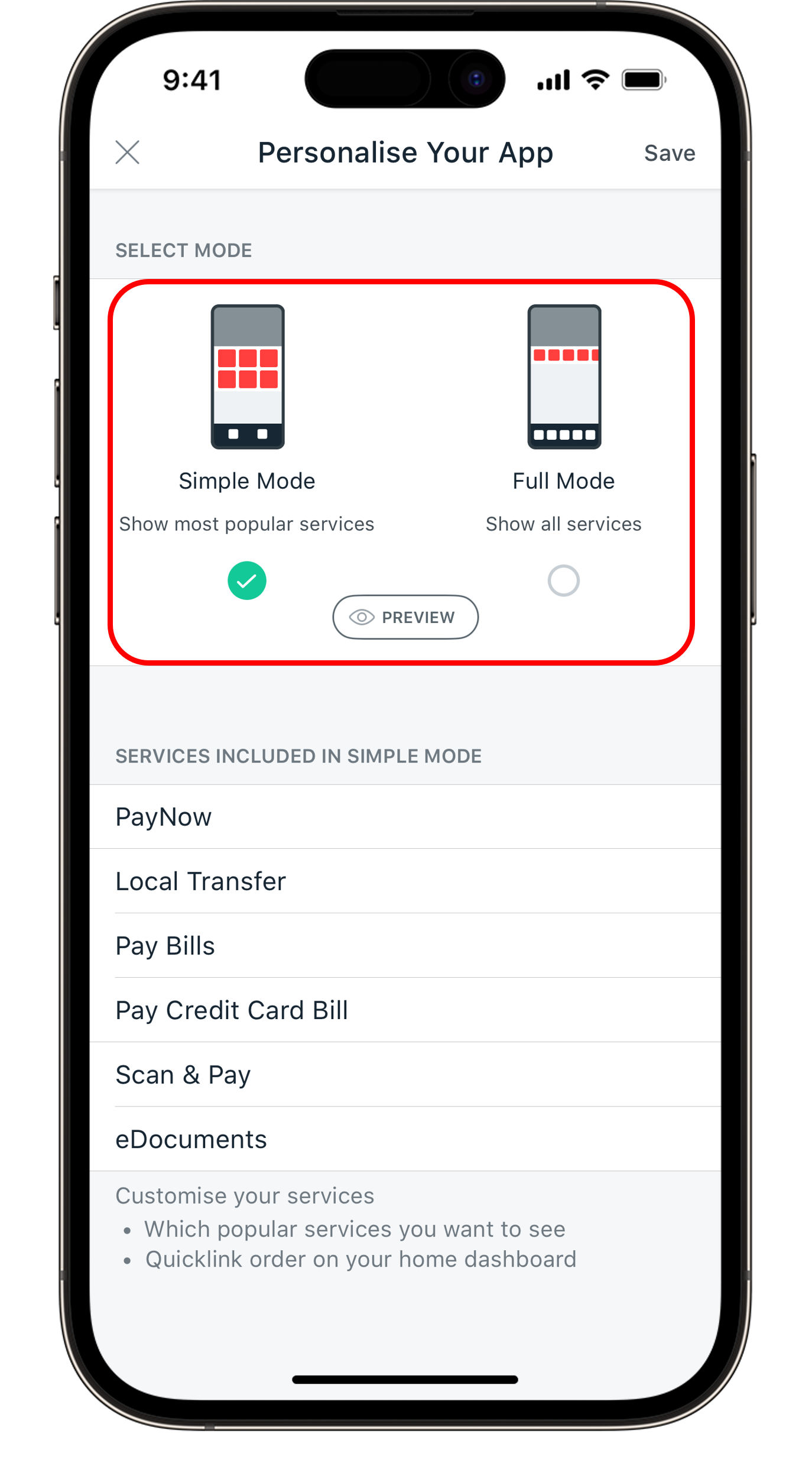
Step 3
Select between Simple Mode or Full Mode.
4
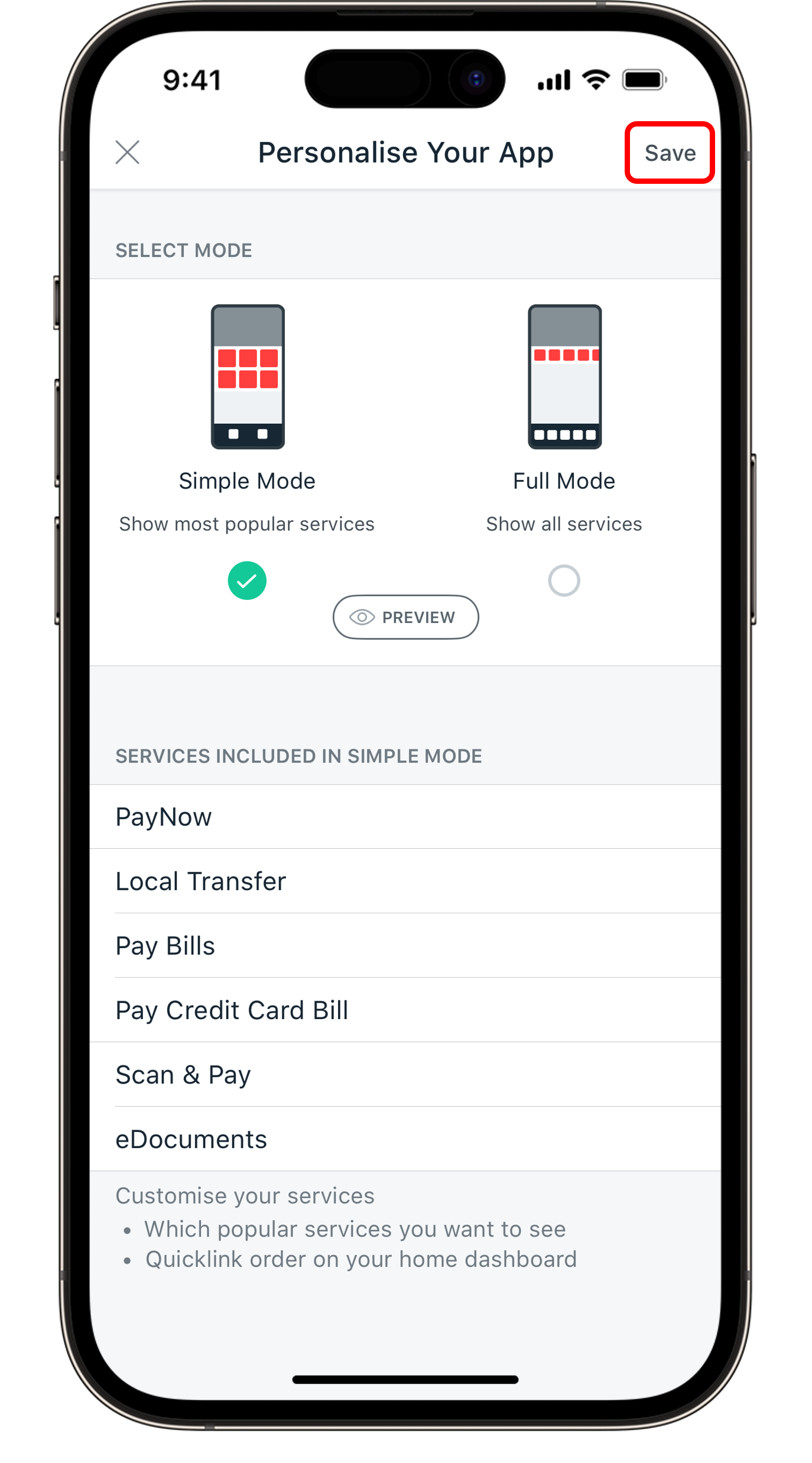
Step 4
Tap Save to complete your personalisation.
Get the latest POSB digibank mobile app now!

Was this information useful?

We welcome your feedback

Information is easy to understand and find
Information is useful to answer your inquiries completely