Apply for DBS Invest-Saver

Learn how to apply for DBS Invest-Saver easily via digibank online.

Who is Eligible?

You can set up a DBS Invest-Saver plan if you are:
  • 18 years old and above on the date of application
  • Not a US Person
  • Have a DBS/POSB Deposit Account with us. Learn more on how to Open an Account with DBS/POSB.

How to apply for DBS Invest-Saver

digibank mobile
  • Log in to digibank mobile with your Touch / Face ID or digibank User ID & PIN.
  • Tap on digiWealth at the bottom navigation and select Funds & ETFs.
  • Under Explore by categories, tap on Show all and select ETF Invest-Saver.
  • Select the ETF of your choice and tap on Buy.
  • Fill in the necessary details and click Submit to confirm your application.

Don't have digibank?

Get the latest digibank mobile app now!

laptop
login
authenticate
apply tab
slider
slider
slider
slider
slider
slider
1
Step 1
Log in to digibank online with your User ID & PIN.
2
Step 2
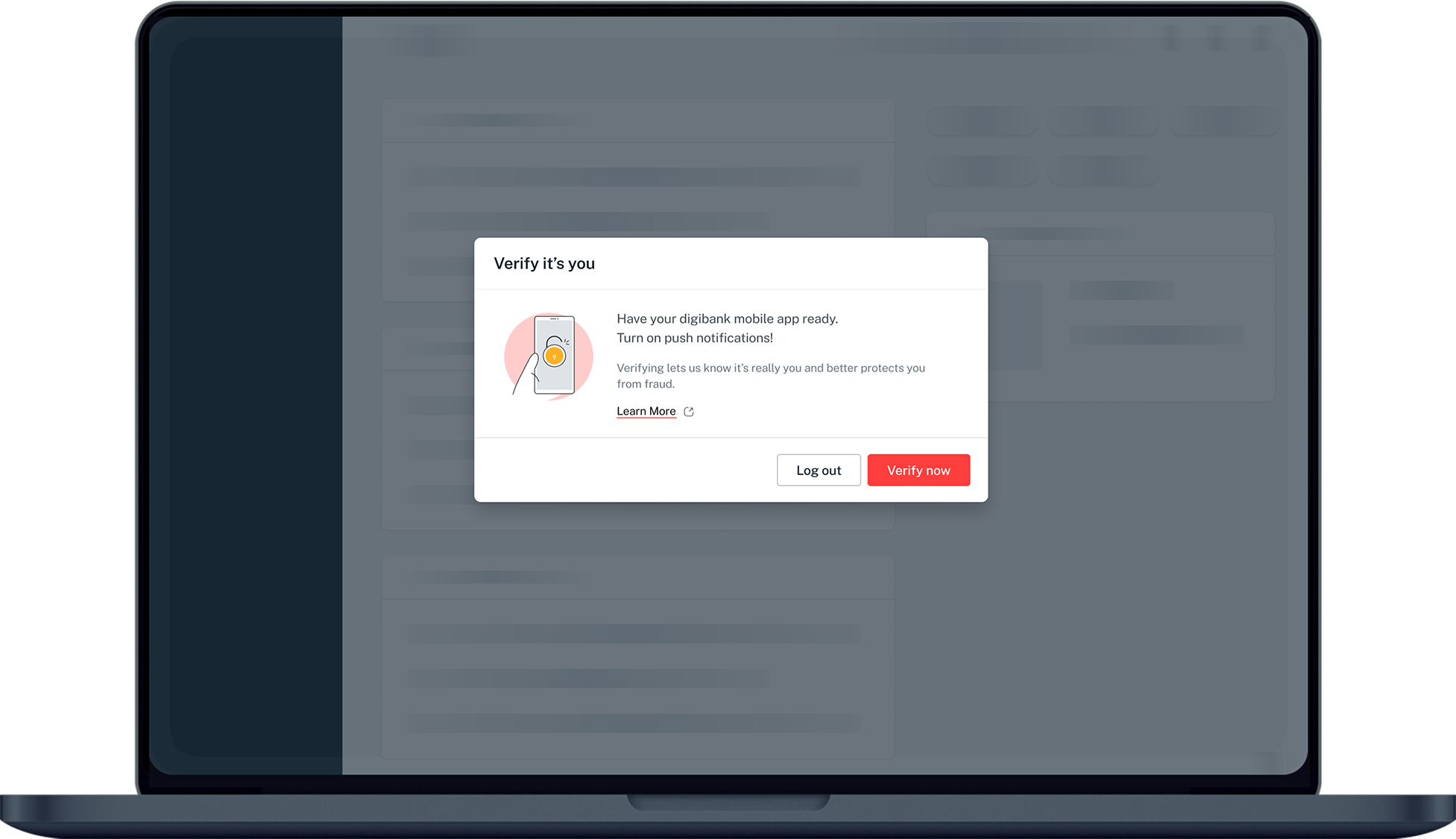
Complete the Authentication Process.
3
Step 3
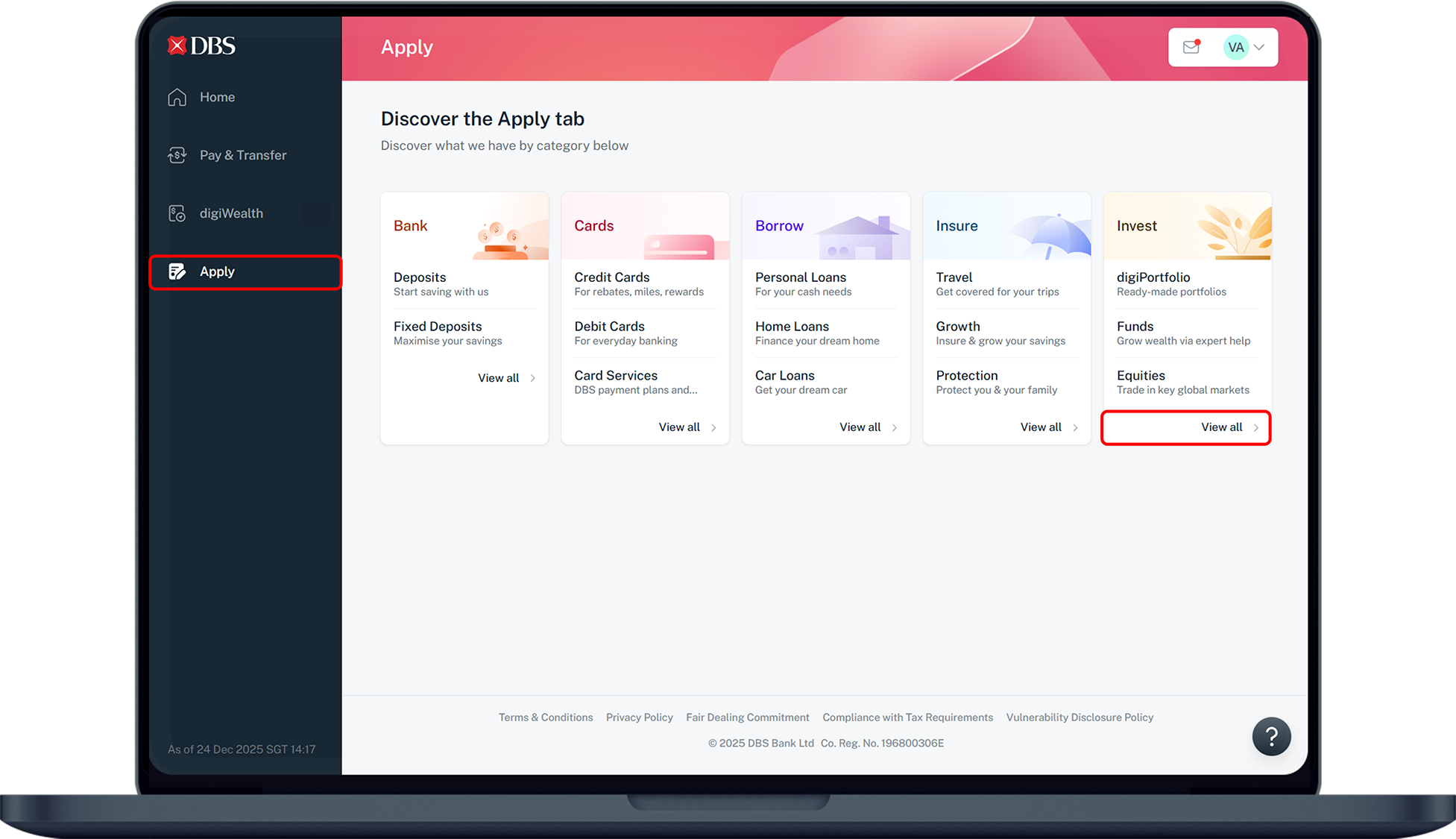
Click Apply on the left menu and select View all under Invest.
4
Step 4
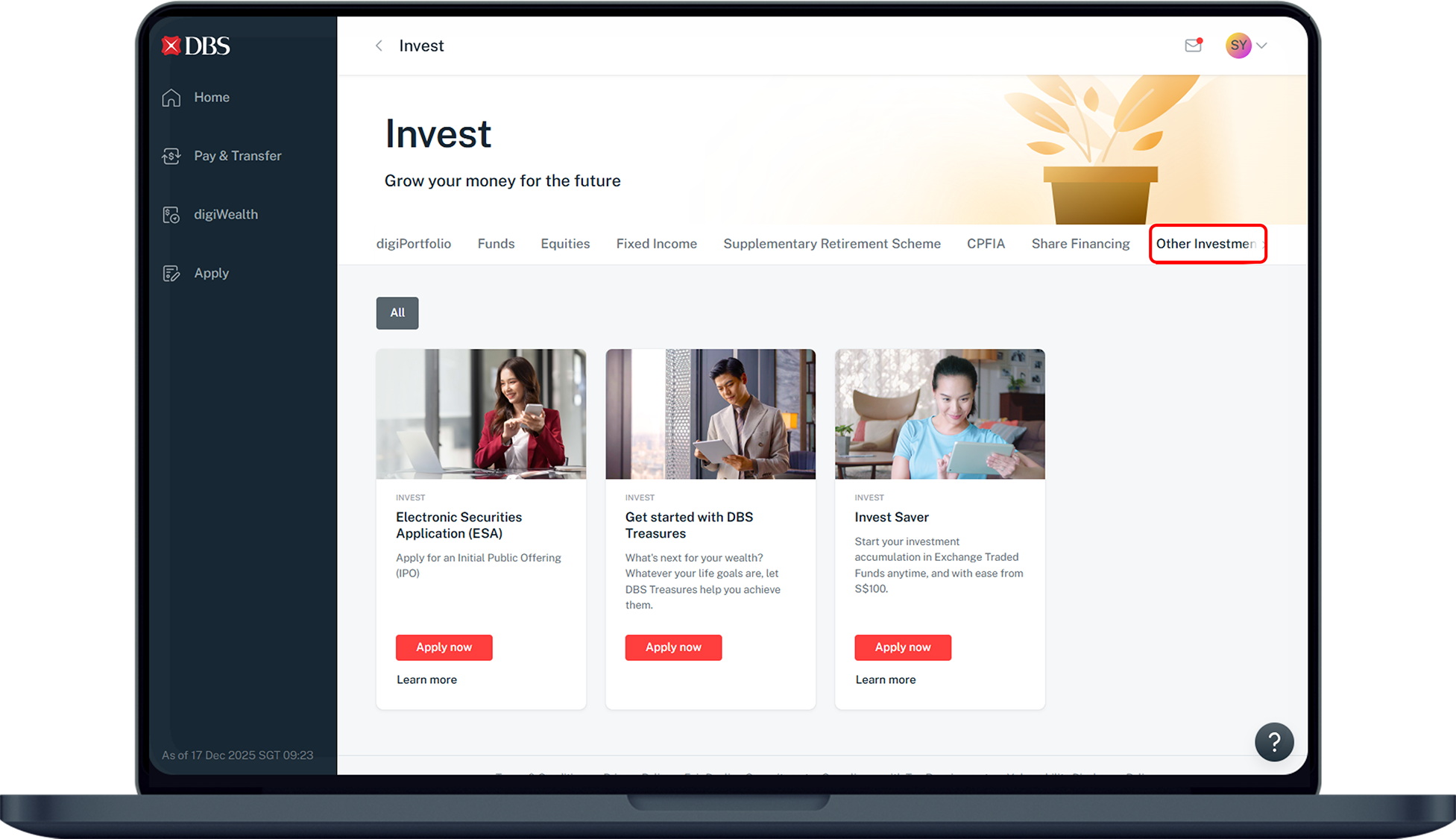
Select Other Investments at the top and under Invest Saver, click Apply now.
5
Step 5
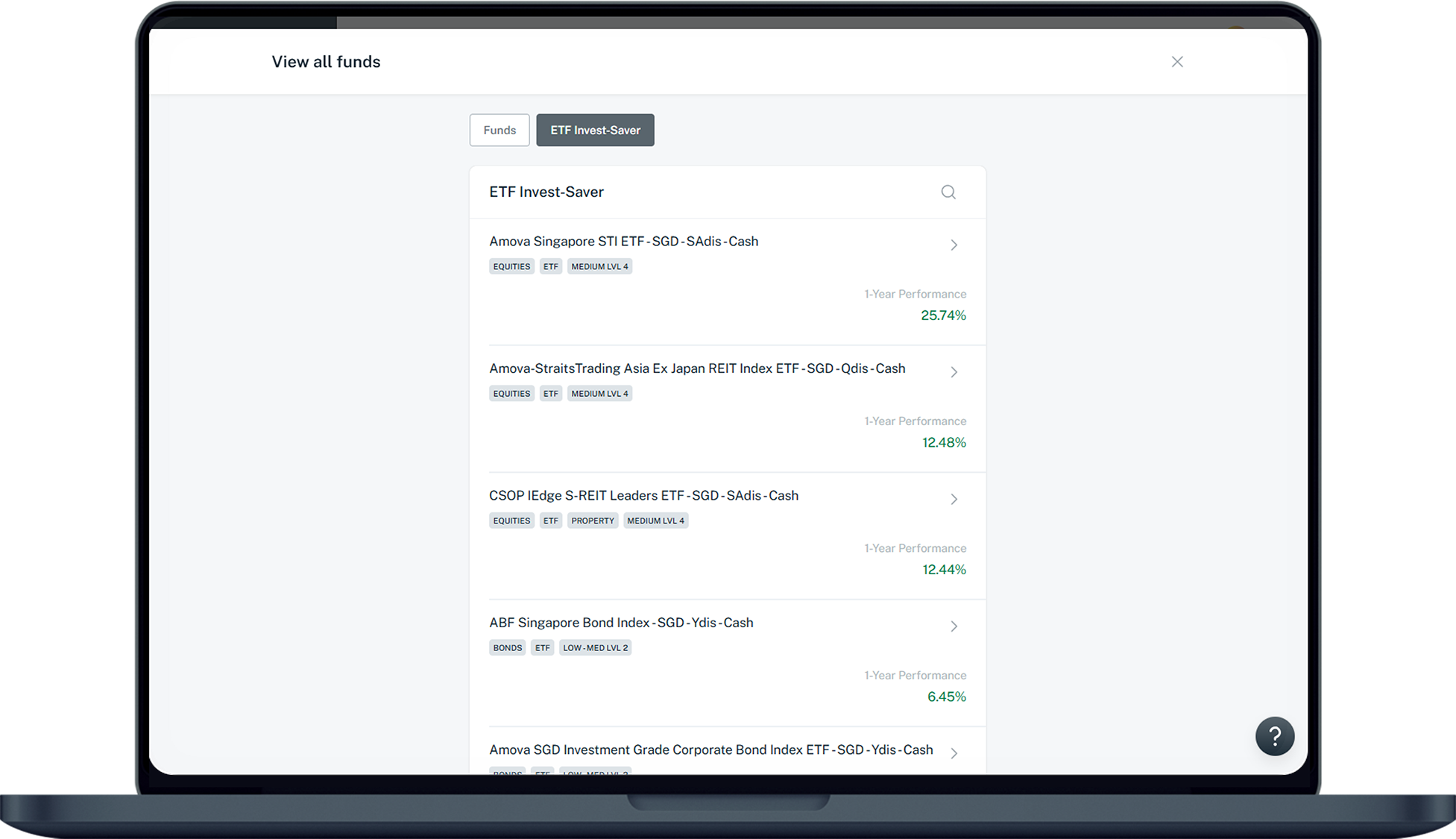
Under ETF Invest-Saver, select the funds of your choice.
6
Step 6
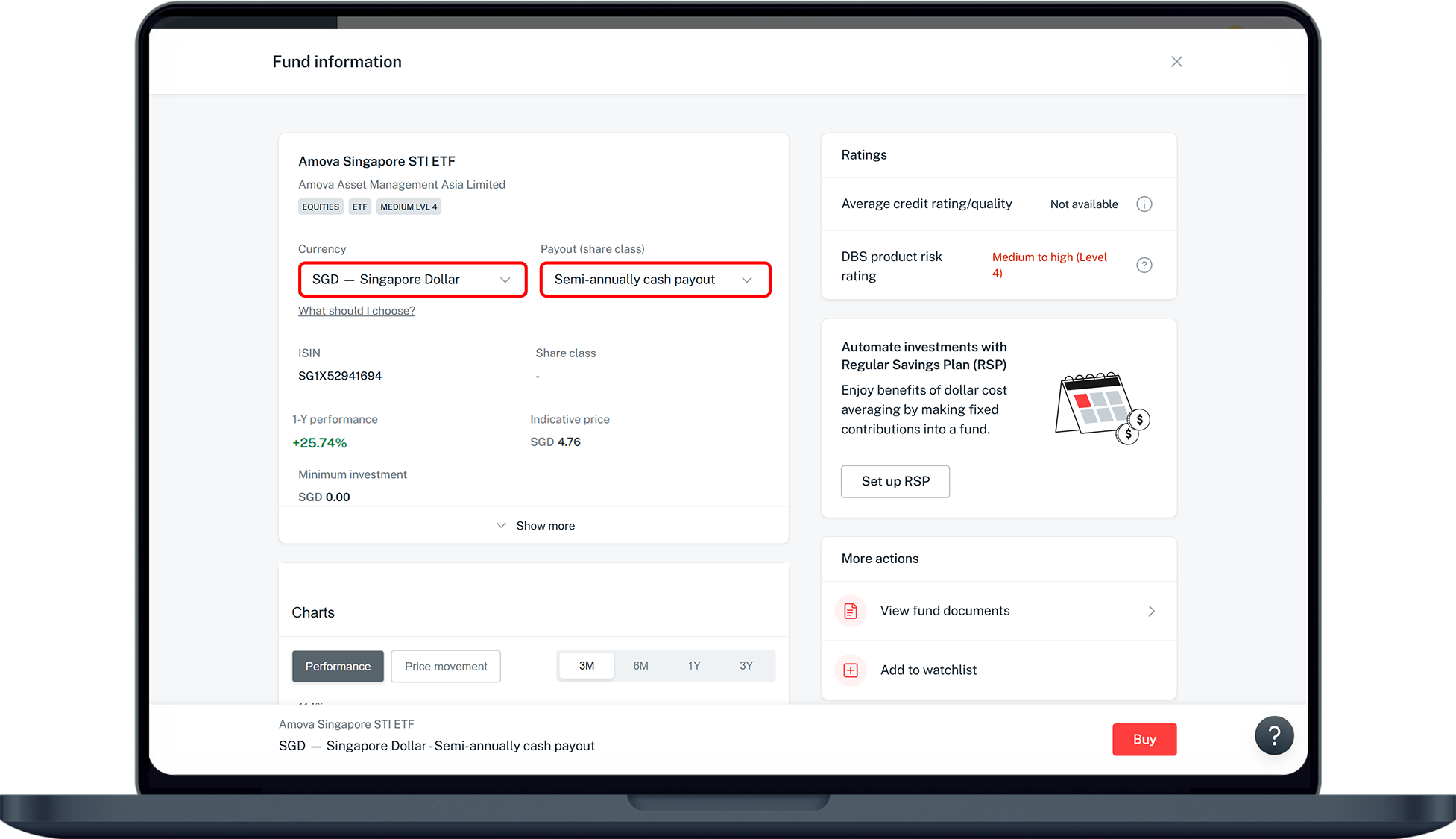
Select the Currency and the Payout (share class). Click on Buy.
7
Step 7
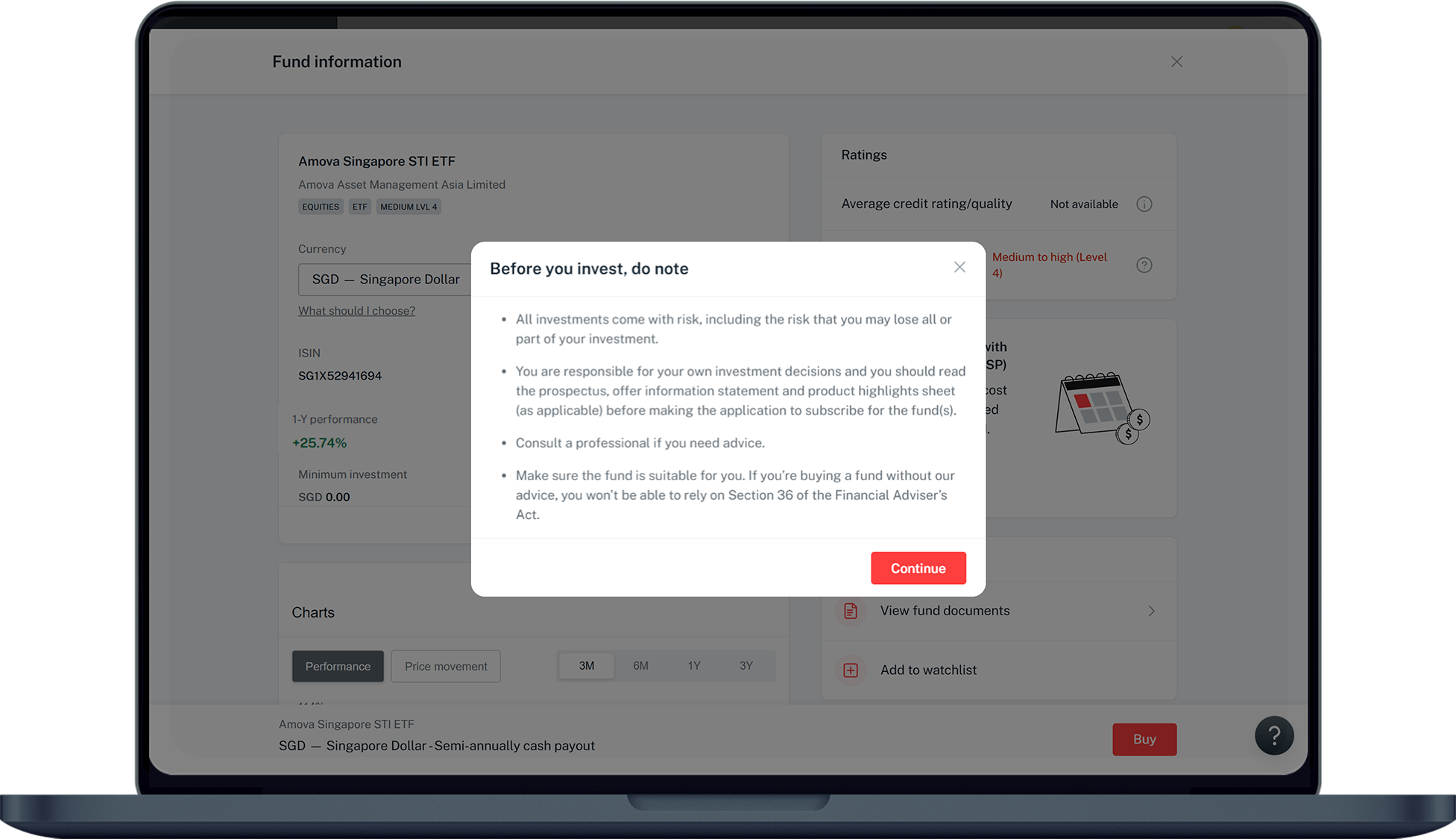
Read through the notes on investment and click on Continue.
8
Step 8
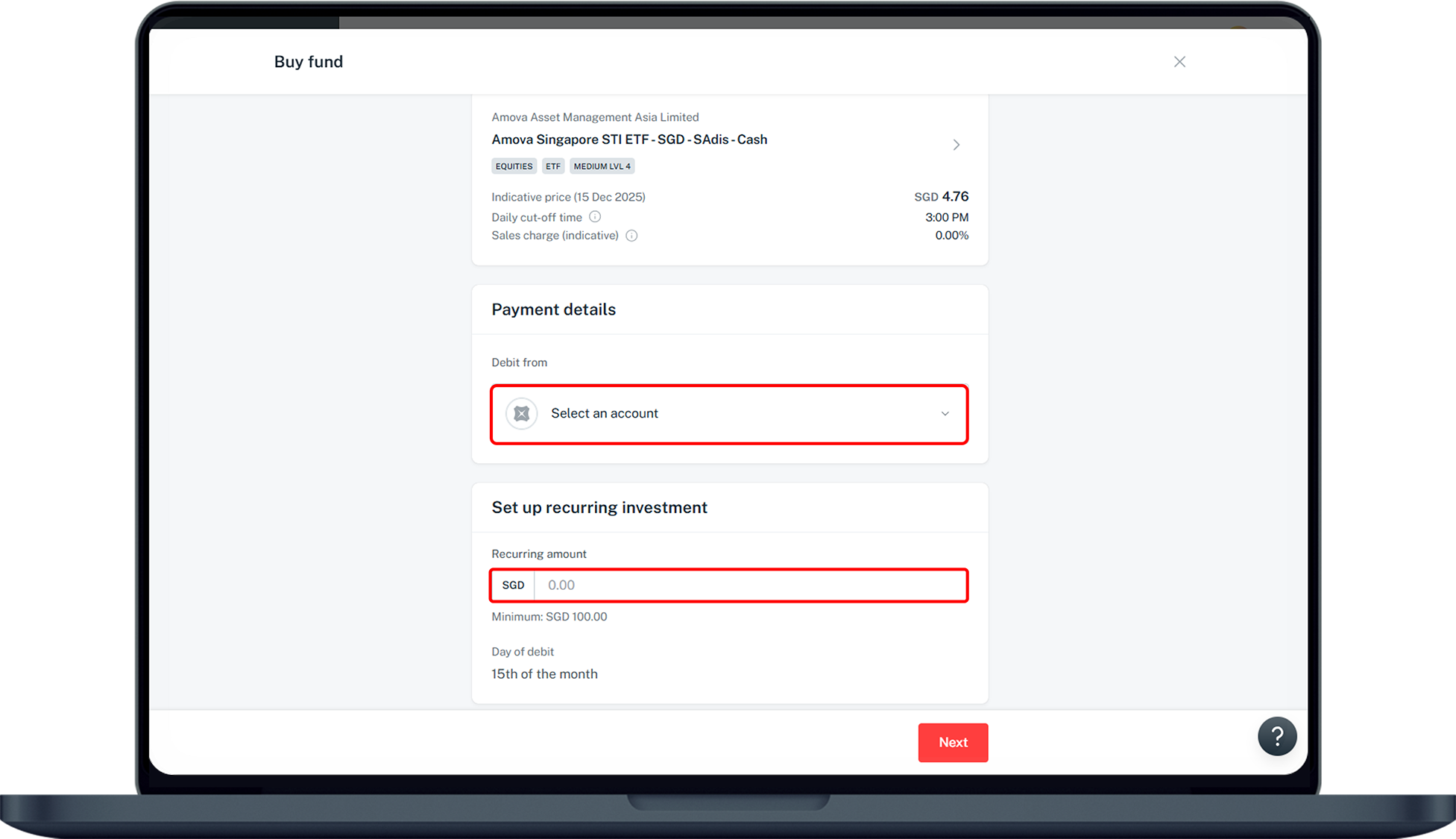
Select your debiting account and enter the recurring amount. Click Next to proceed.
9
Step 9
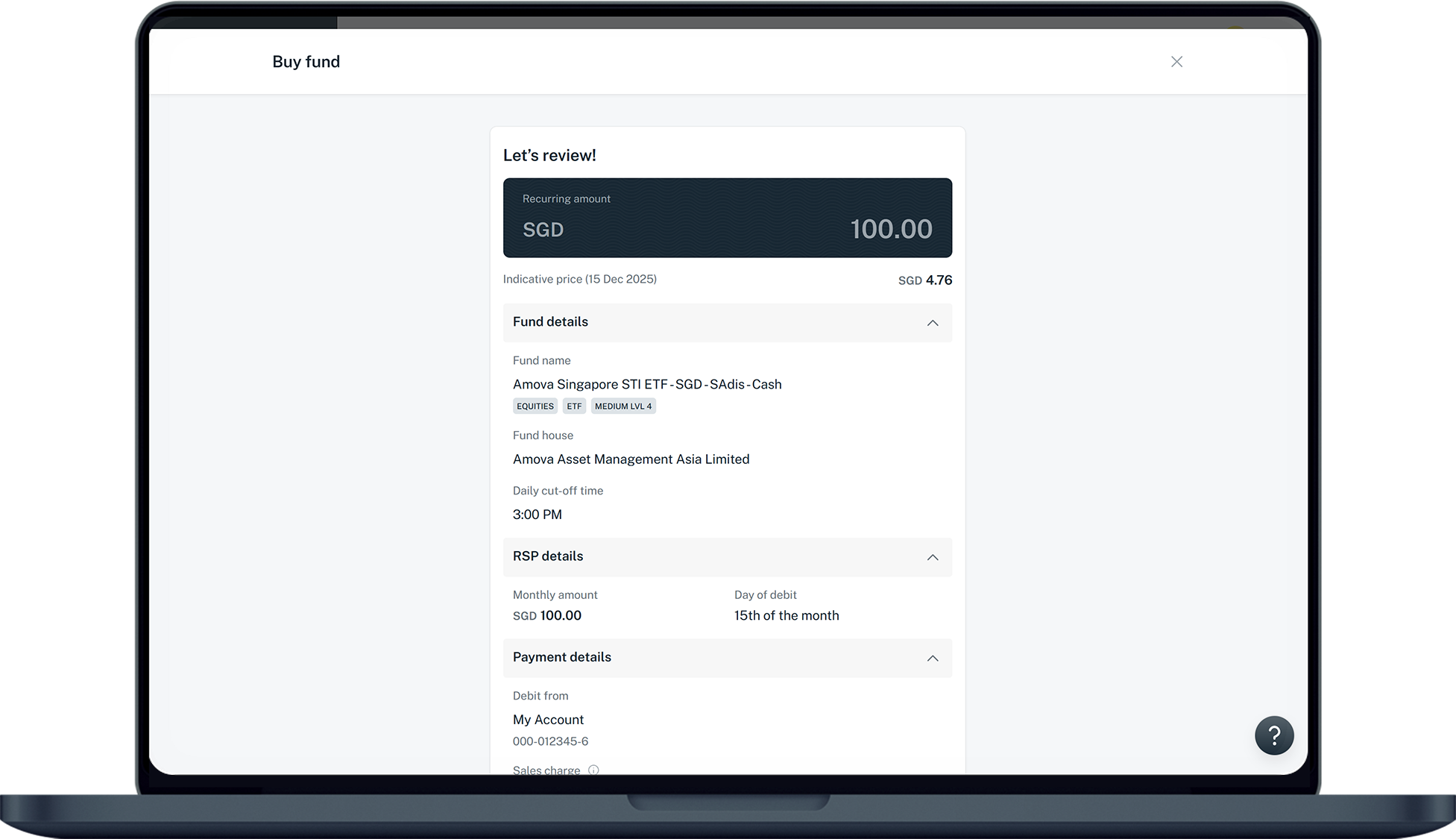
Verify your application details and click on Submit to confirm your investment.
Was this information useful?

We welcome your feedback

Information is easy to understand and find
Information is useful to answer your inquiries completely