Change Overseas Funds Transfer Limit
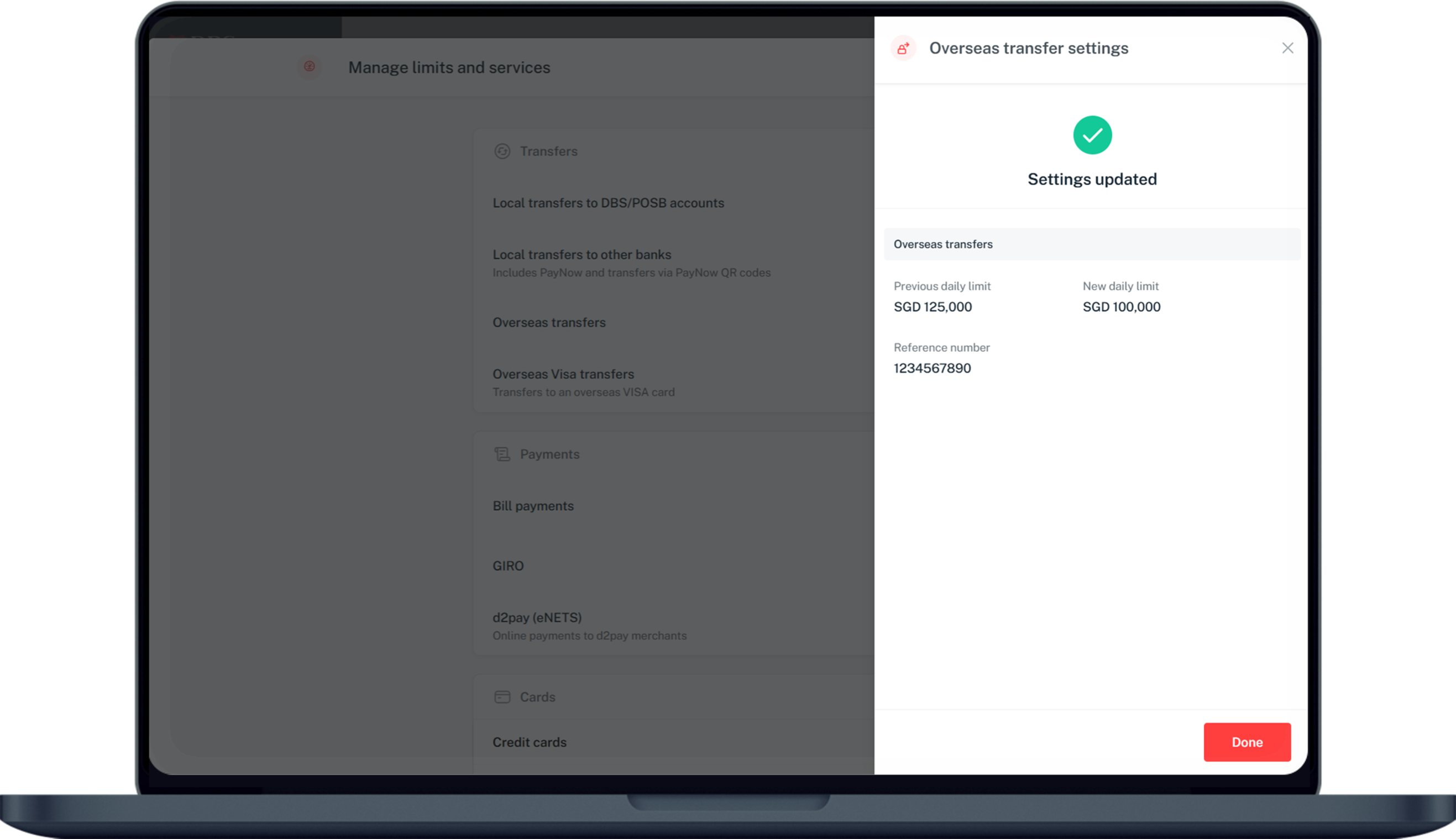
Change your limit easily via digibank. The default daily transfer limit for overseas funds transfers is set at S$1,000. You can increase this up to S$200,000.
Part of: Guides > Your Guide to Overseas Funds Transfer
Important information
- Overseas Funds Transfer Limit:
- Minimum: S$500 equivalent
- Maximum: S$200,000 equivalent
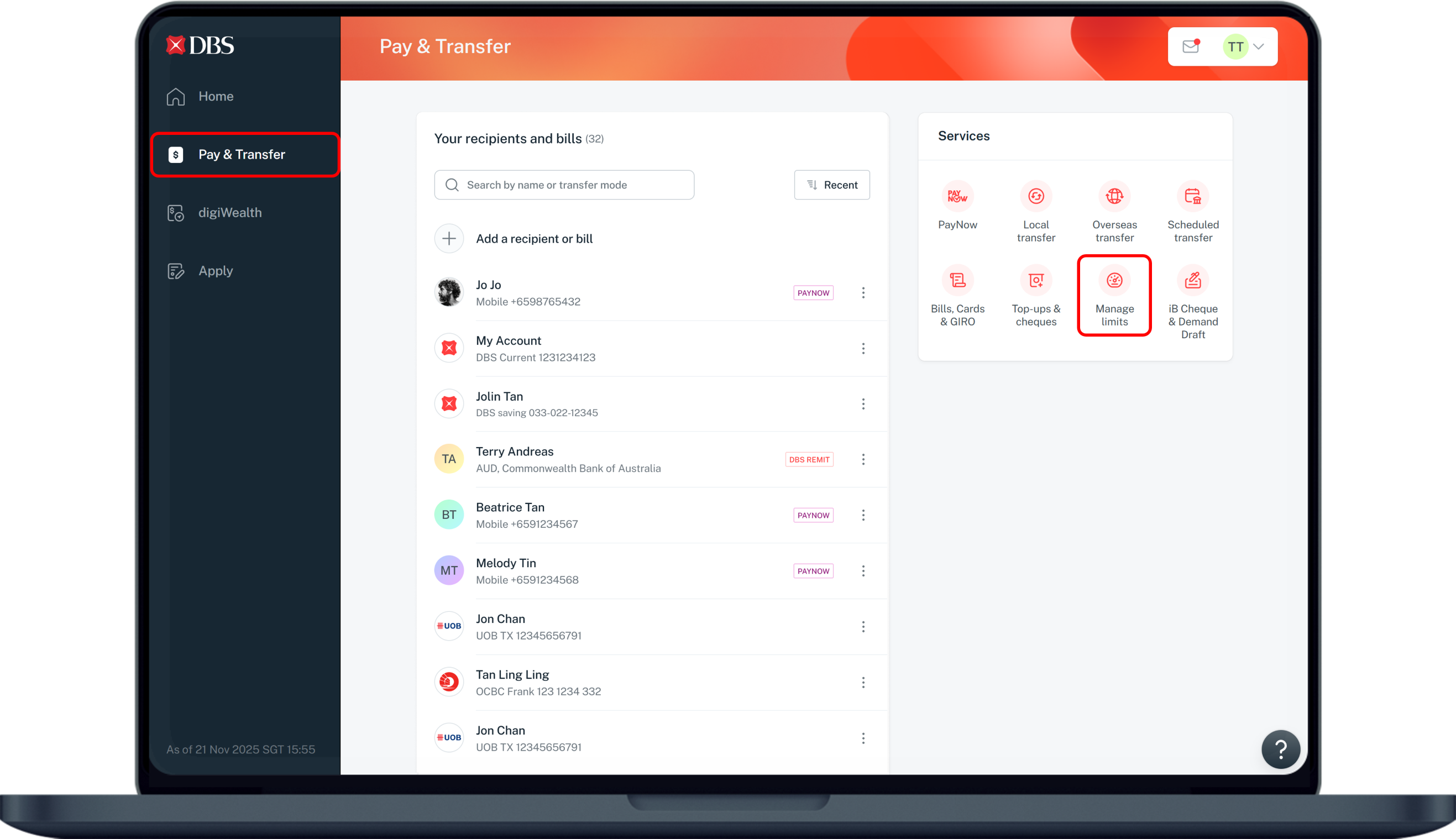
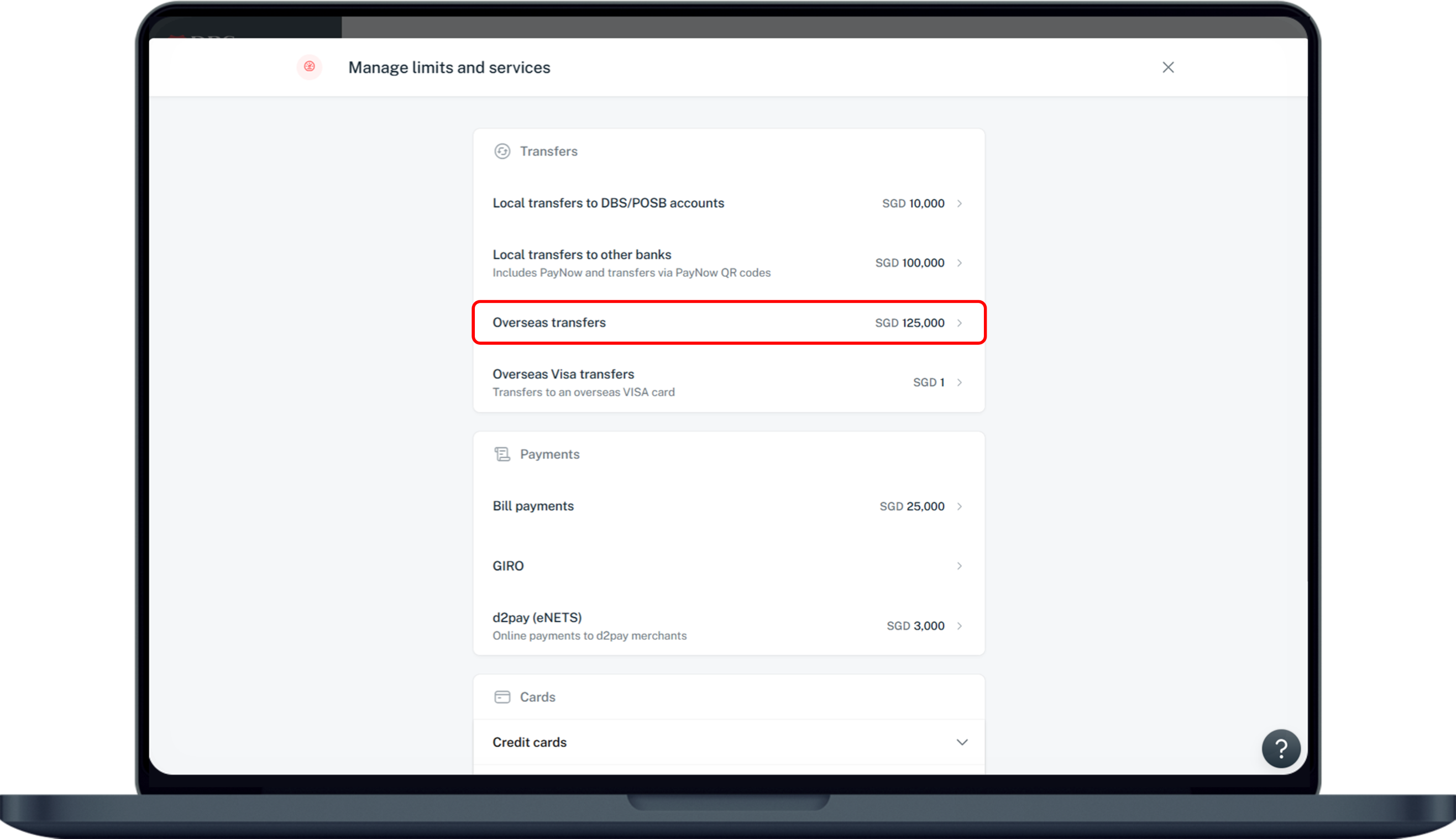
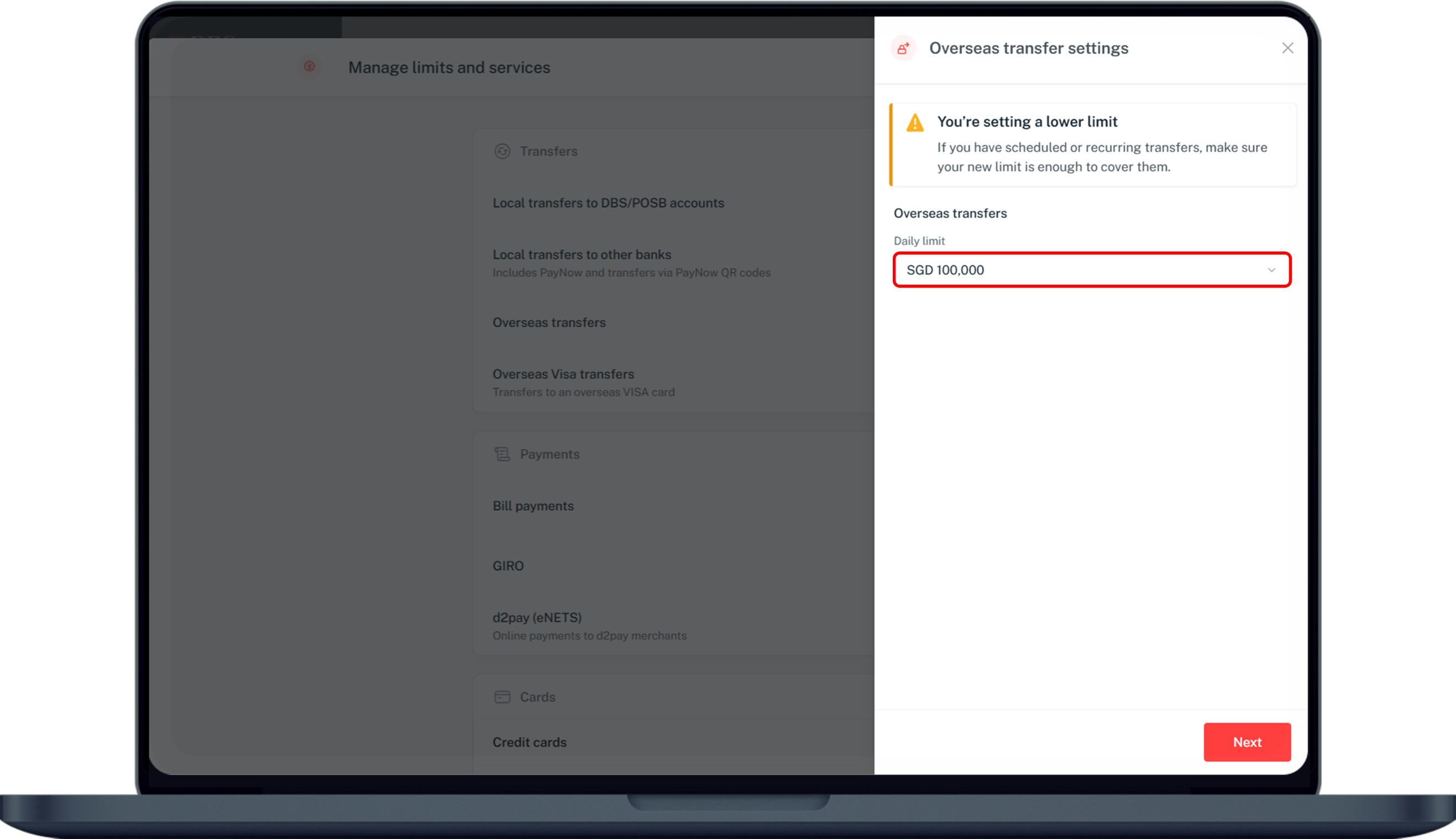
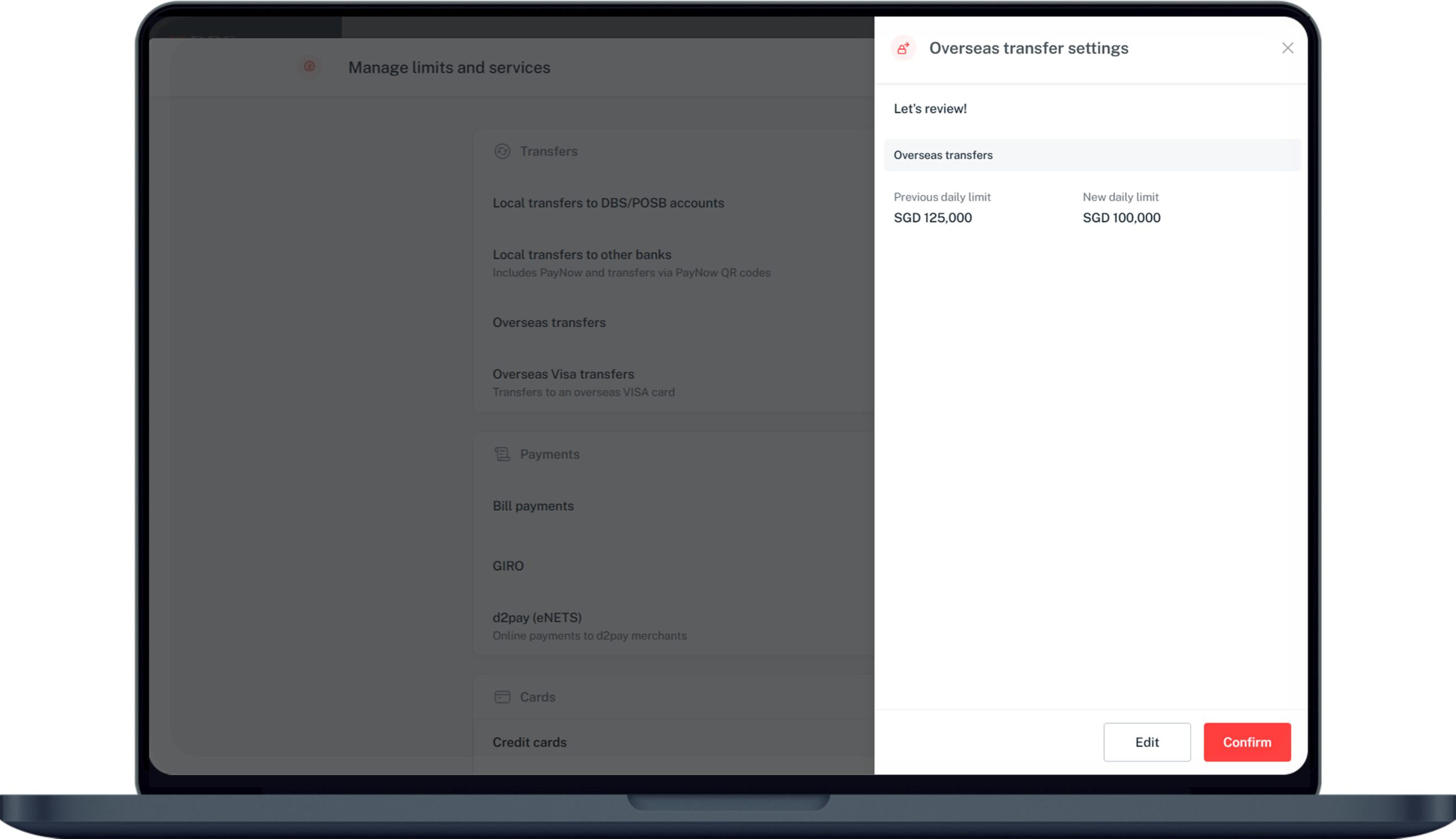
How to change overseas funds transfer limit
There are various channels which you may wish to change your overseas funds transfer limit. The most convenient method would be via digibank mobile.
digibank mobile
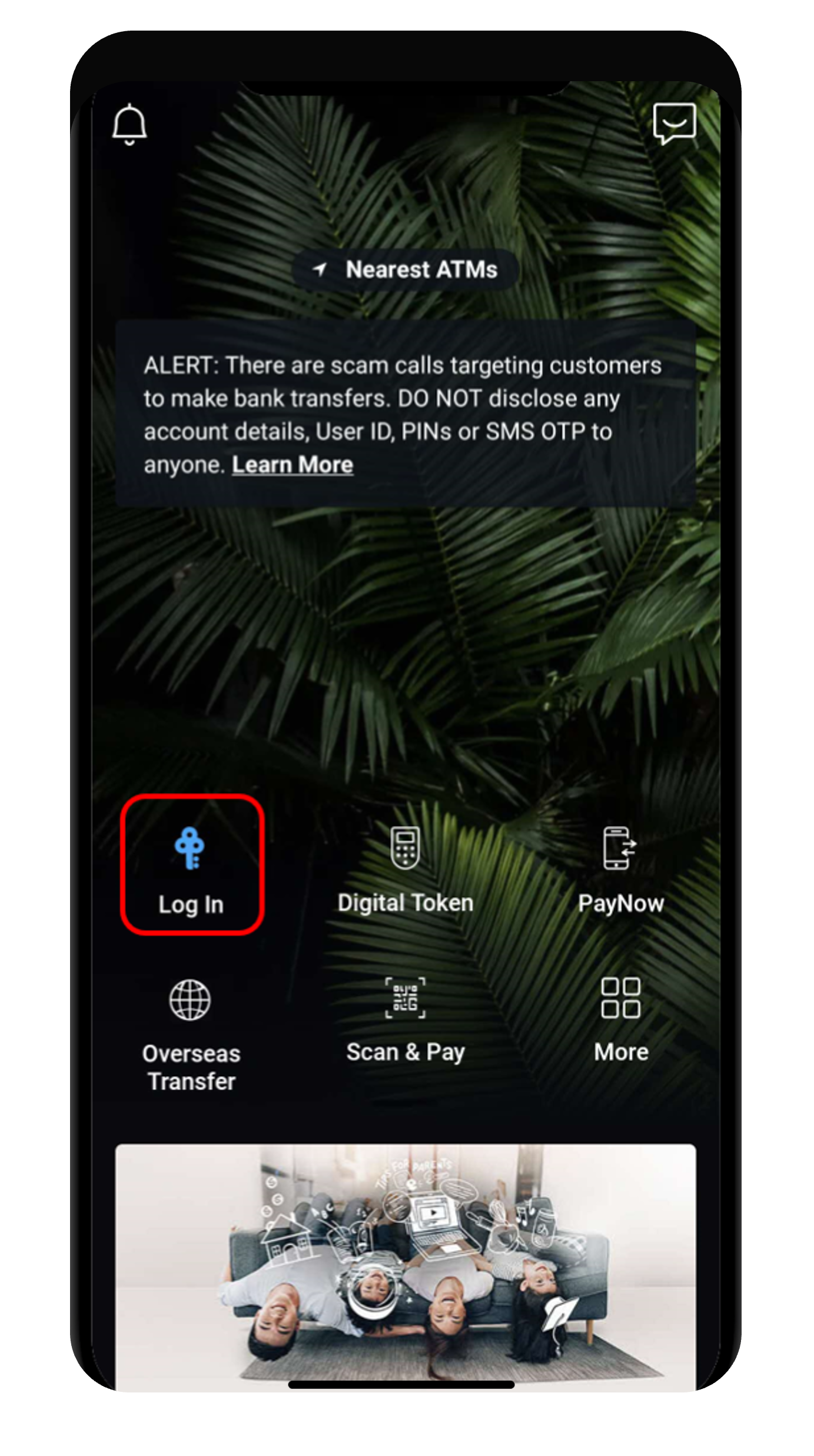
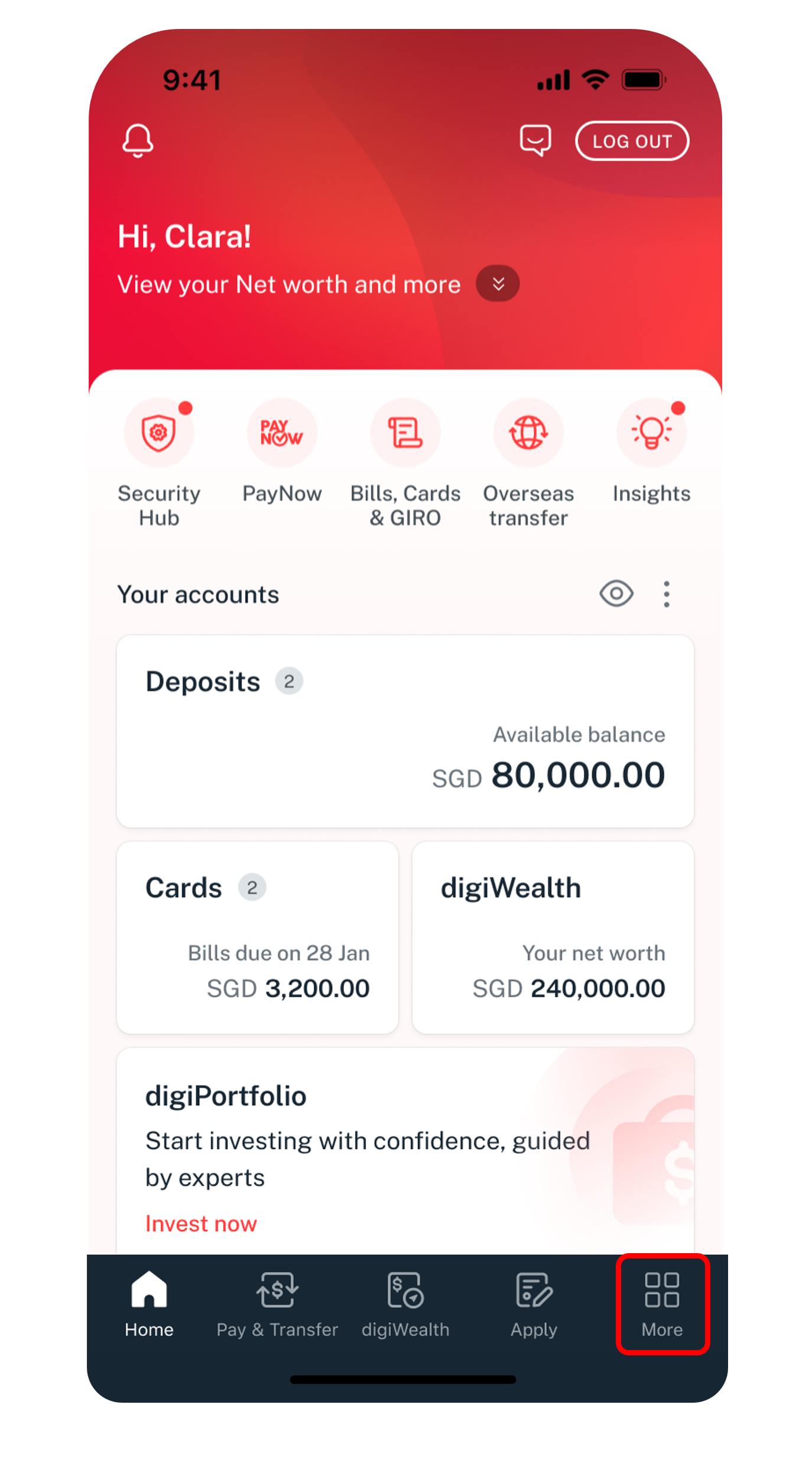
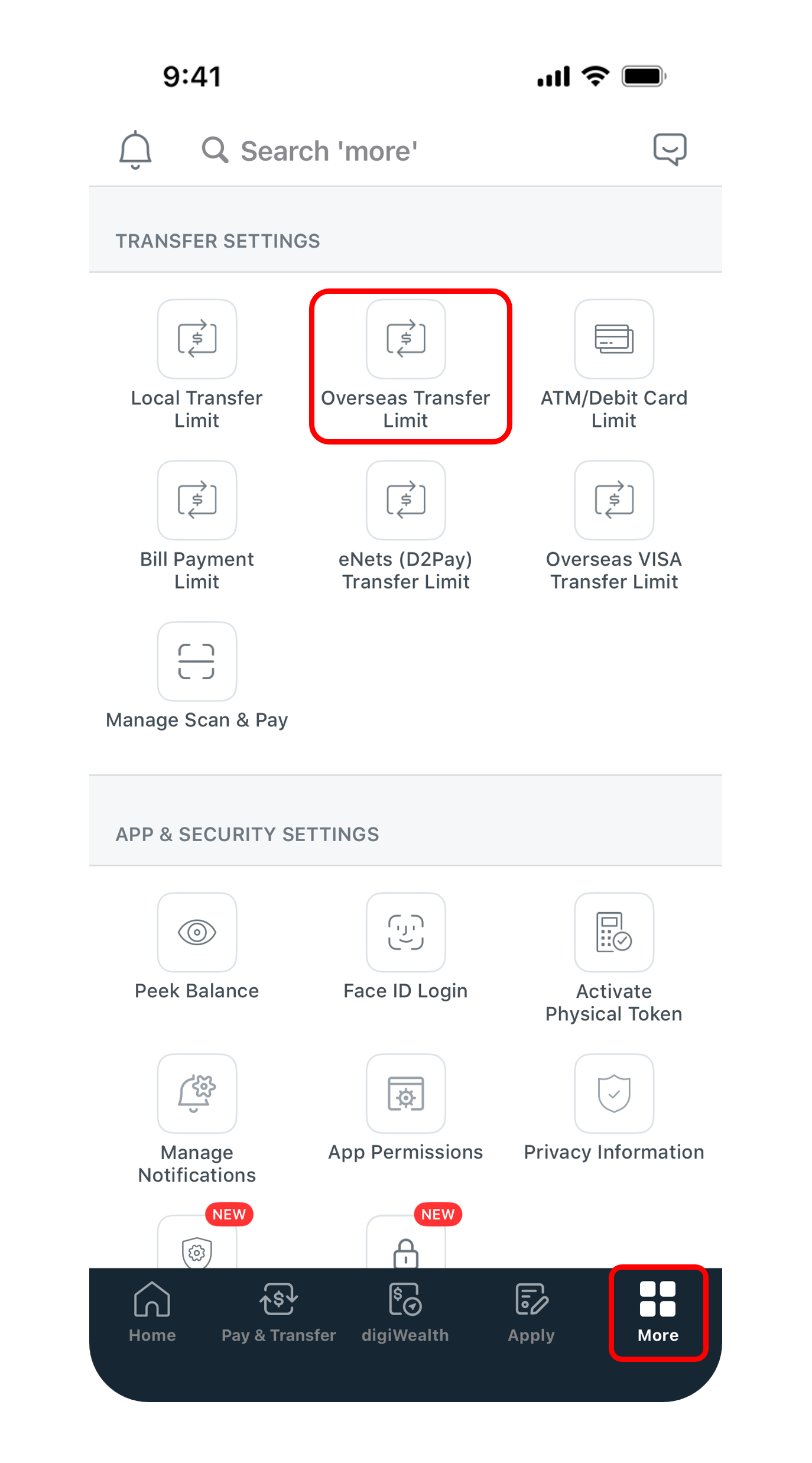
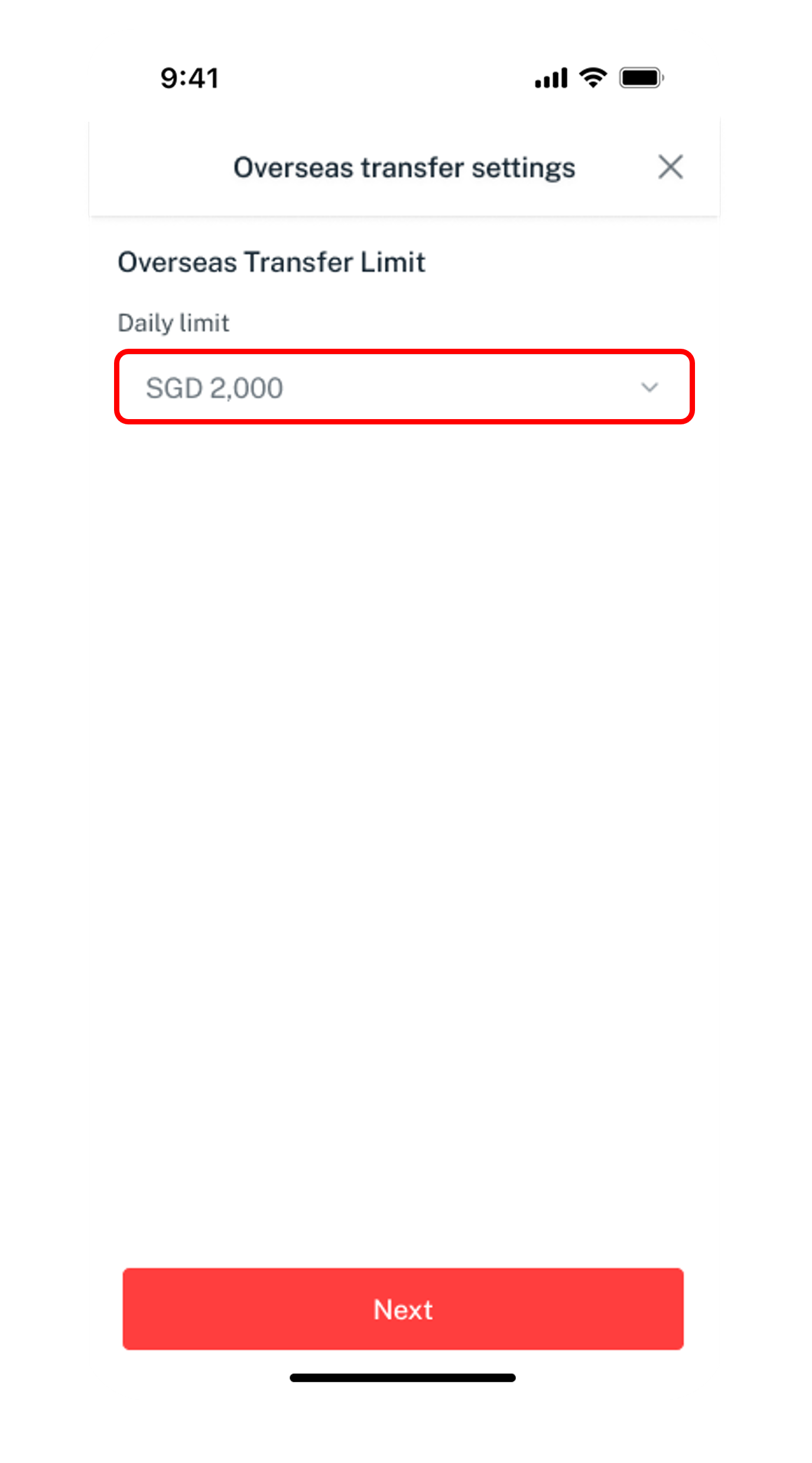
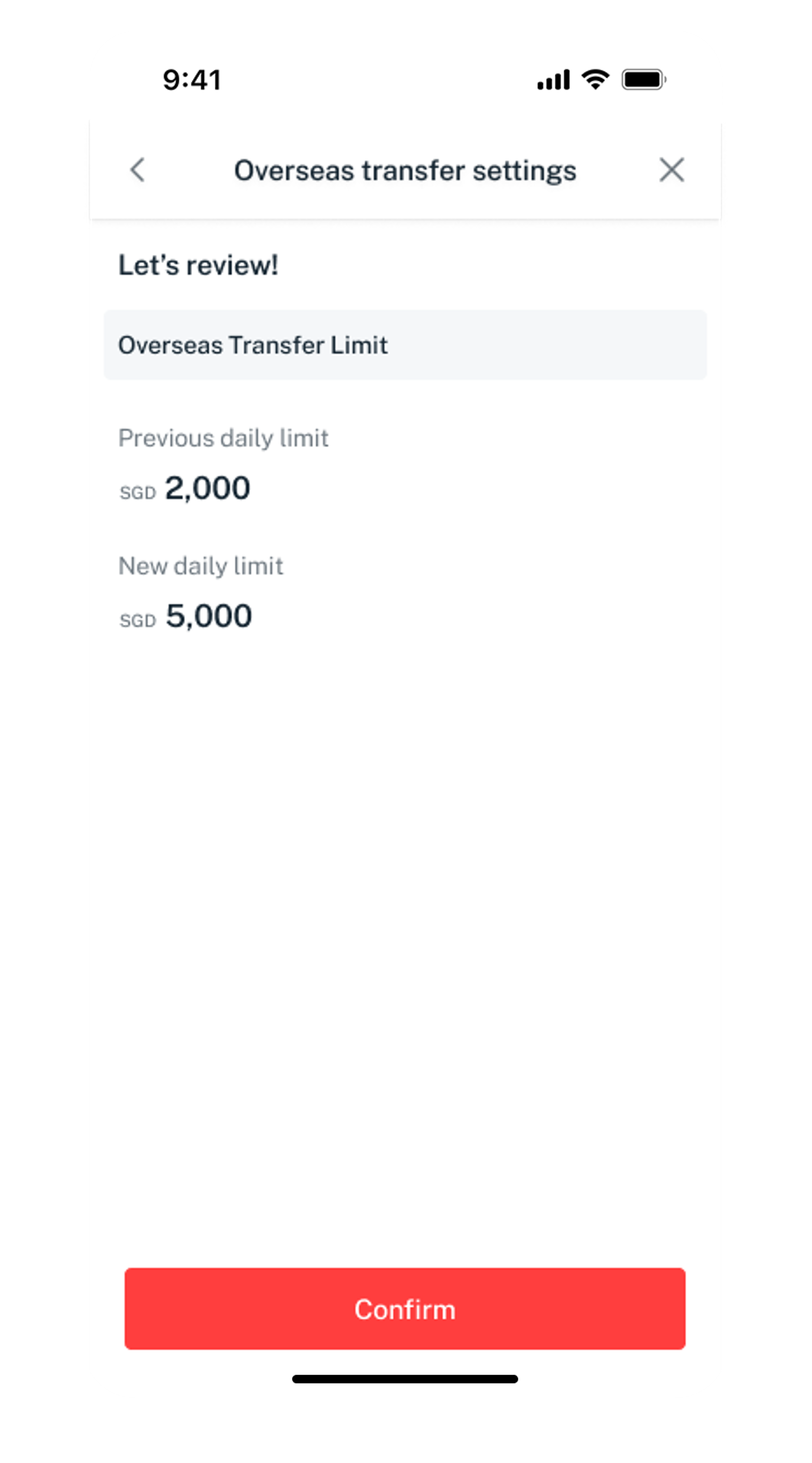
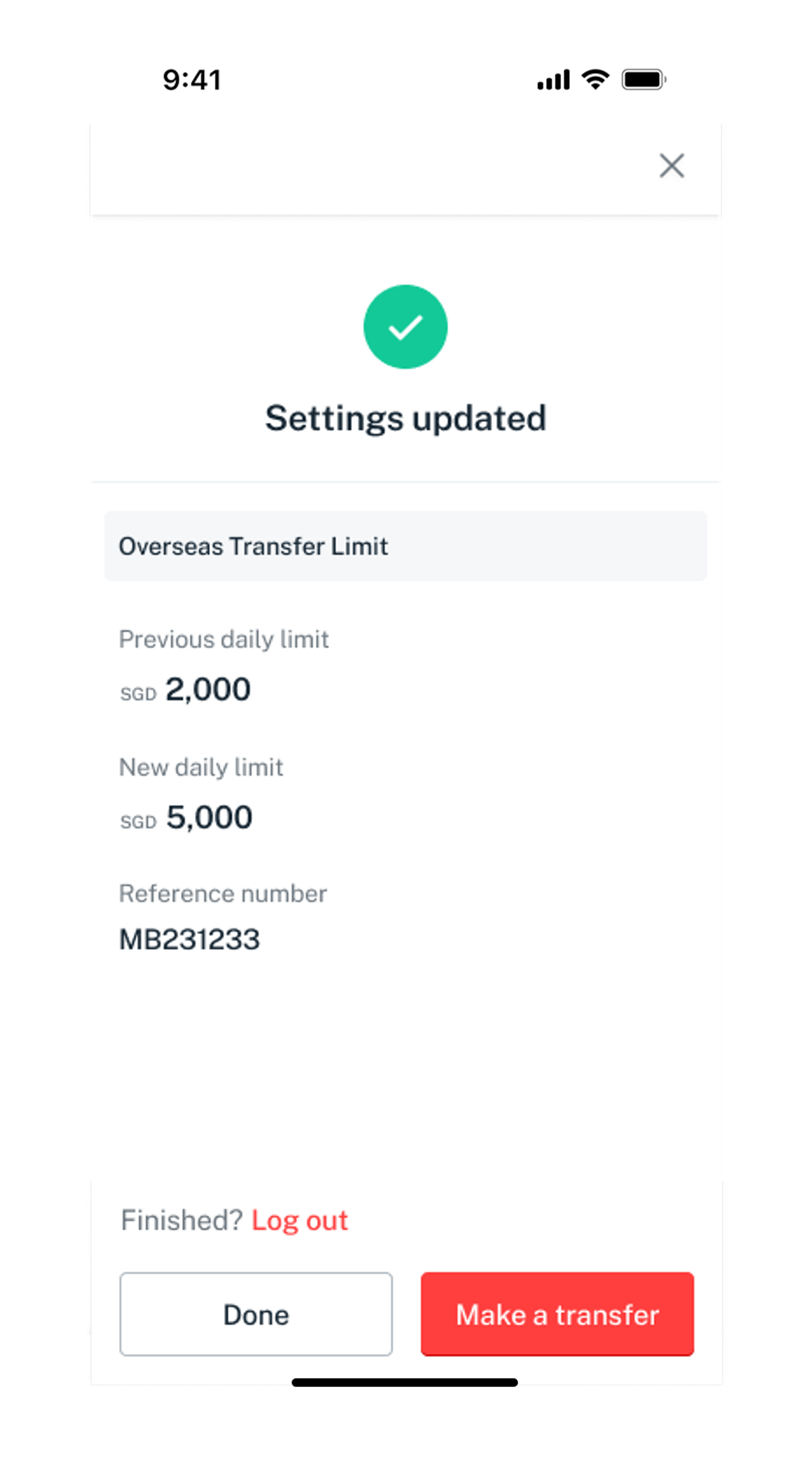
Click on the steps to view screens
Get the latest digibank mobile app now!



digibank Online


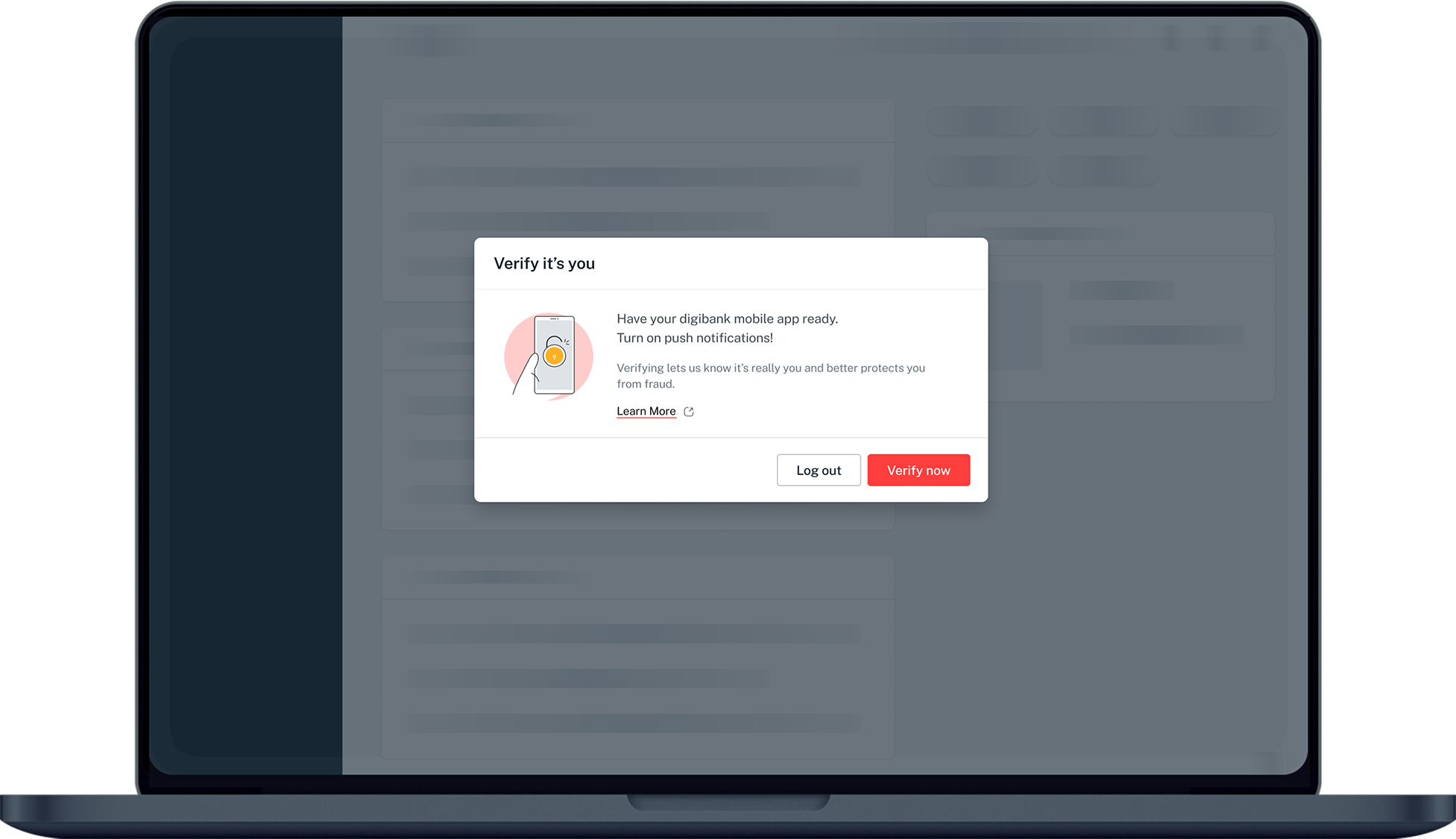
Was this information useful?