Pay Other Bank's Credit Cards

You can pay other bank’s credit cards easily using digibank.

Part of: Guides > Your Guide to digibank

How to pay other Bank's Credit Cards

There are various channels which you may pay other Bank's Credit Cards with us. The most convenient method would be via digibank mobile.

digibank mobile

phone frame
login
pay and transfer dashboard
credit card tab
enter payment details
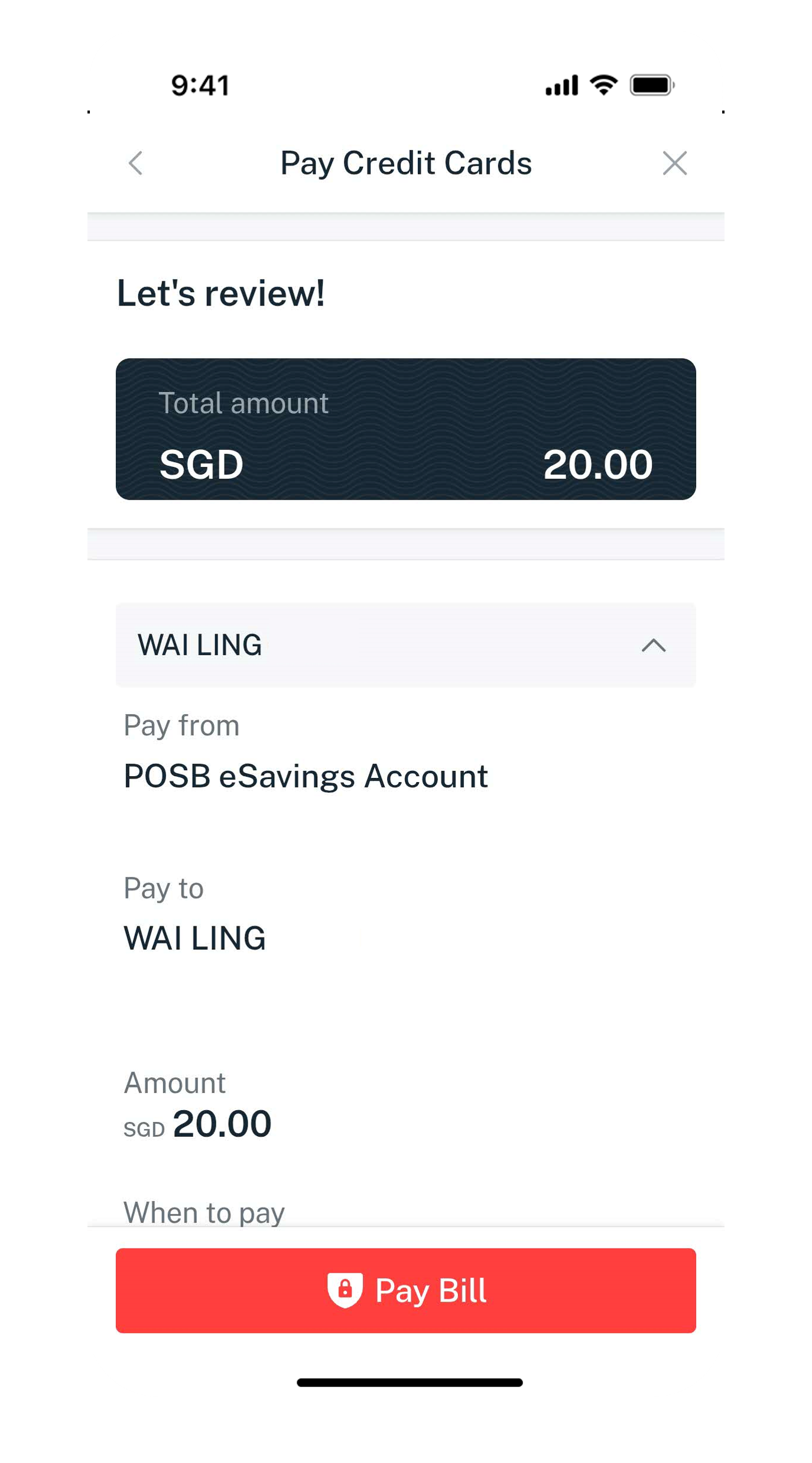
review details
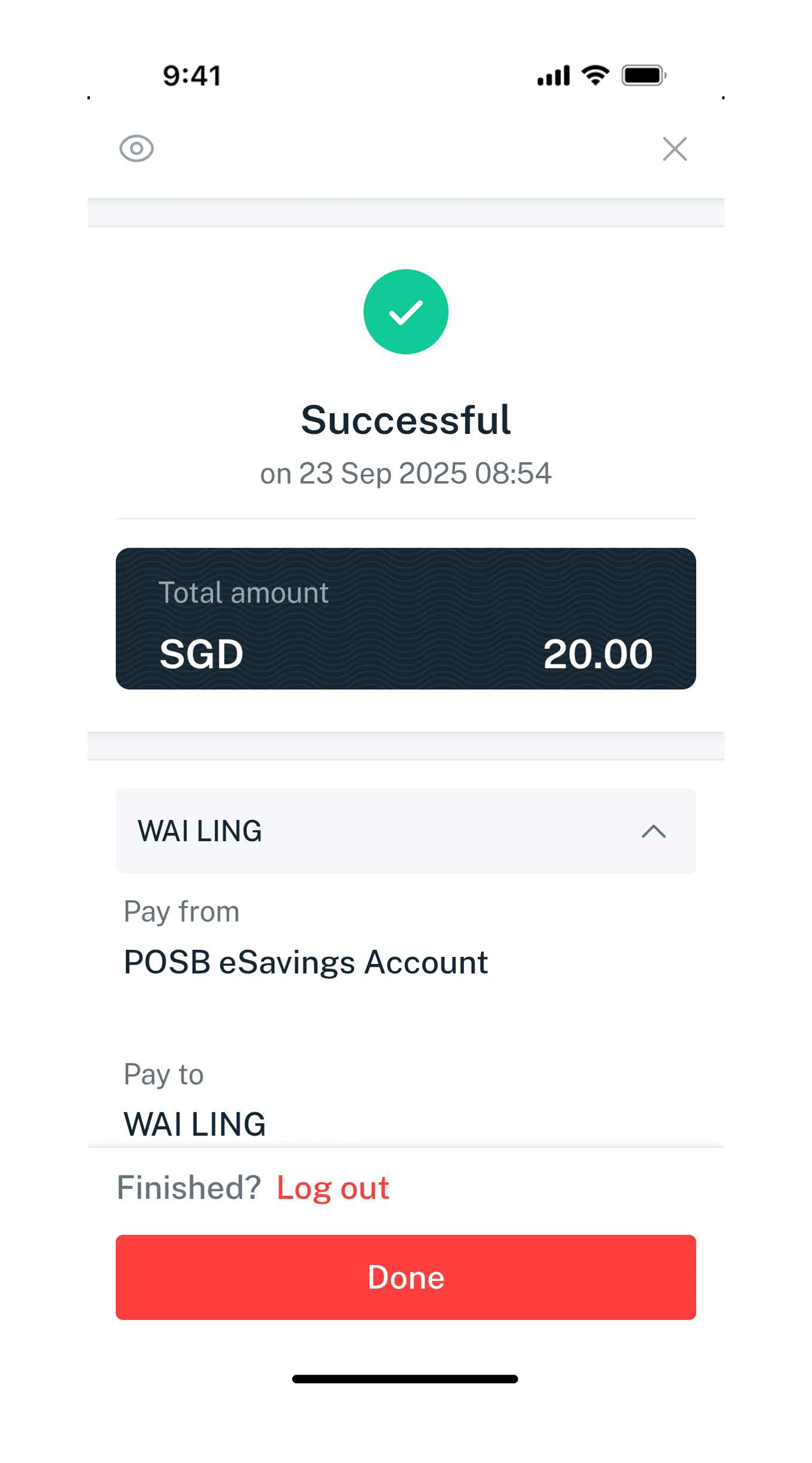
success
1
Step 1
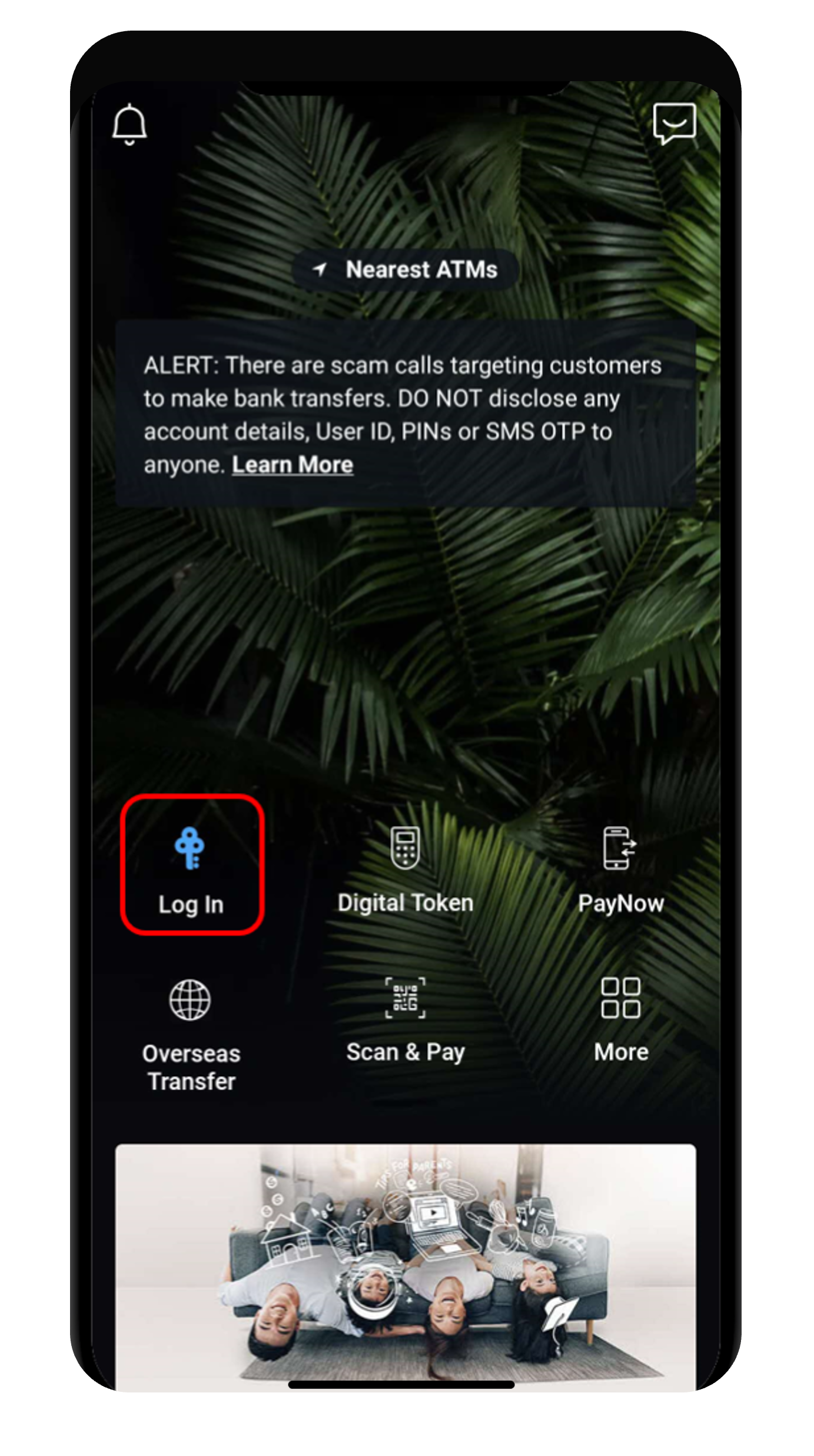
Log in to digibank mobile with your Touch / Face ID or digibank User ID & PIN.
2
Step 2
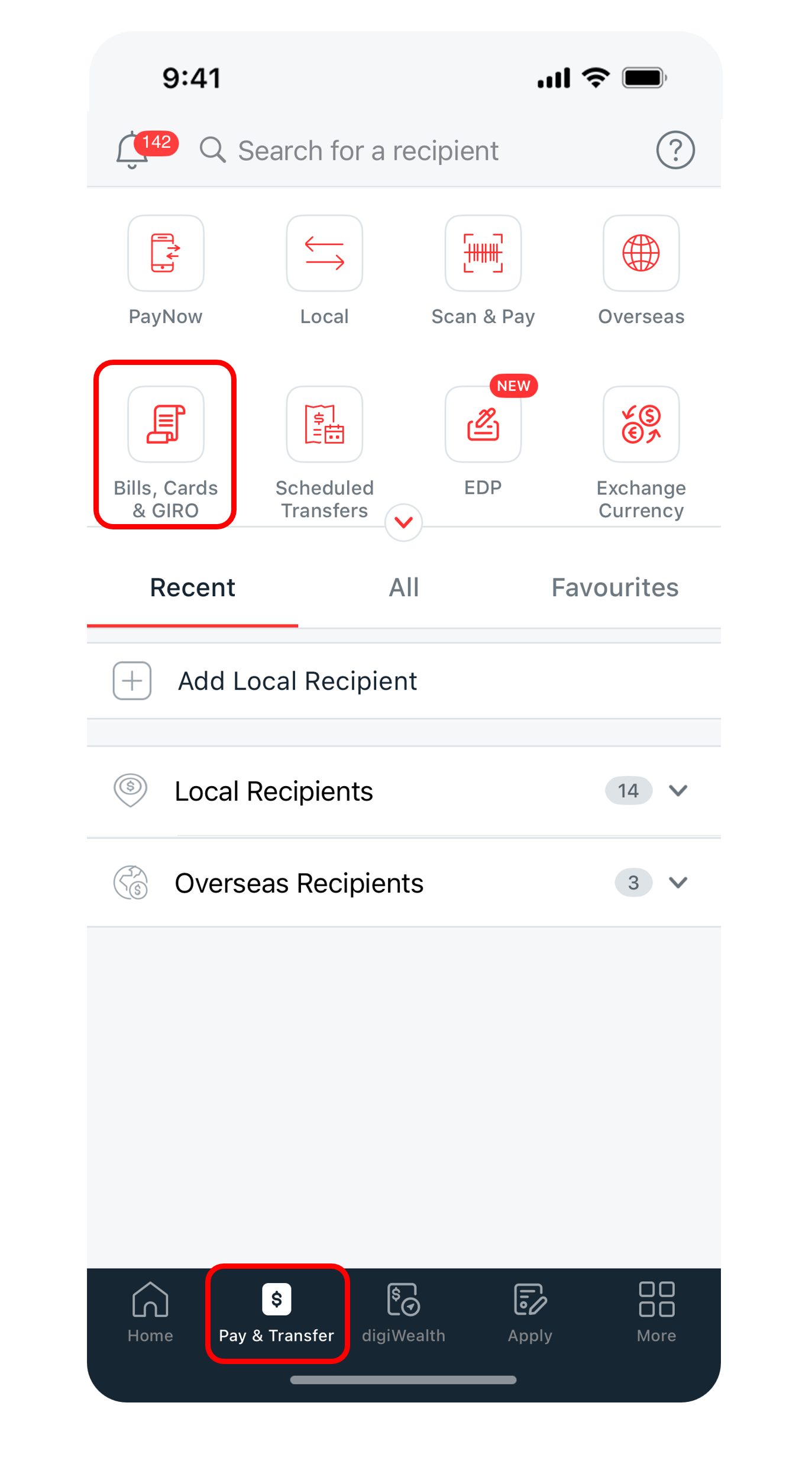
Tap on Pay & Transfer at the bottom and select Bills, Cards & GIRO.
3
Step 3
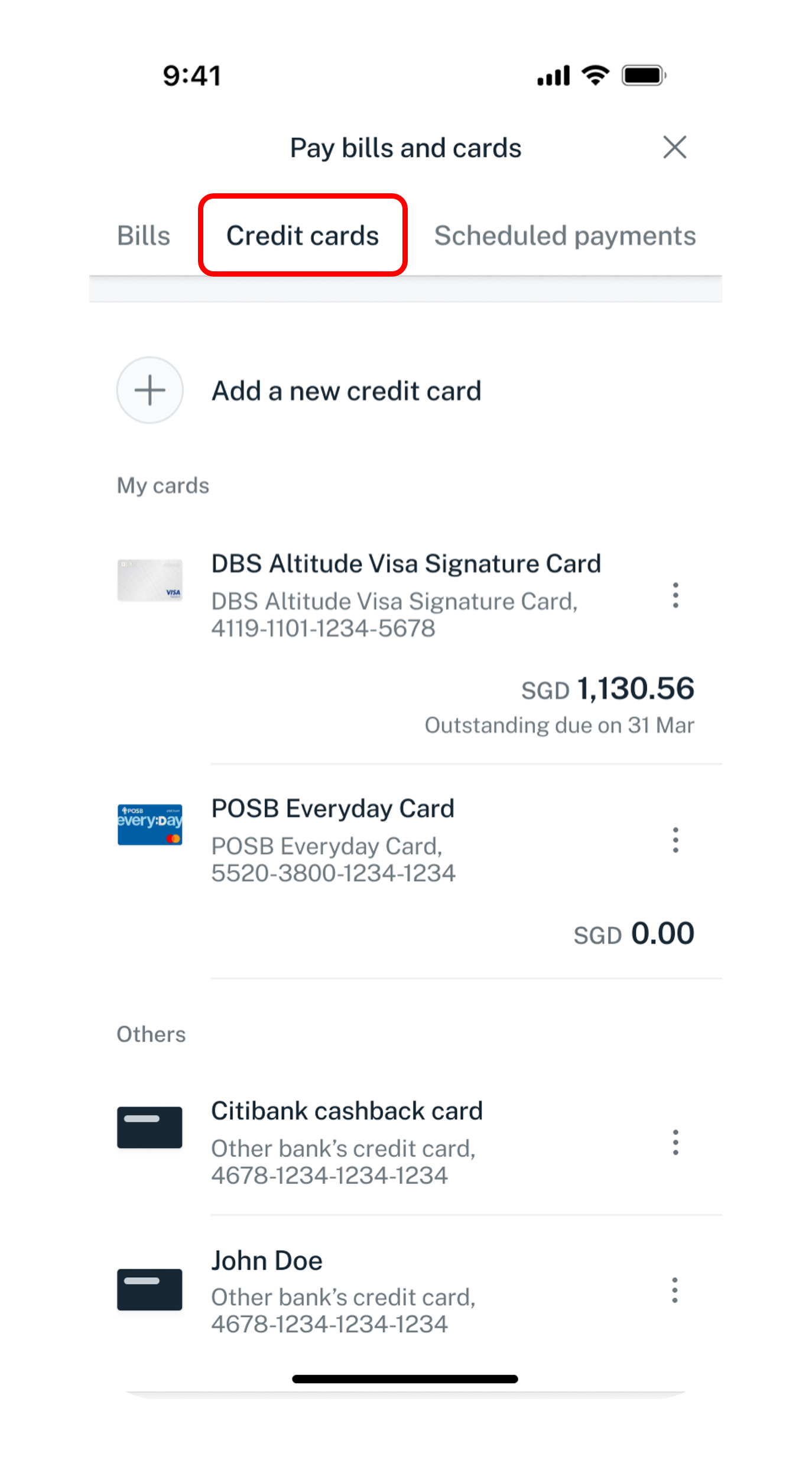
Under Credit cards, select the Credit Card you wish to make payment to.
(If the Credit Card Recipient is not in your recipients list, learn how to add other bank's credit cards recipient).
4
Step 4
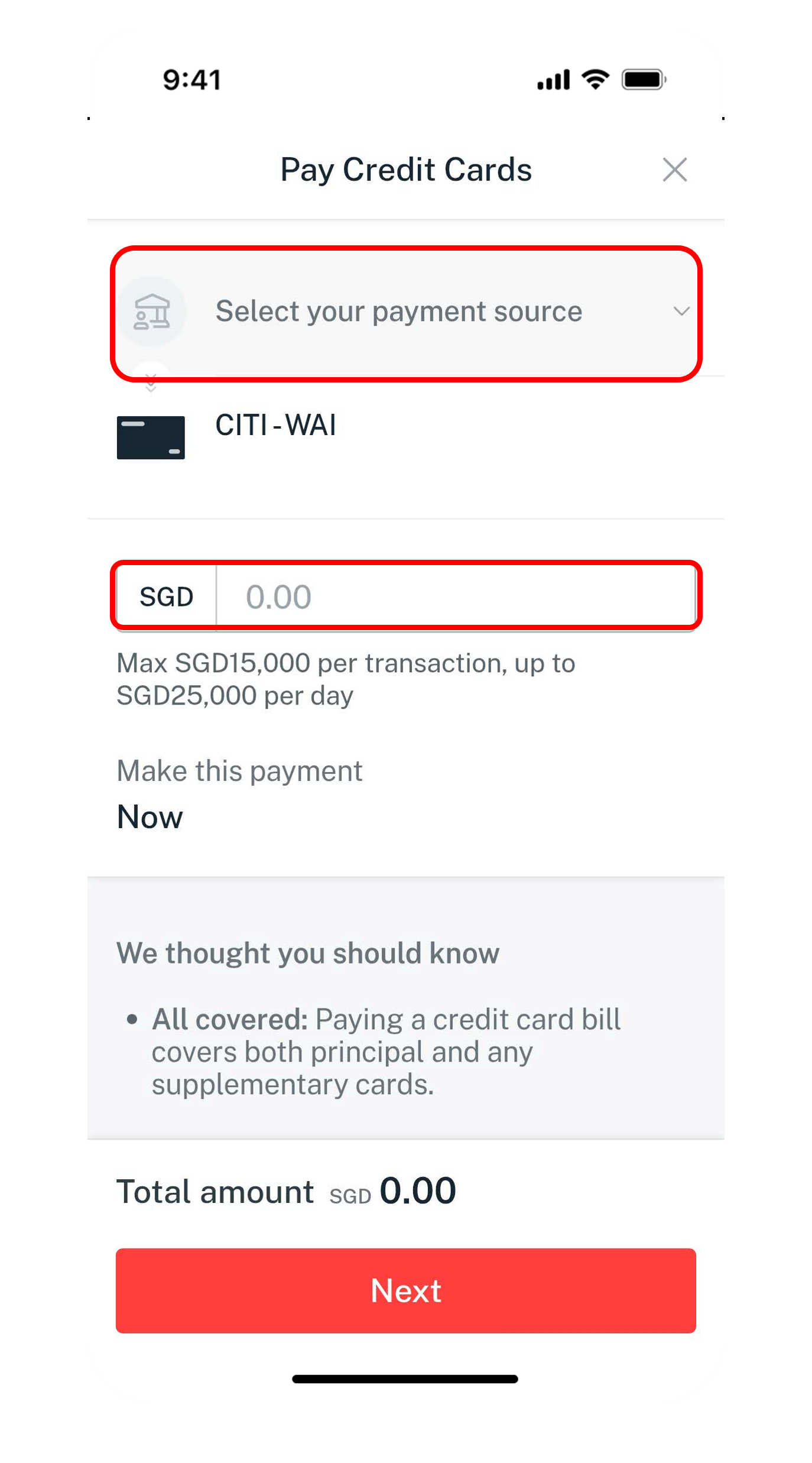
Select your preferred Account pay from, enter the Amount you wish to pay and tap Next.
5
Step 5
Verify your details and tap Pay bills now to make payment.
6
Step 6
You have successfully made payment to your credit card.
Get the latest digibank mobile app now!

laptop
login
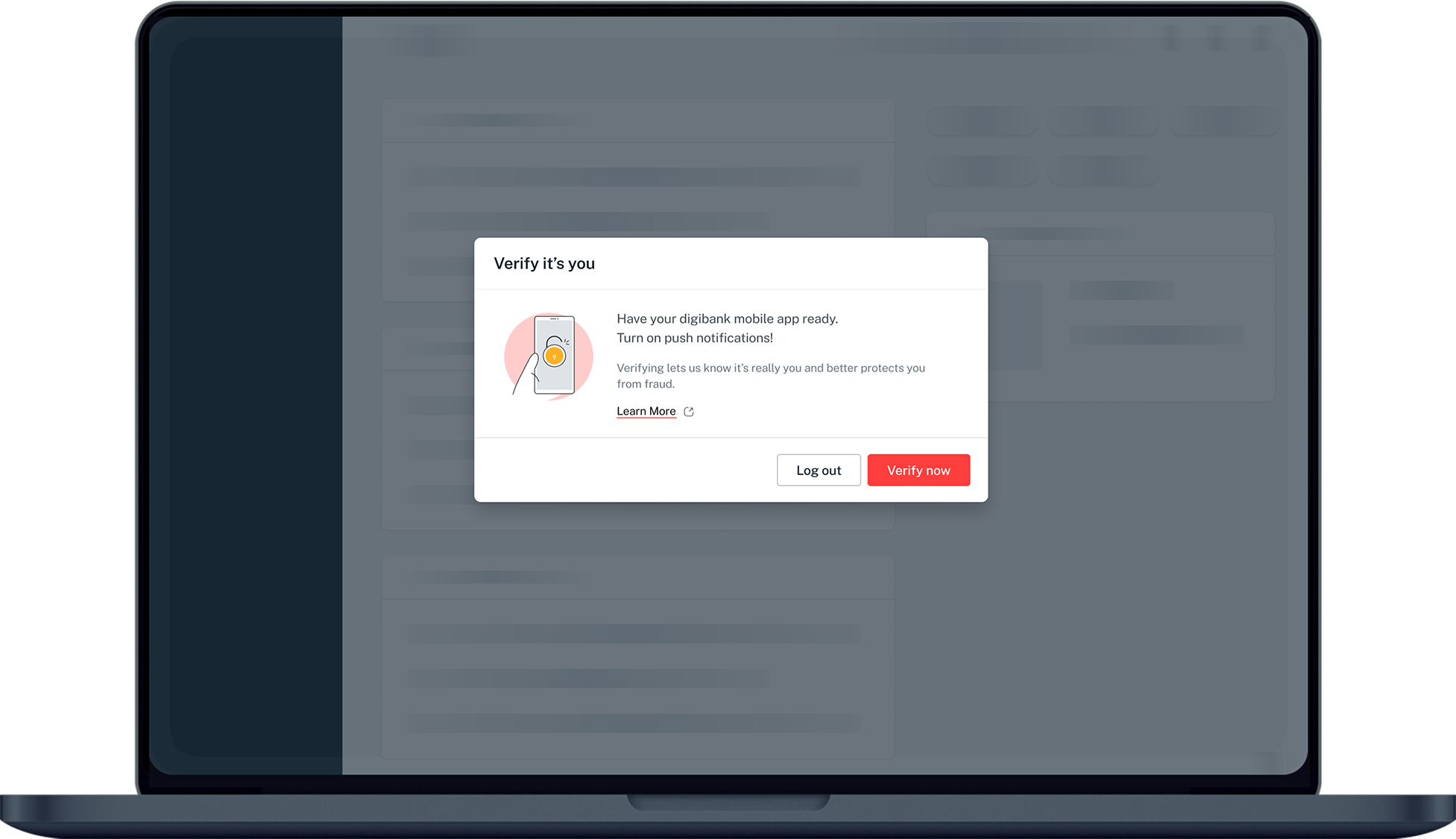
authenticate
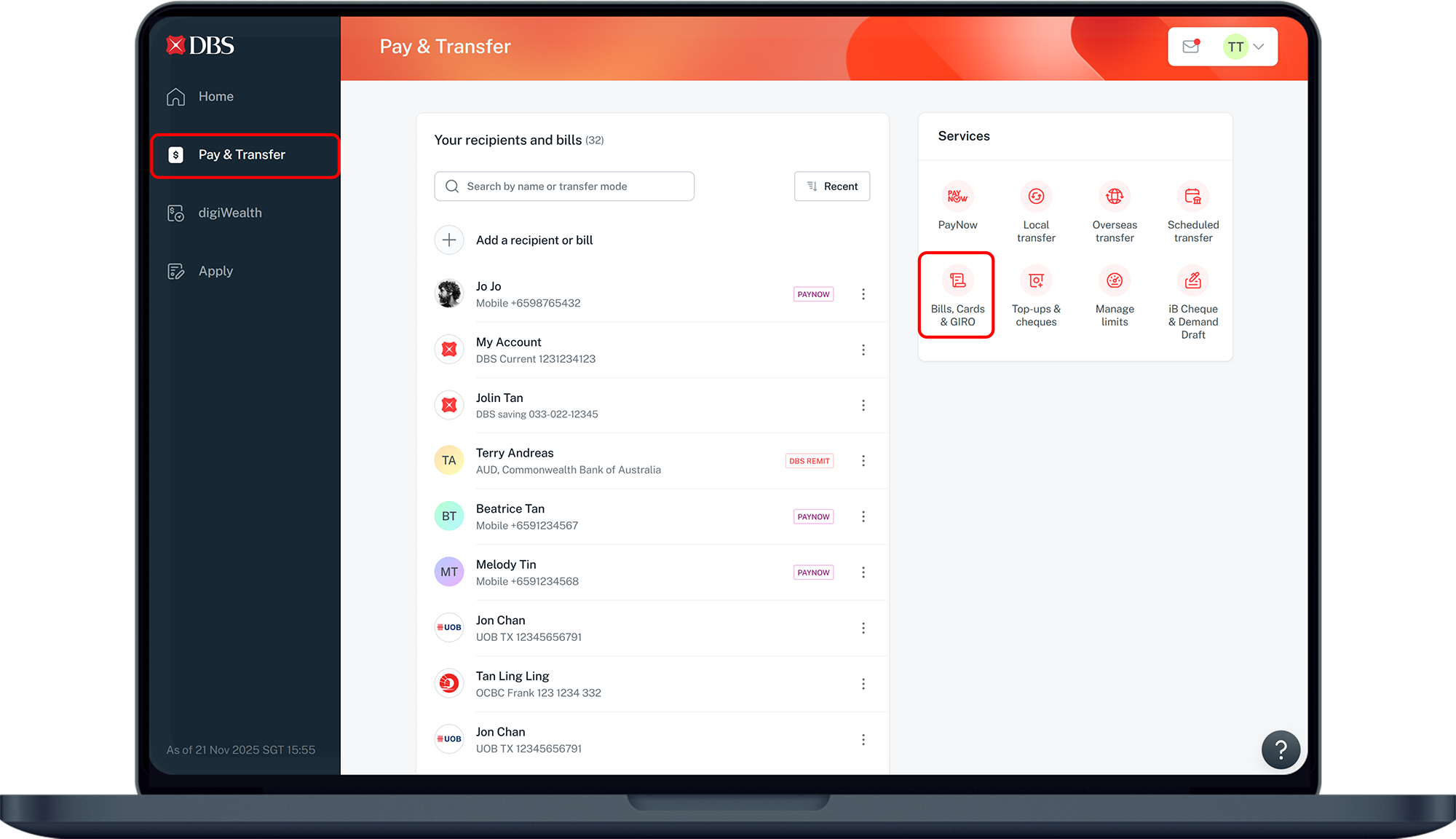
pay and transfer dashboard
credit card tab
enter payment details
review details
success
1
Step 1
Log in to digibank online with your User ID & PIN.
2
Step 2
Complete the Authentication Process.
3
Step 3
Click on Pay & Transfer on the left and under Services, select Bills, Cards & GIRO.​
4
Step 4
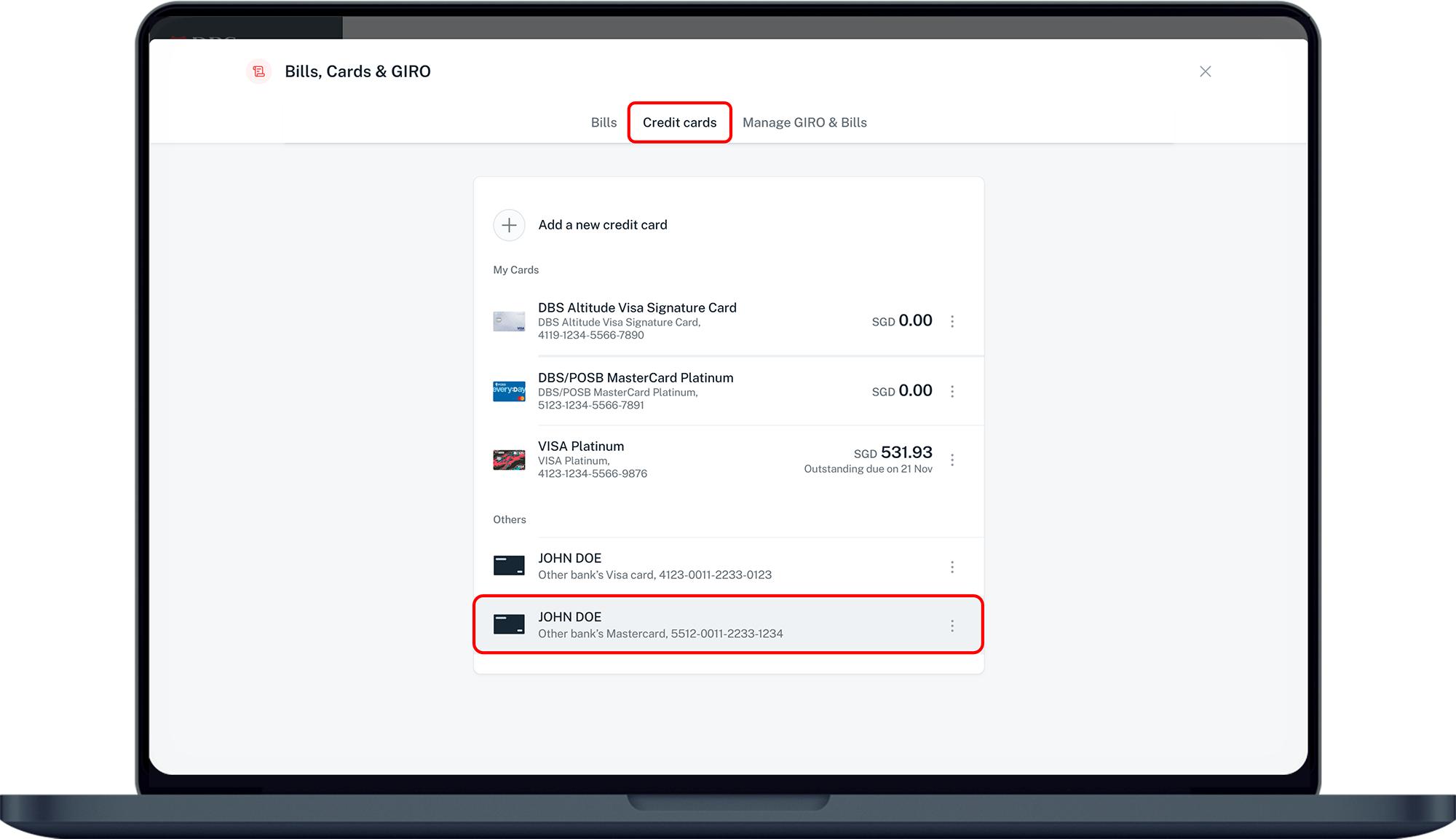
Under Credit cards, select the Credit Card you wish to make payment to.
(If the Credit Card Recipient is not in your recipients list, learn how to add other bank's credit cards recipient).
5
Step 5
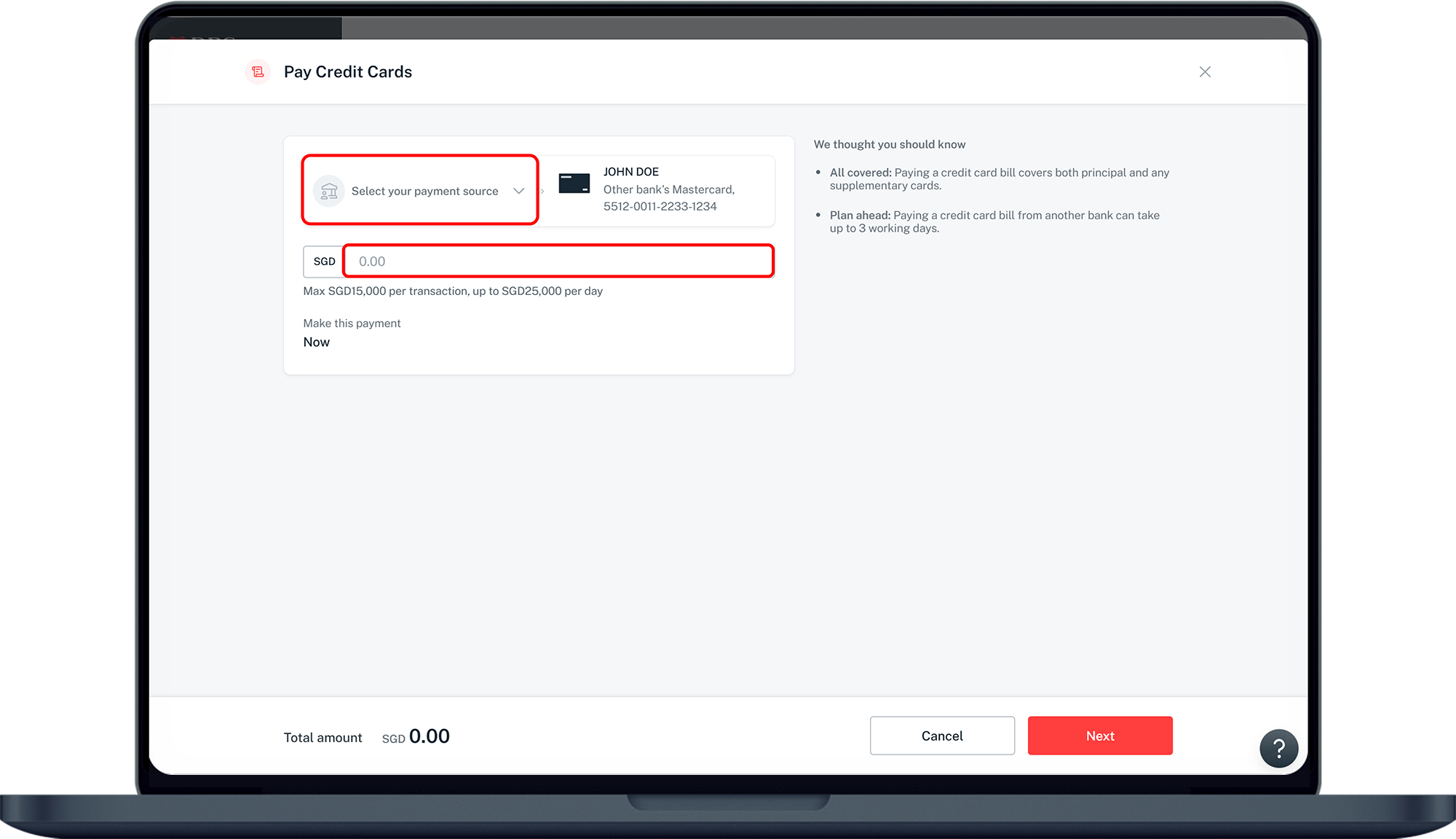
Select your preferred Account to pay from, enter the Amount you wish to pay and click Next.
6
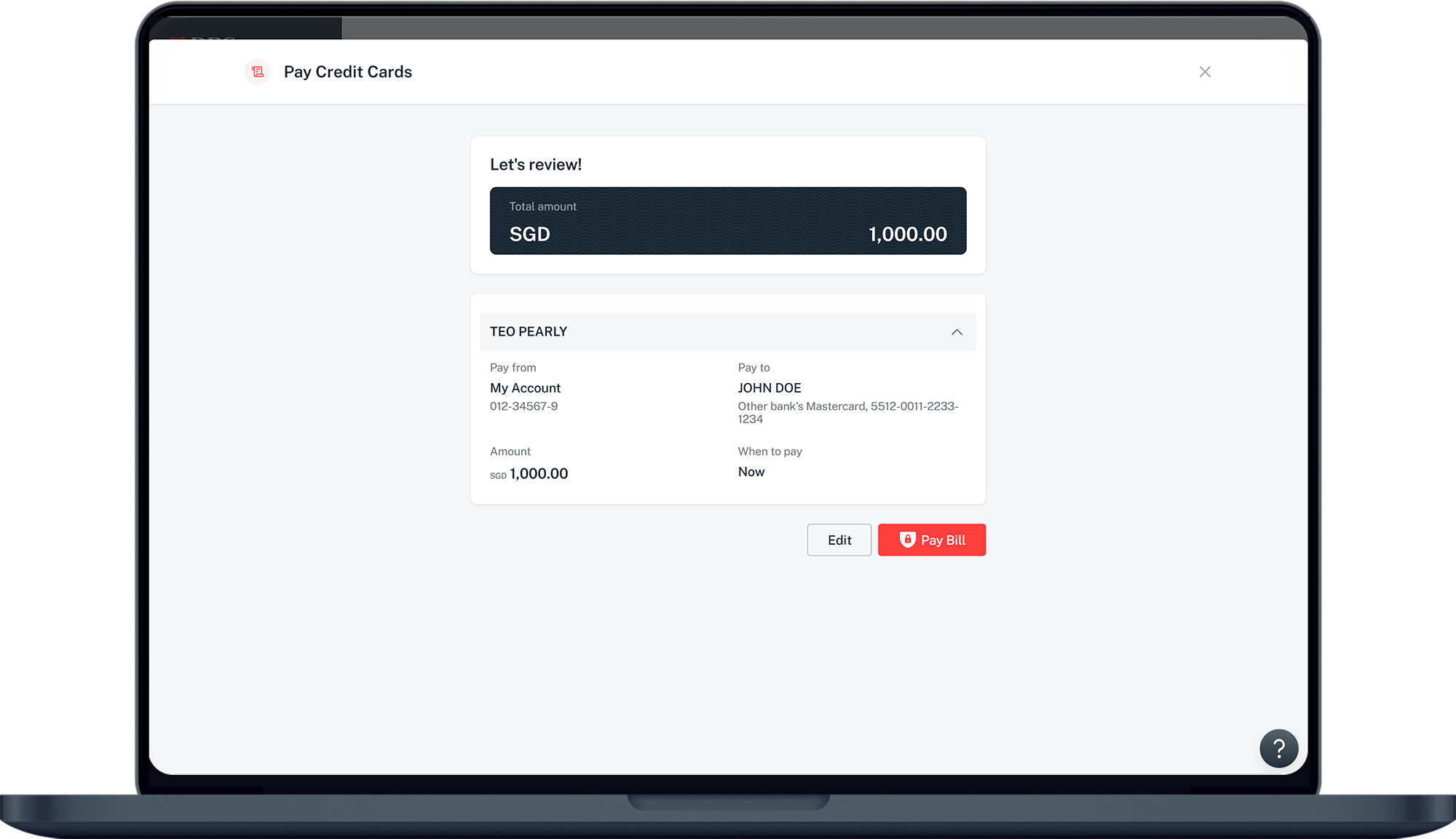
Step 6
Verify your details and click Pay Bill to make payment.
7
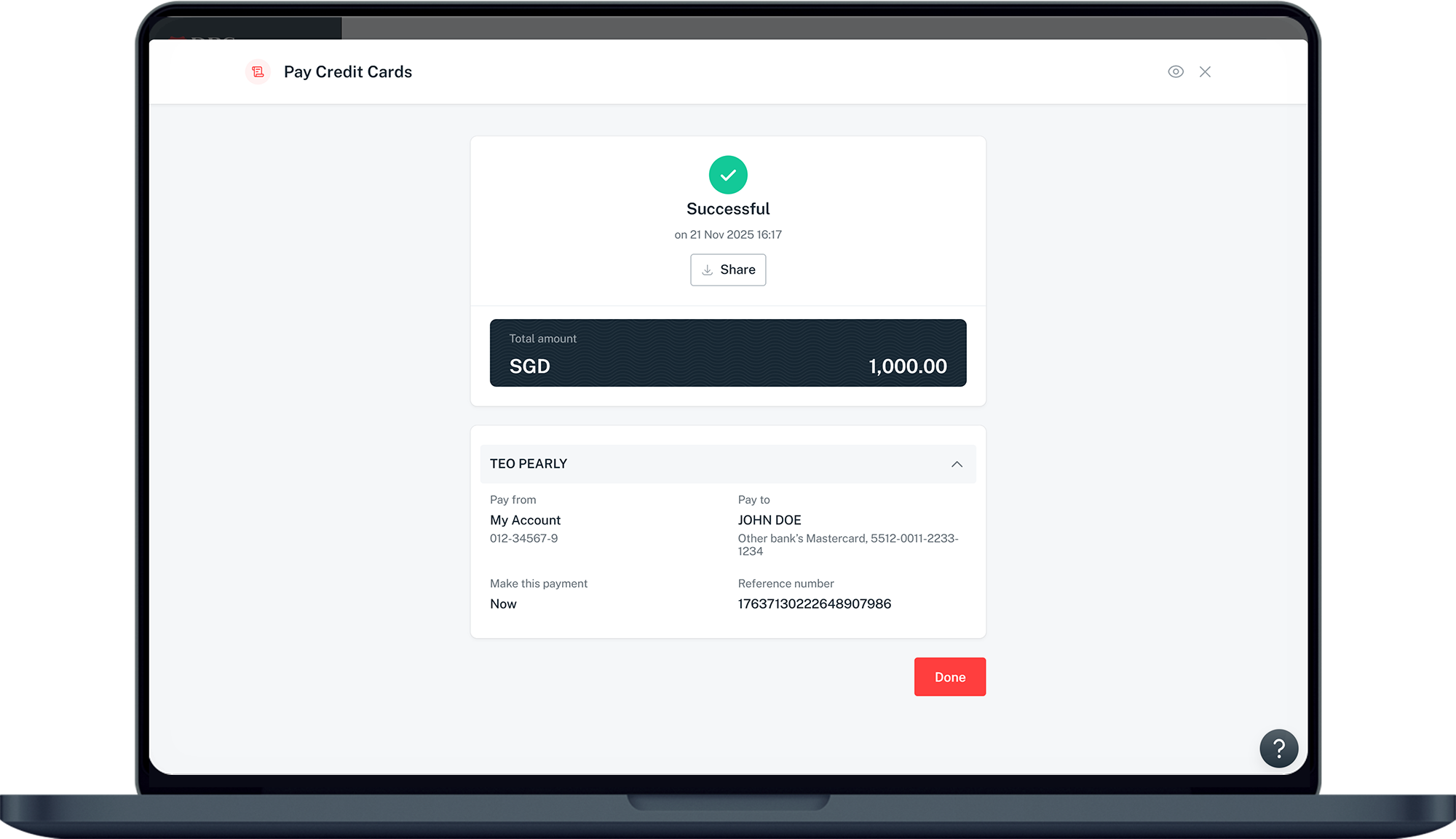
Step 7
You have successfully completed your bill payment.​

More information

  • The maximum payment limit is set at S$15,000 per transaction and S$25,000 per day.
  • Payment is sent out instantly and should be received within three working days, depending on the card issuer bank.
  • The above service can only be performed via a SGD account.
Was this information useful?

We welcome your feedback

Information is easy to understand and find
Information is useful to answer your inquiries completely