Replace Credit/Debit/ATM Card
Holding on to a damaged, worn out or lost your card? Request for a card replacement instantly using our self-service options.
Part of: Guides > Card Replacements
Important information
- Ensure that your address is updated before requesting for a card replacement. Need to update your address? Learn More.
- Take note of these information for card replacement.
How to Replace Credit/Debit/ATM Card
Replace your new card easily via digibank mobile.
digibank mobile

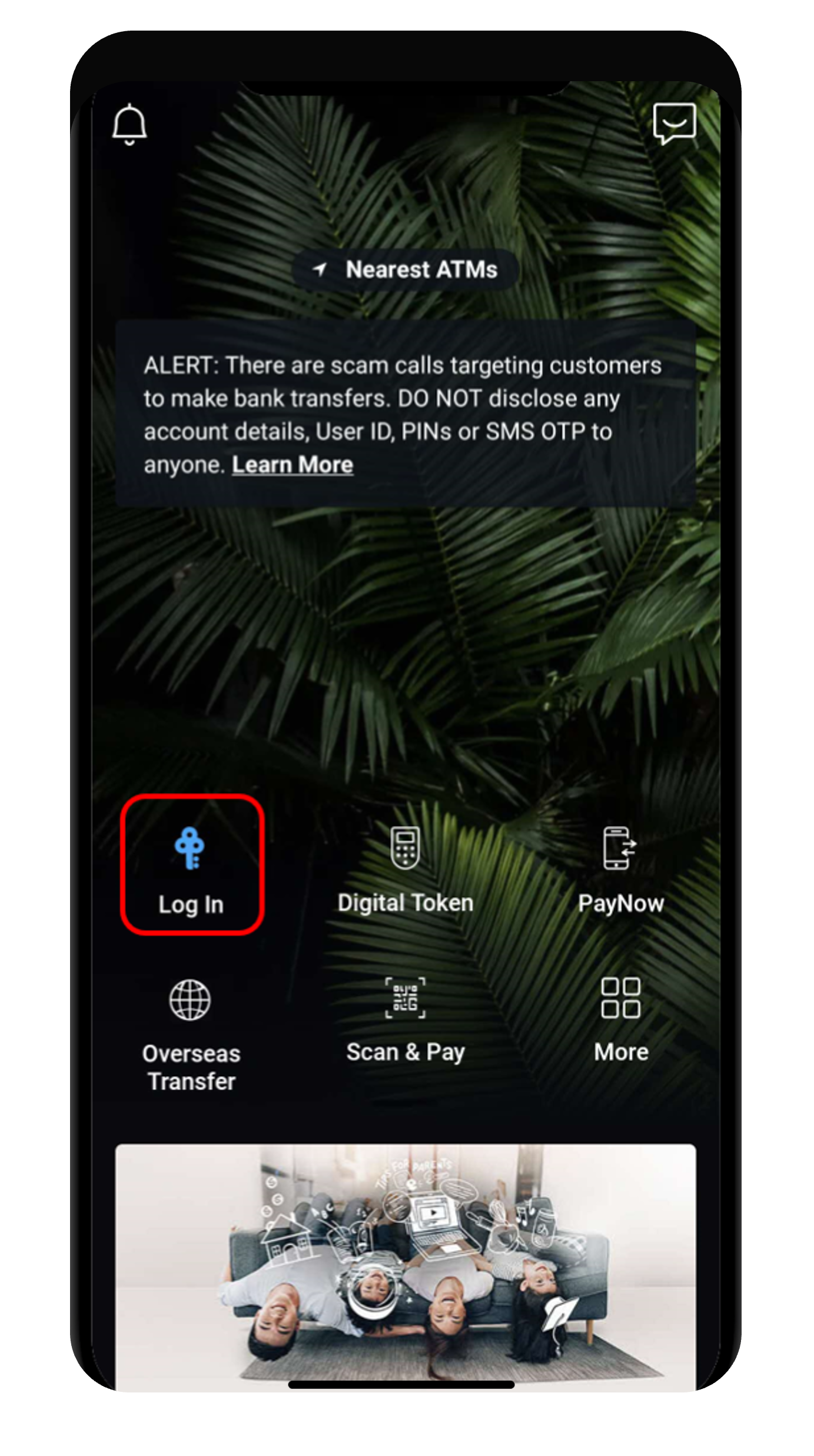
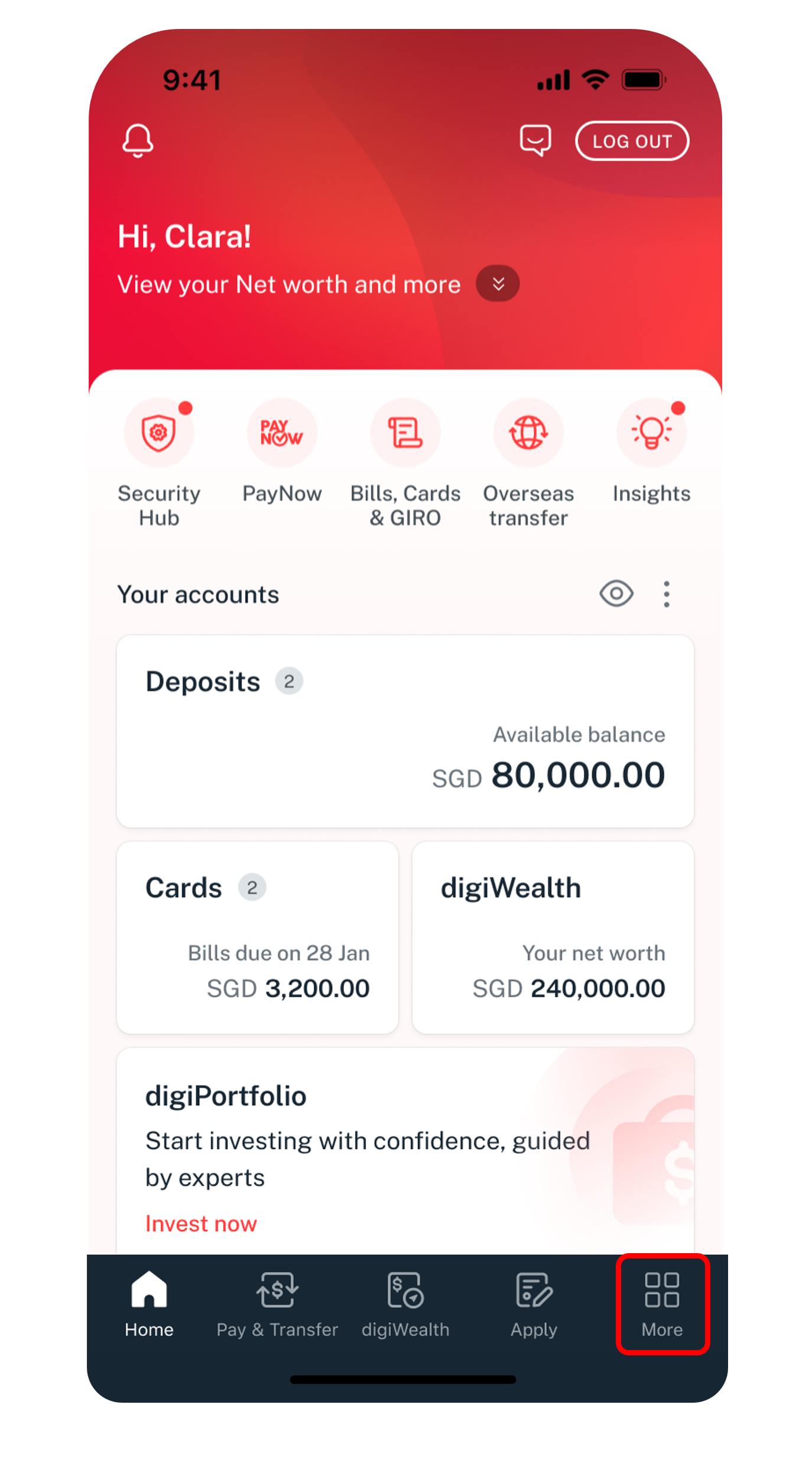

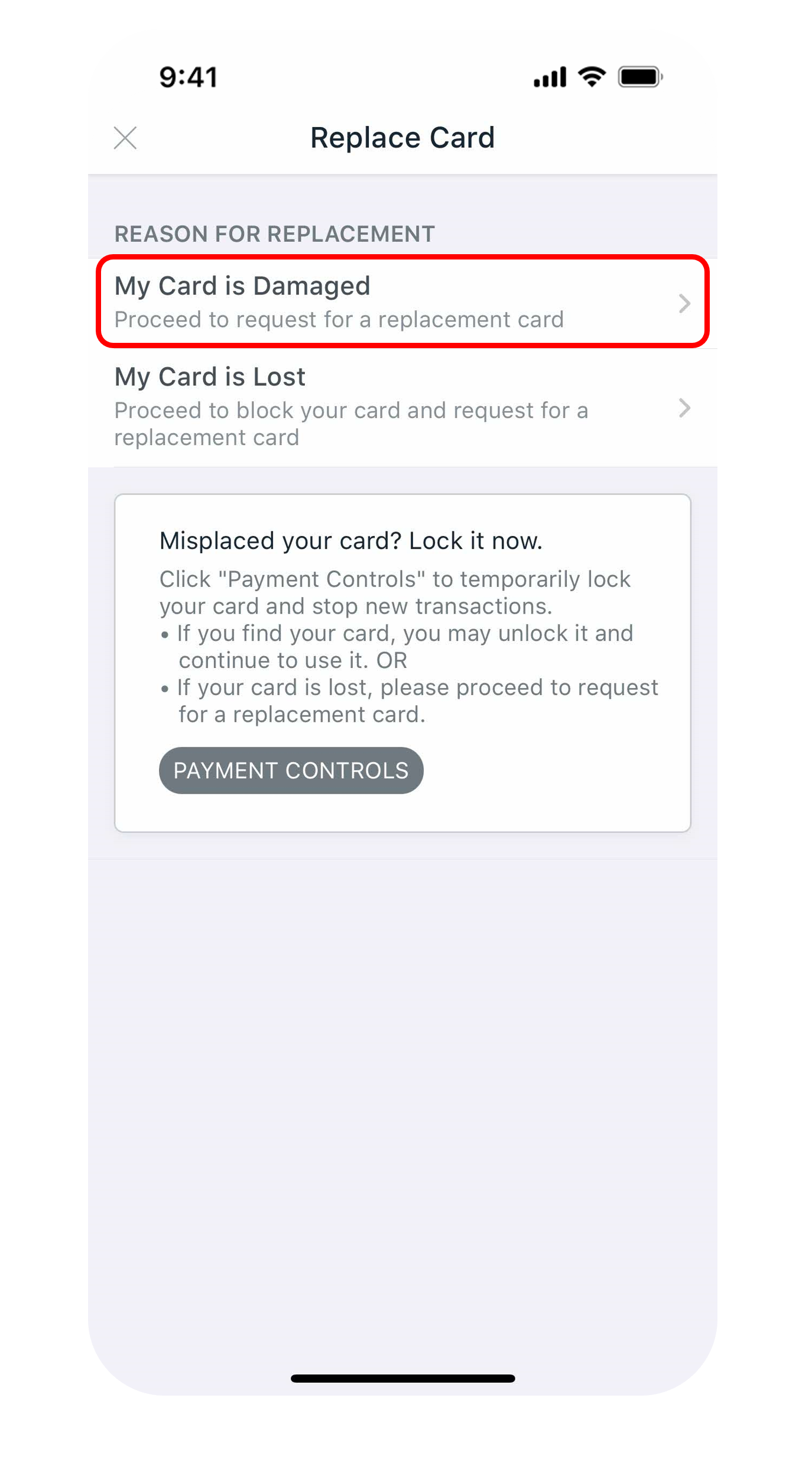
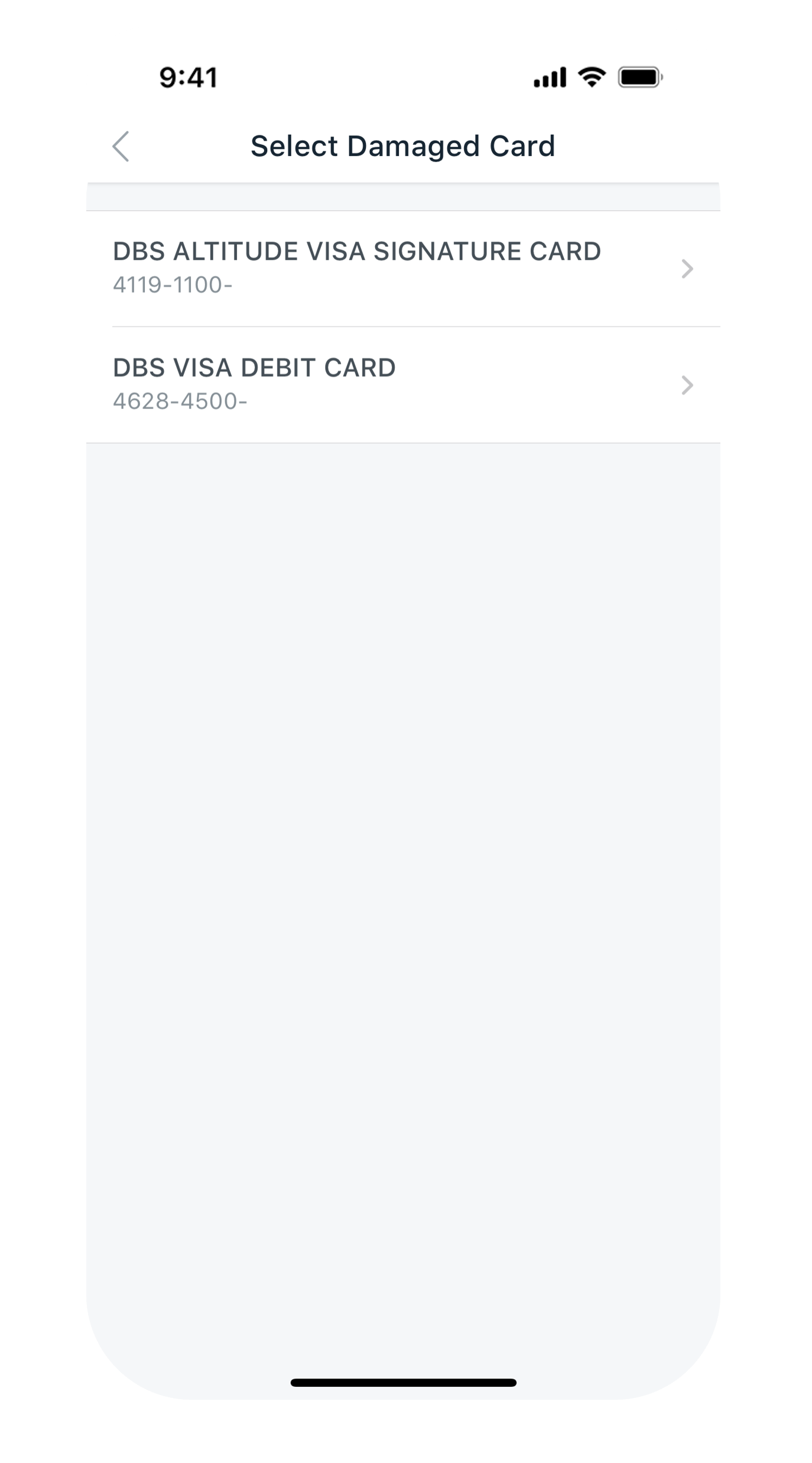
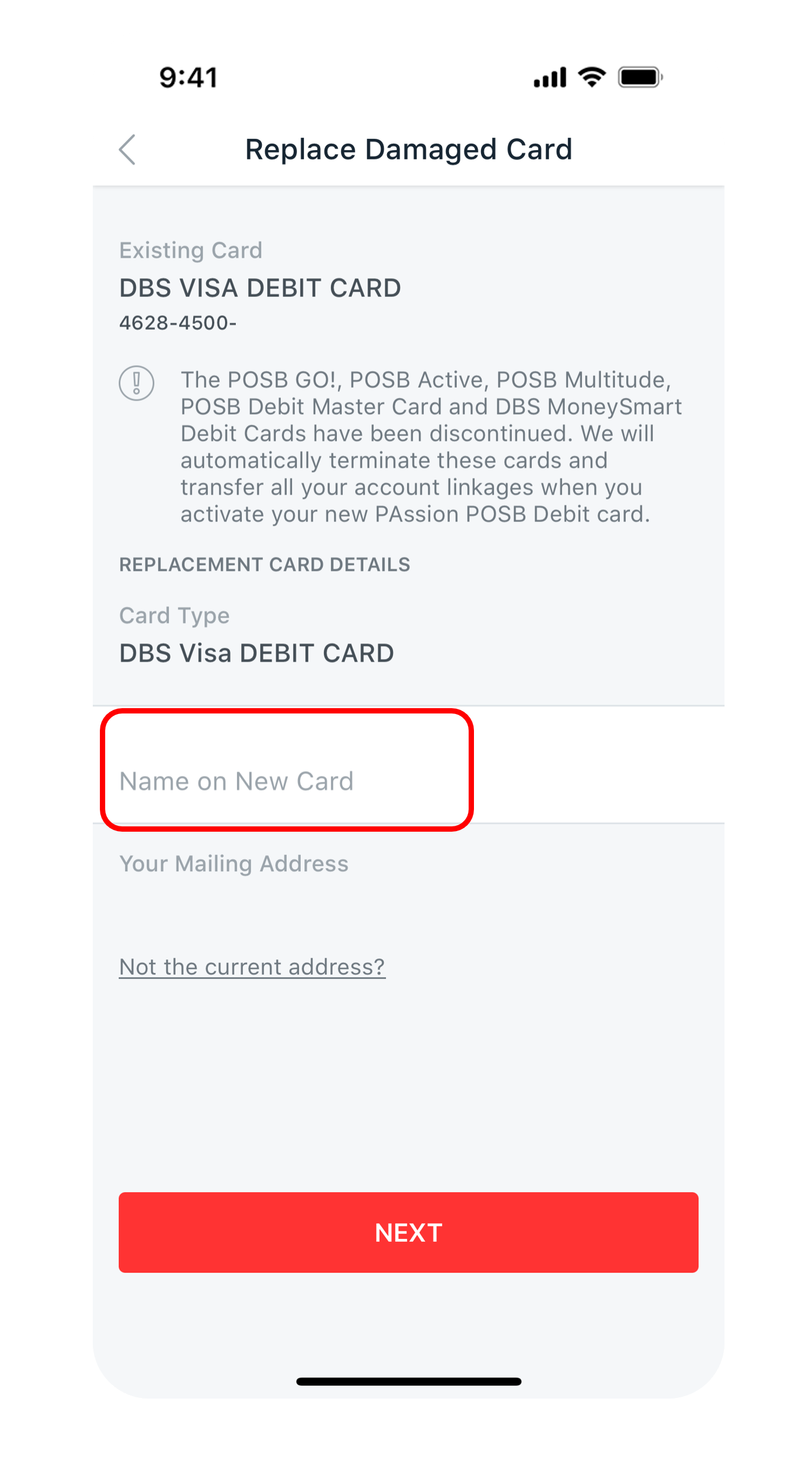
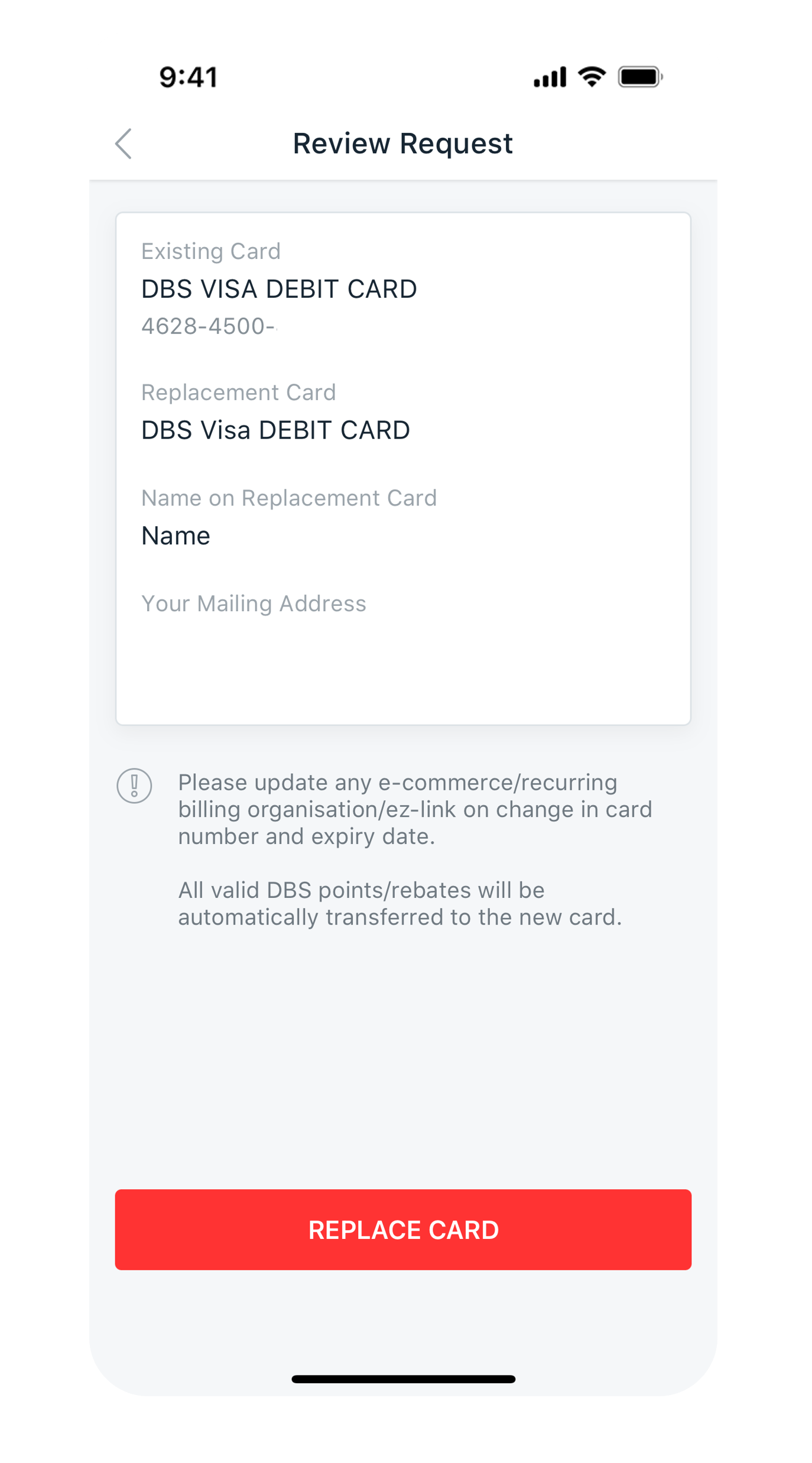
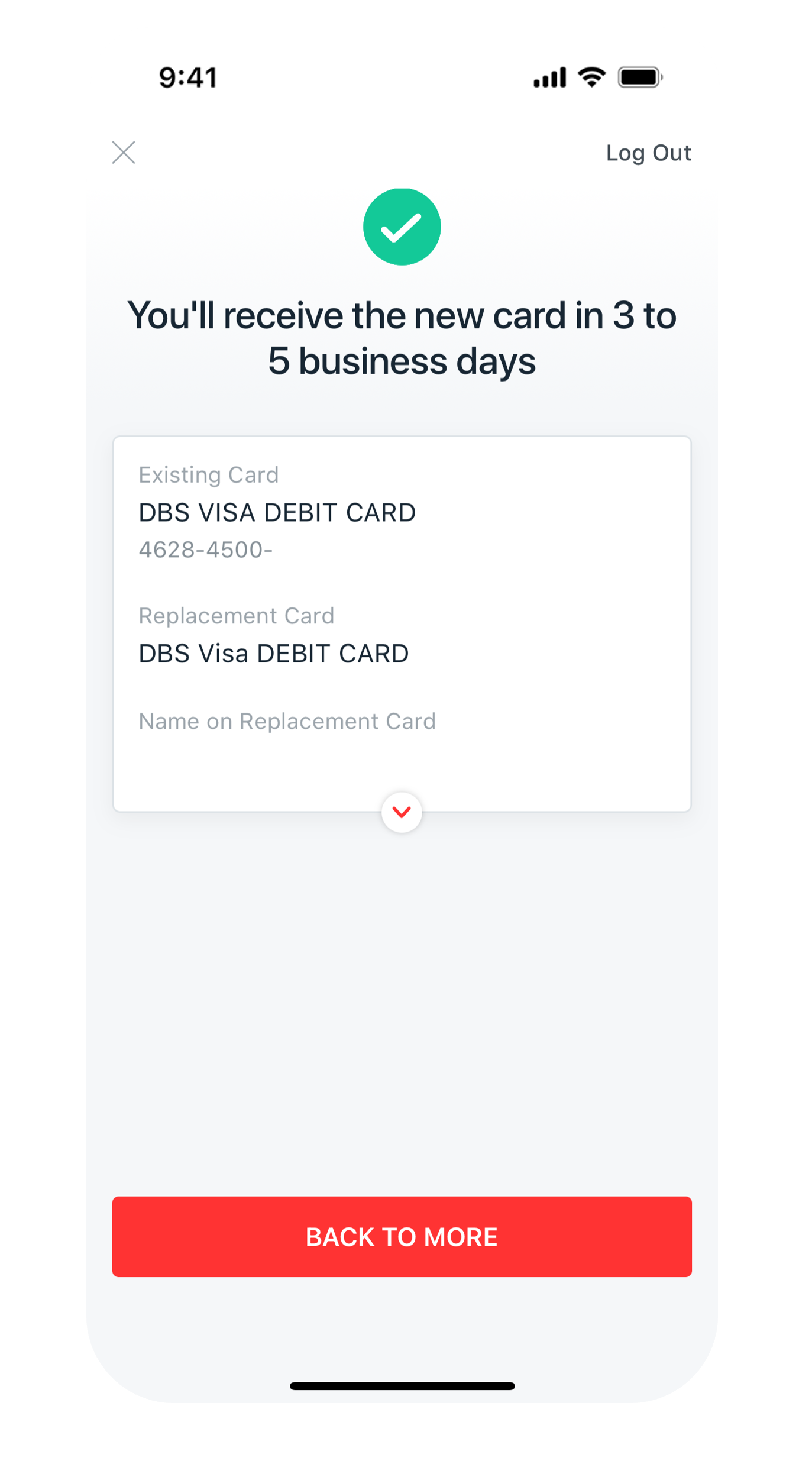
Get the latest POSB digibank mobile app now!



digibank online


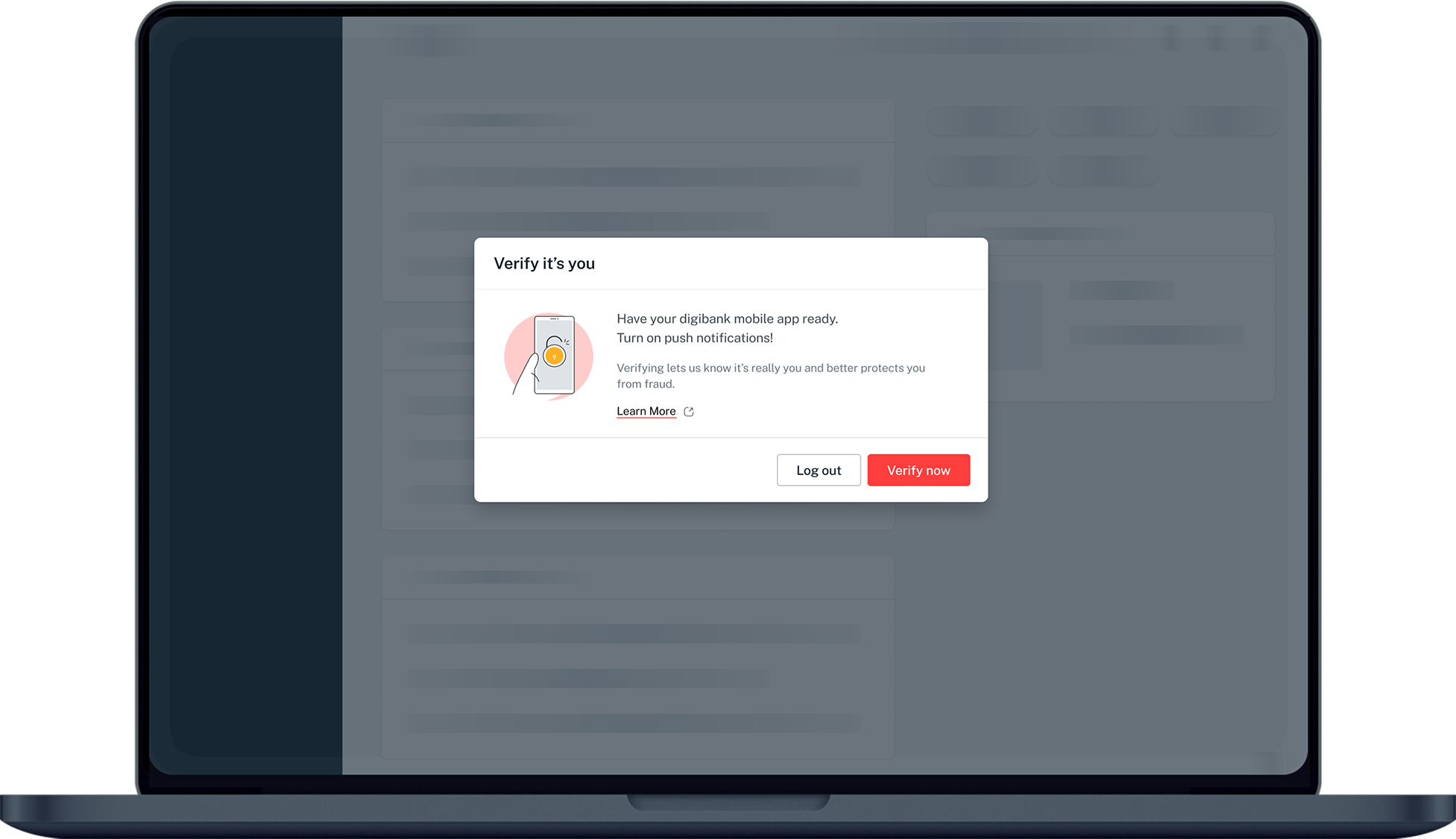
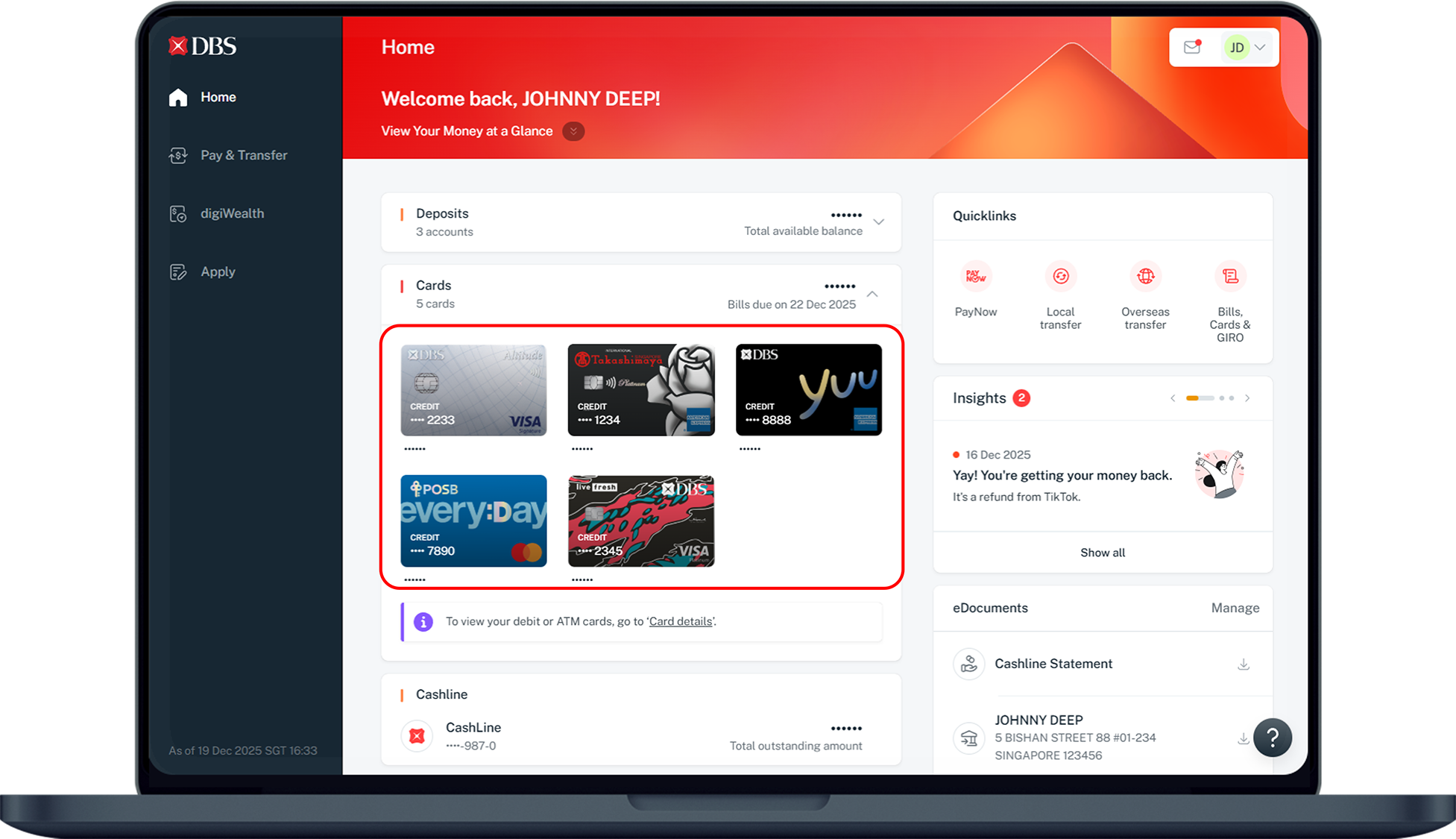
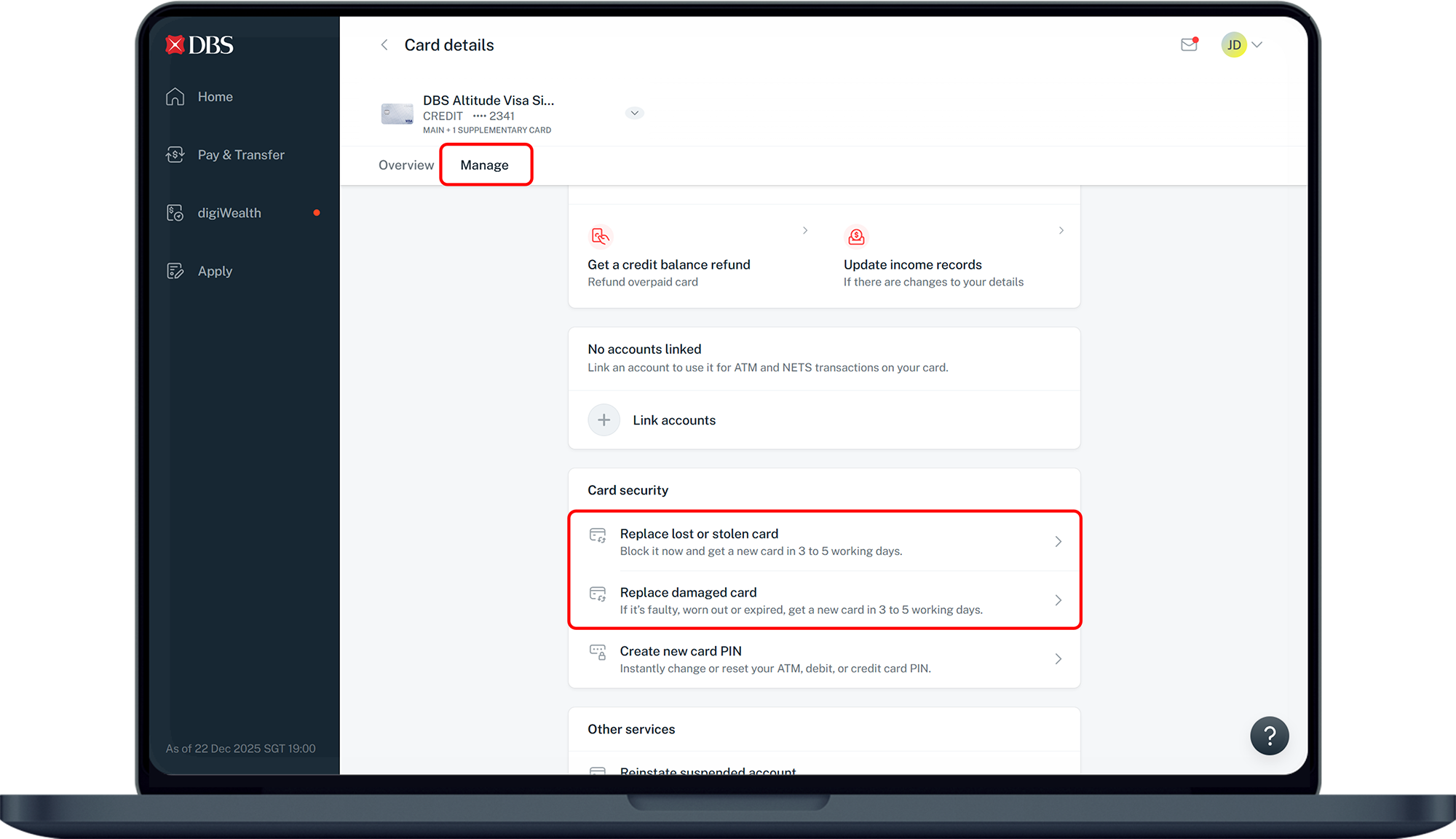
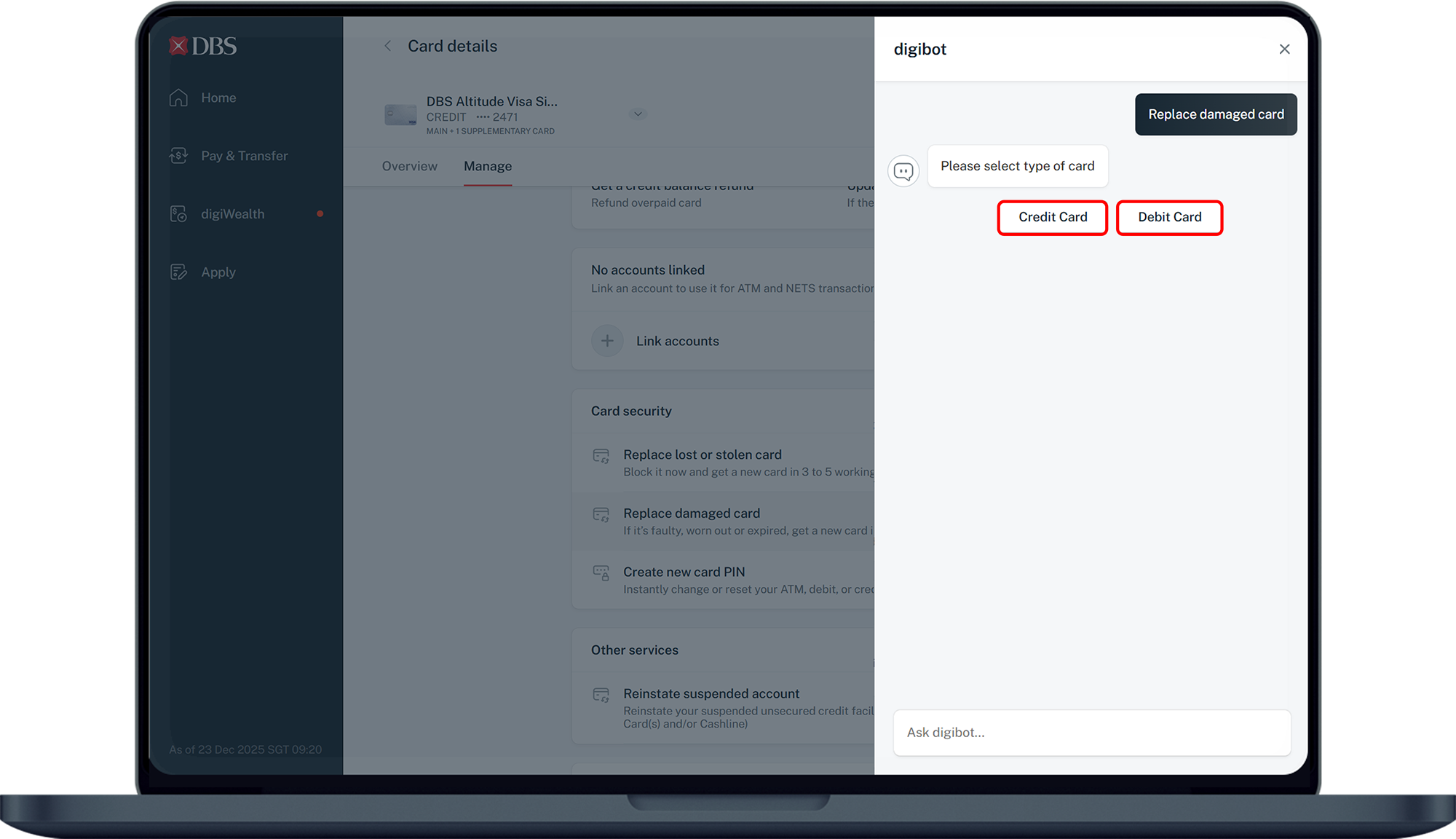
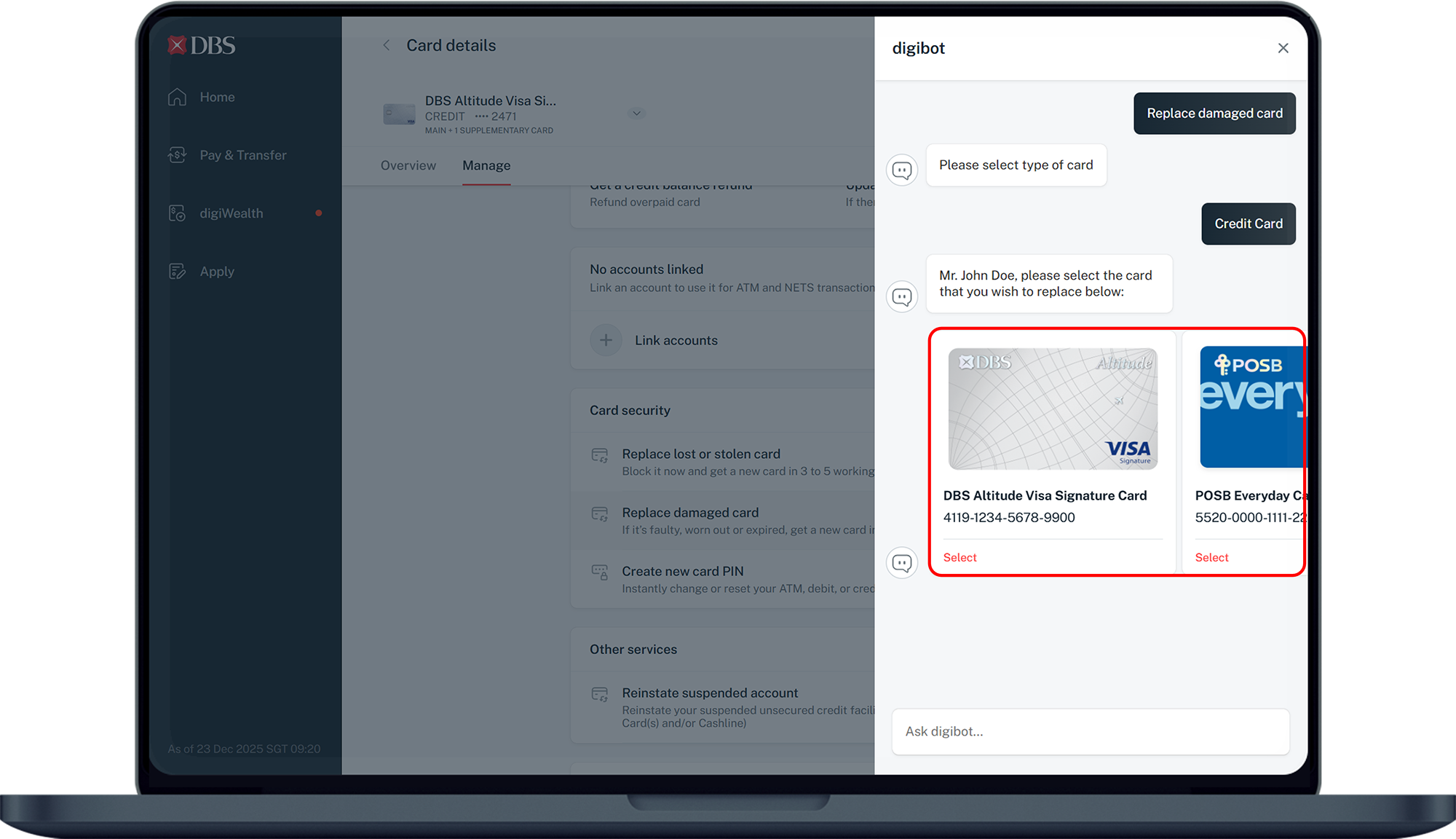
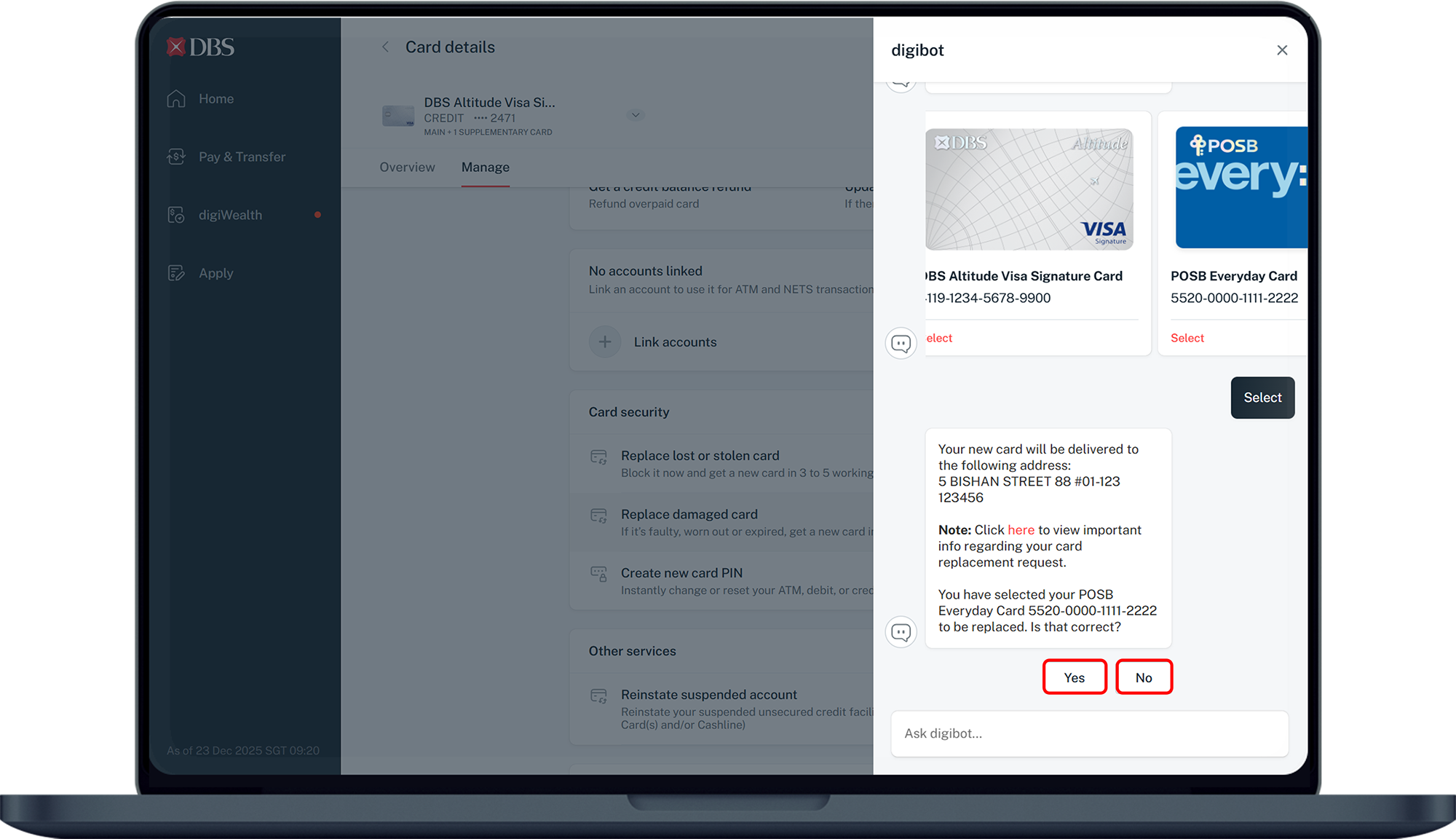
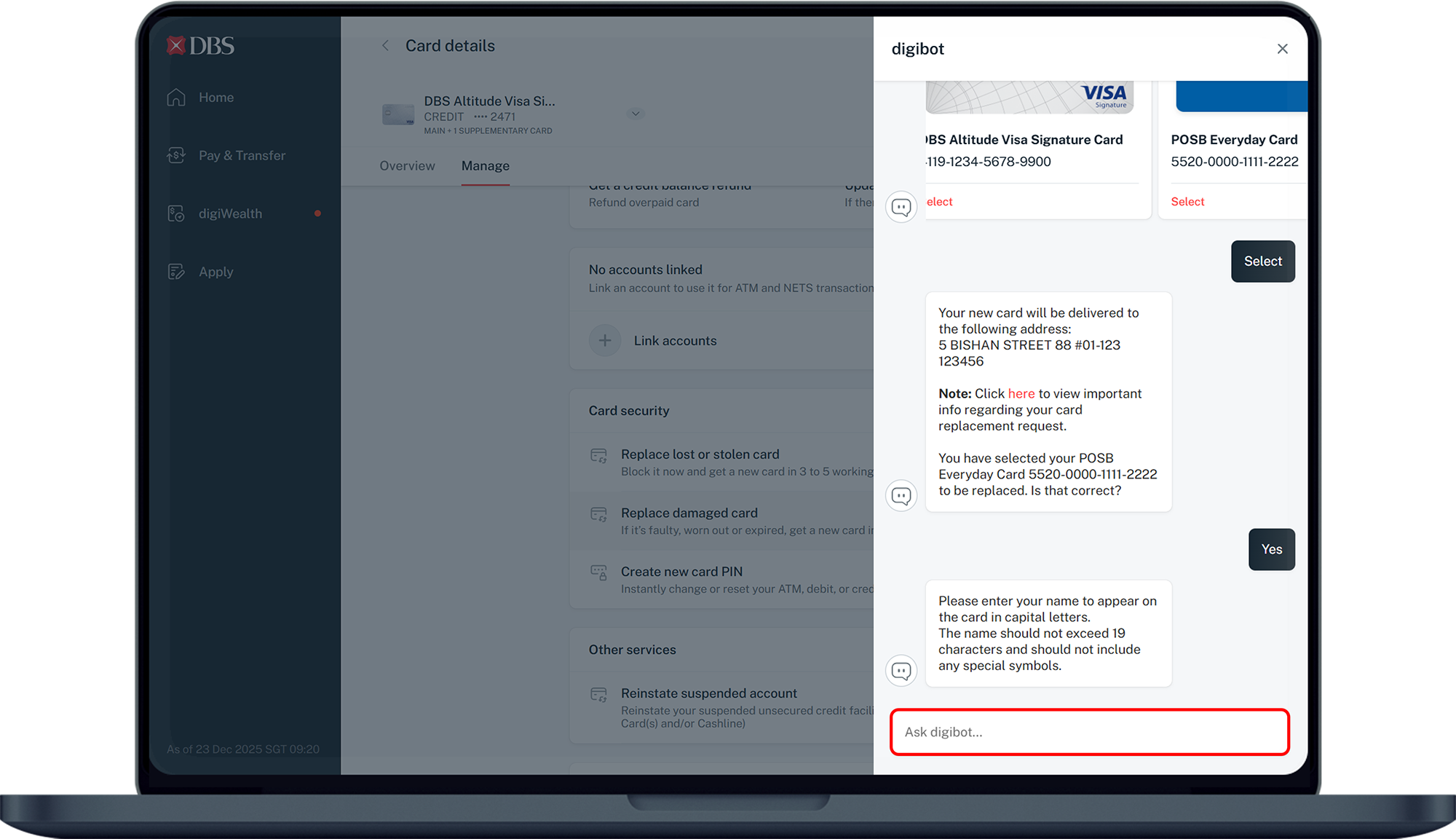
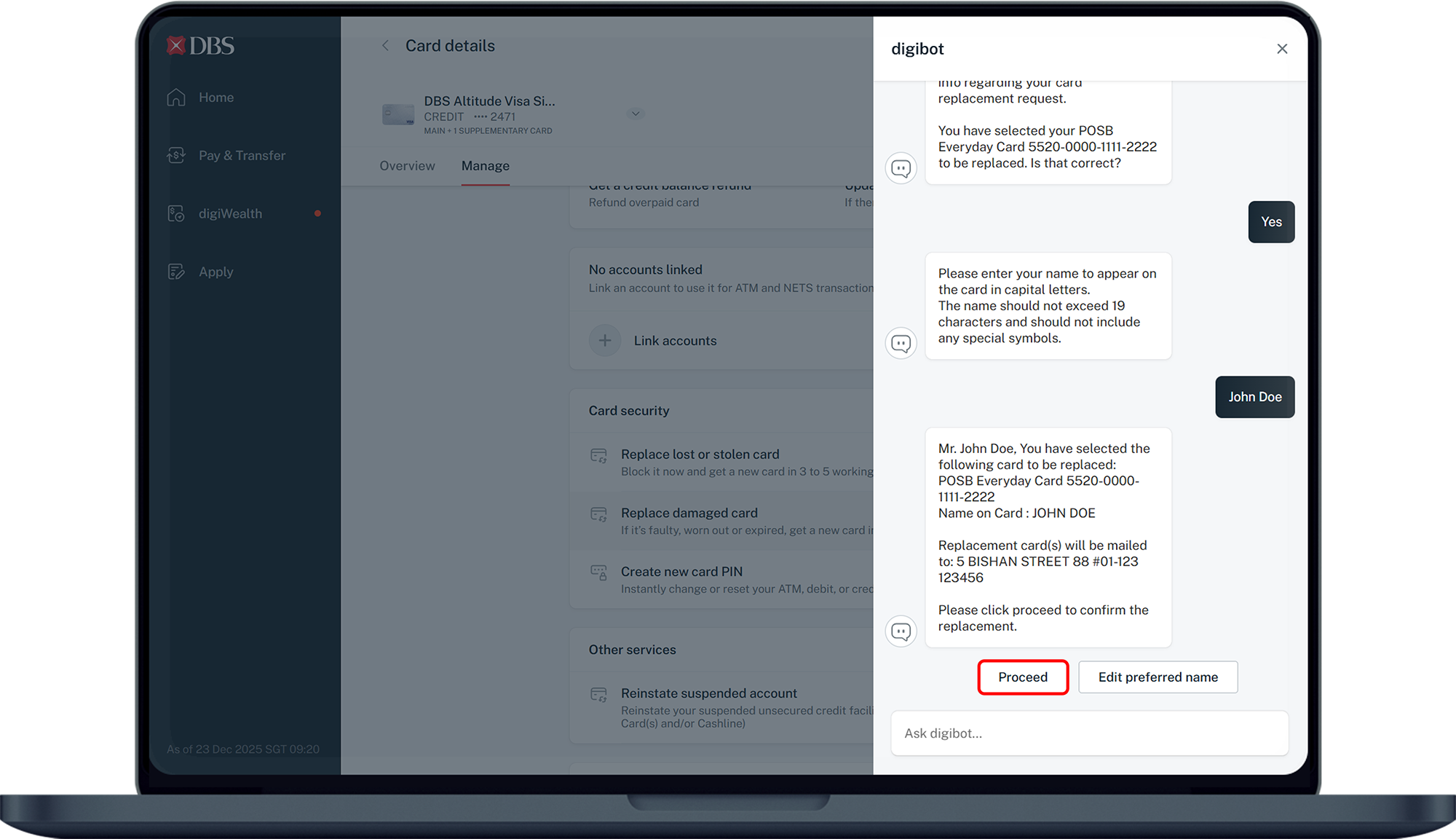
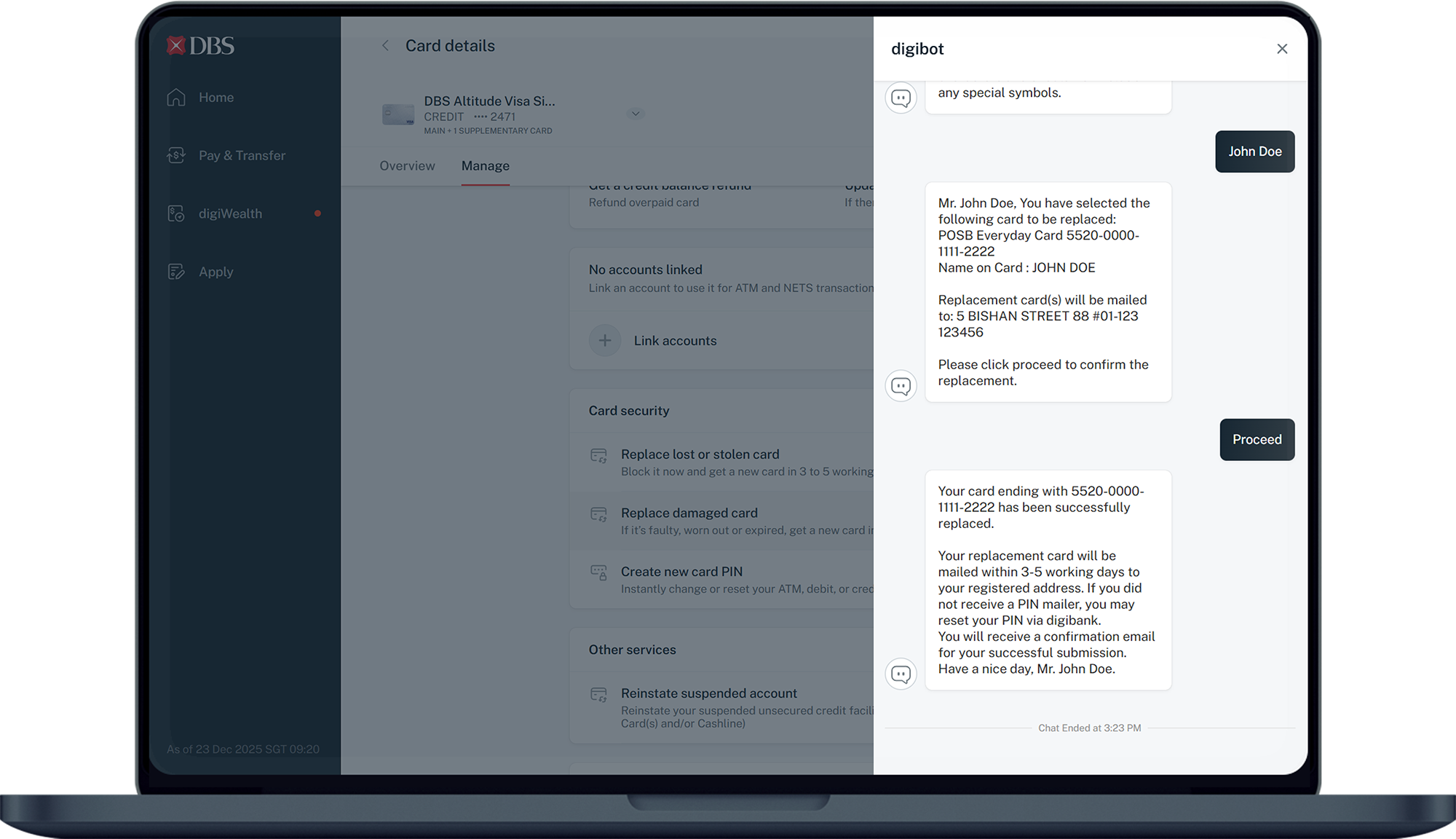
DBS digibot

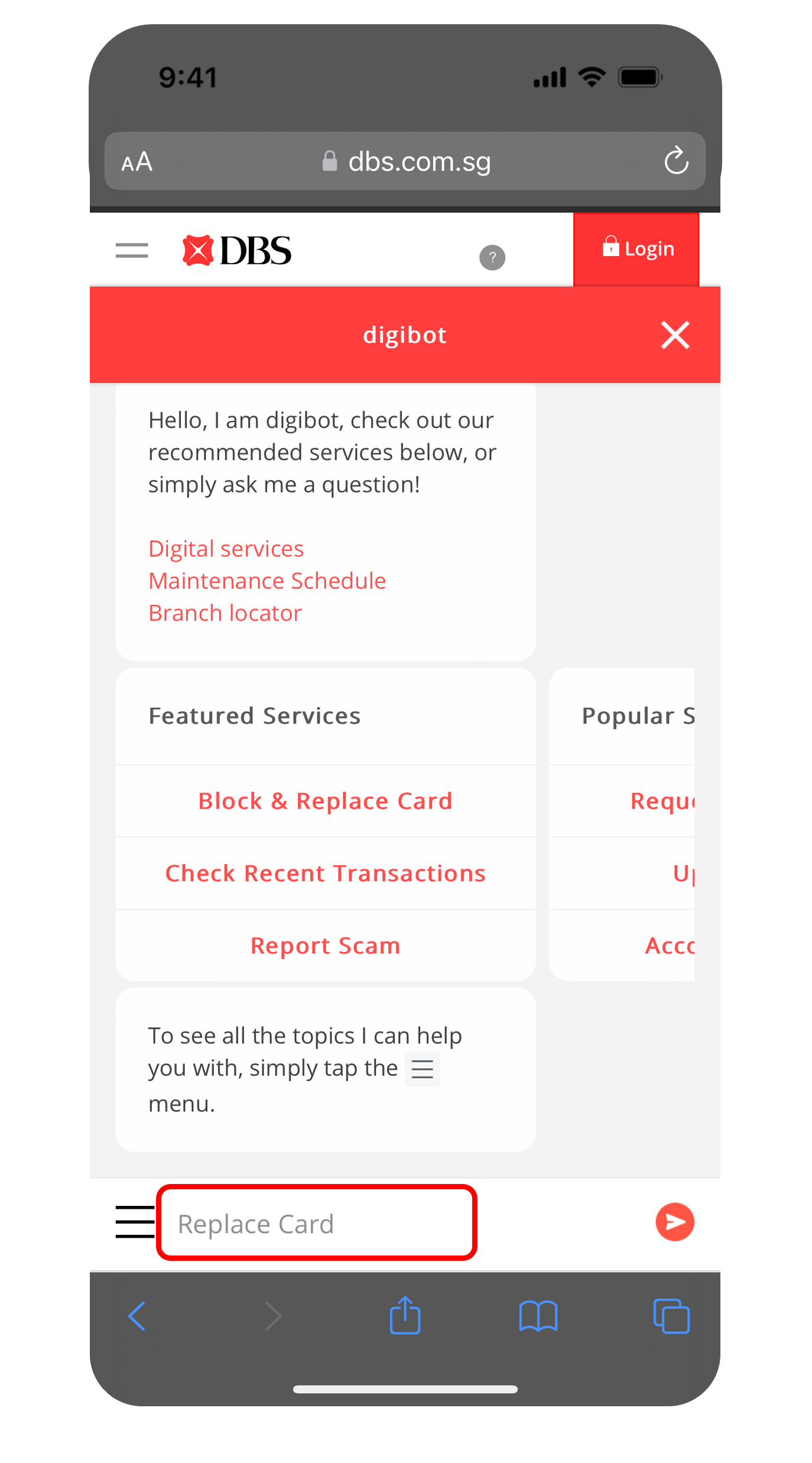
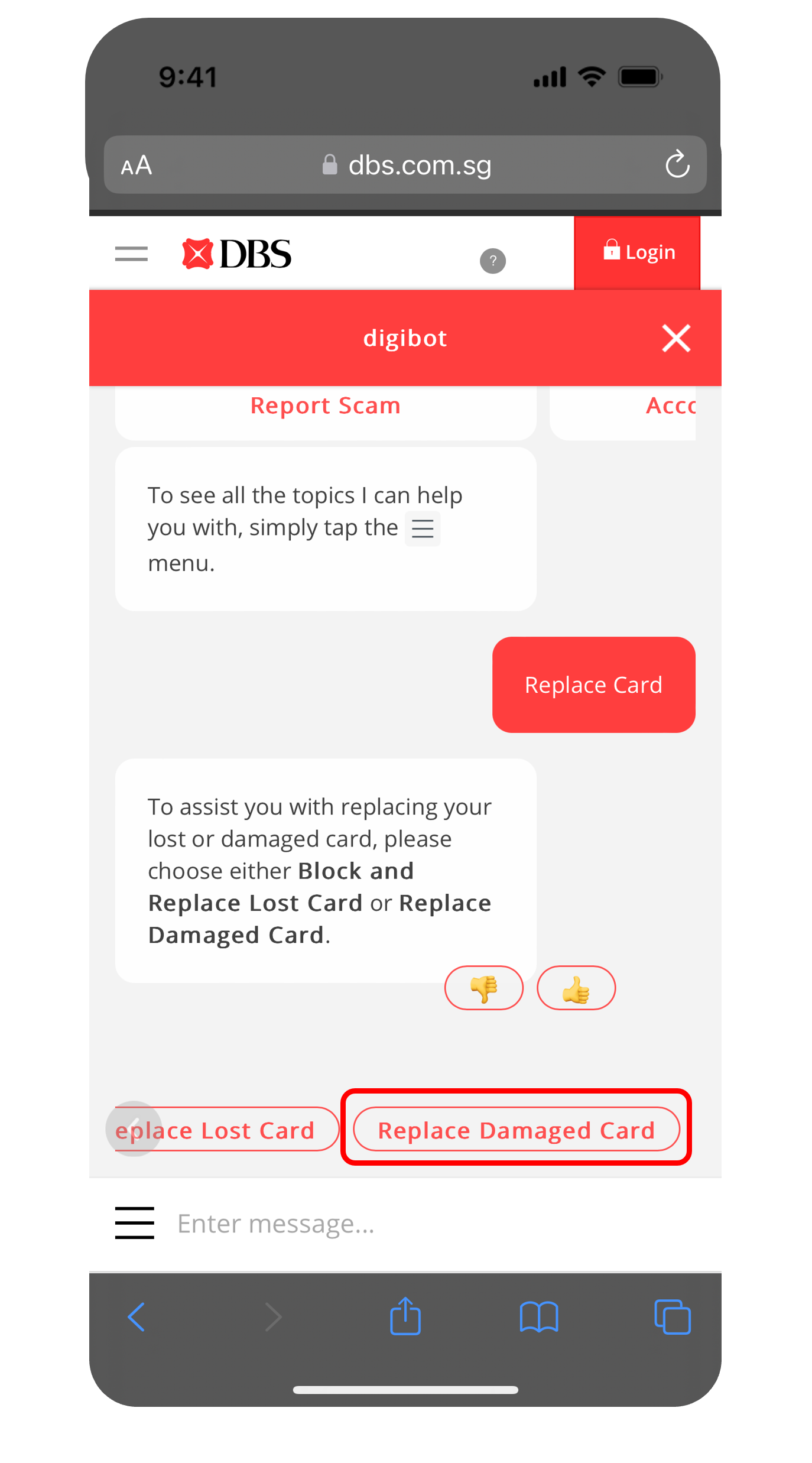
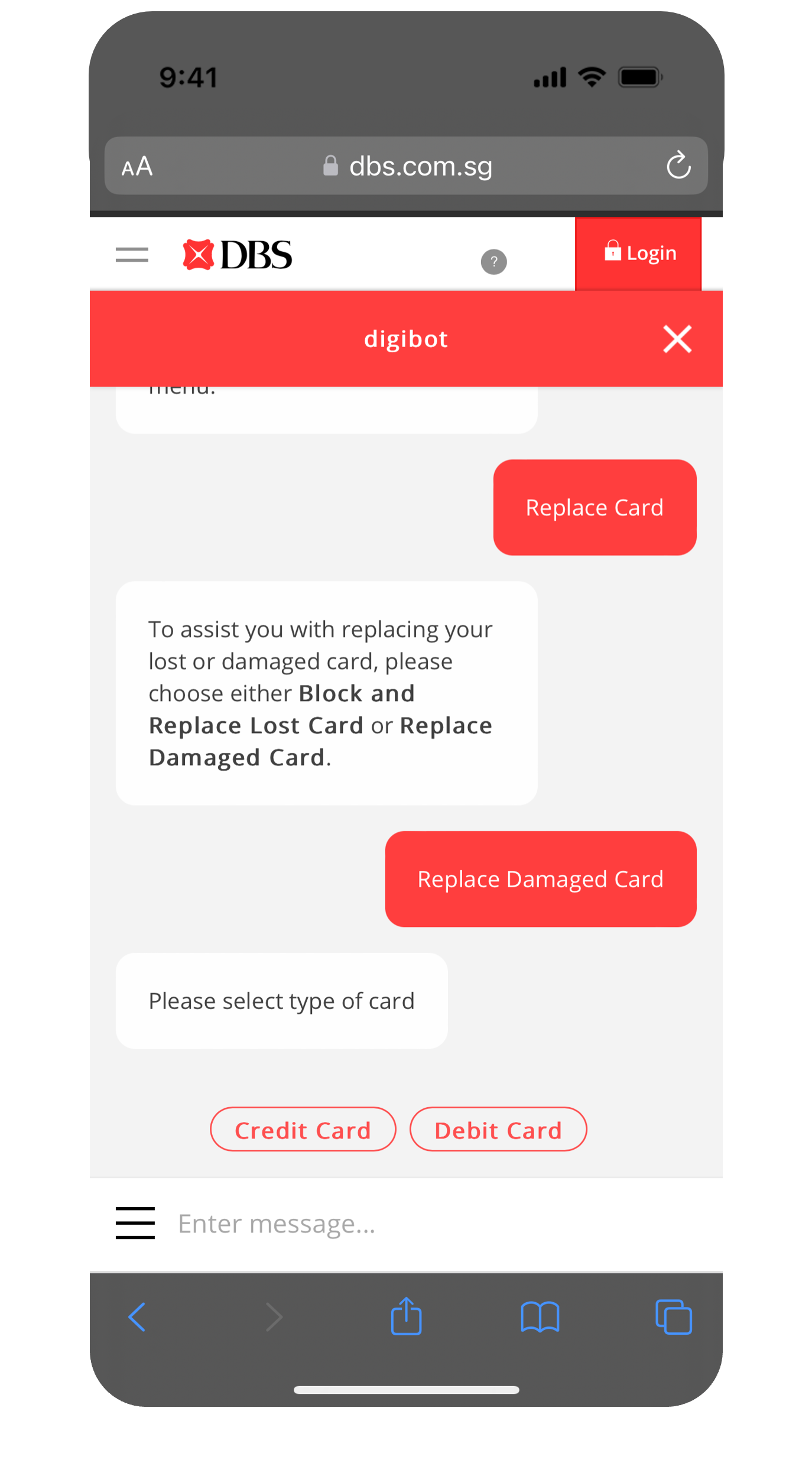
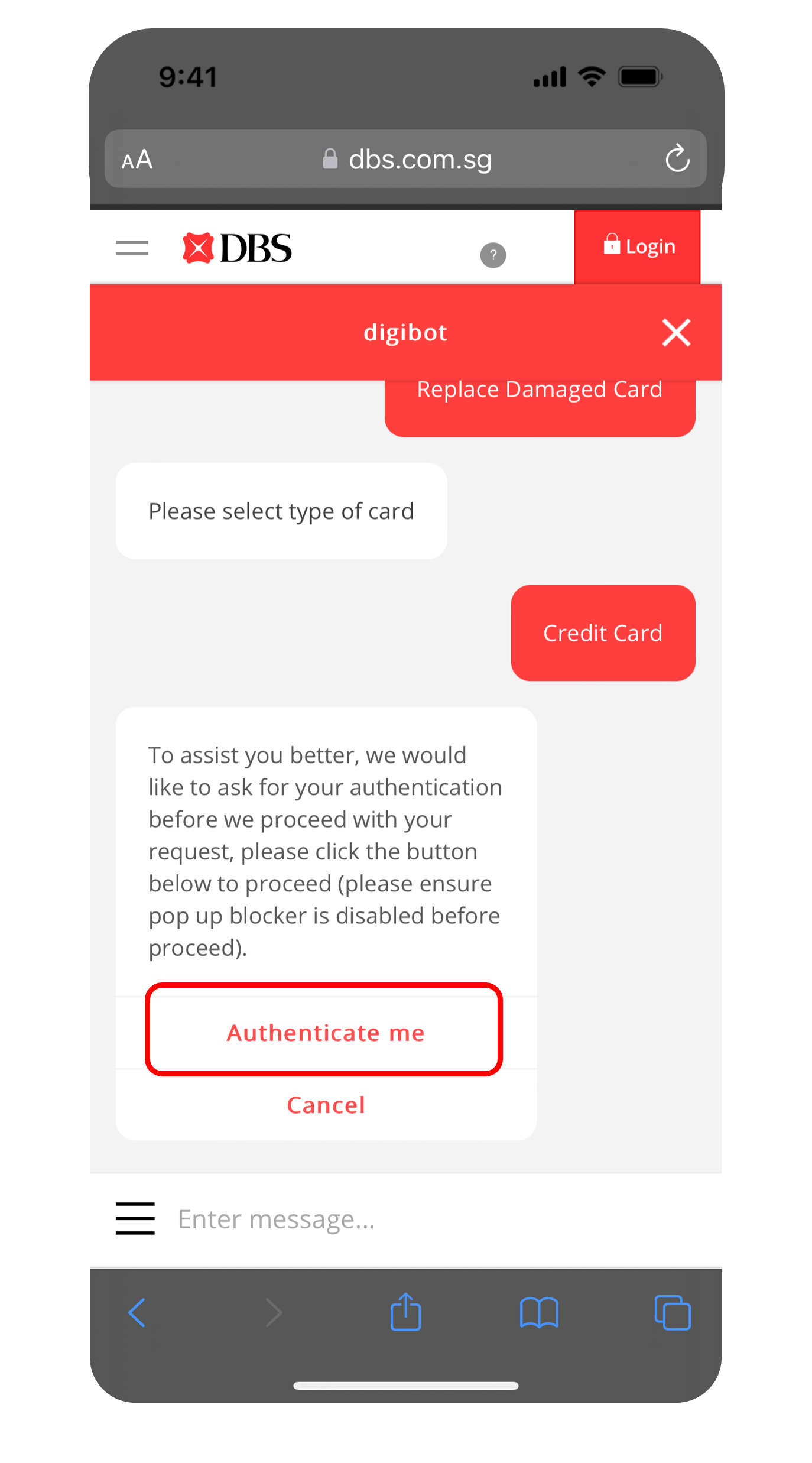
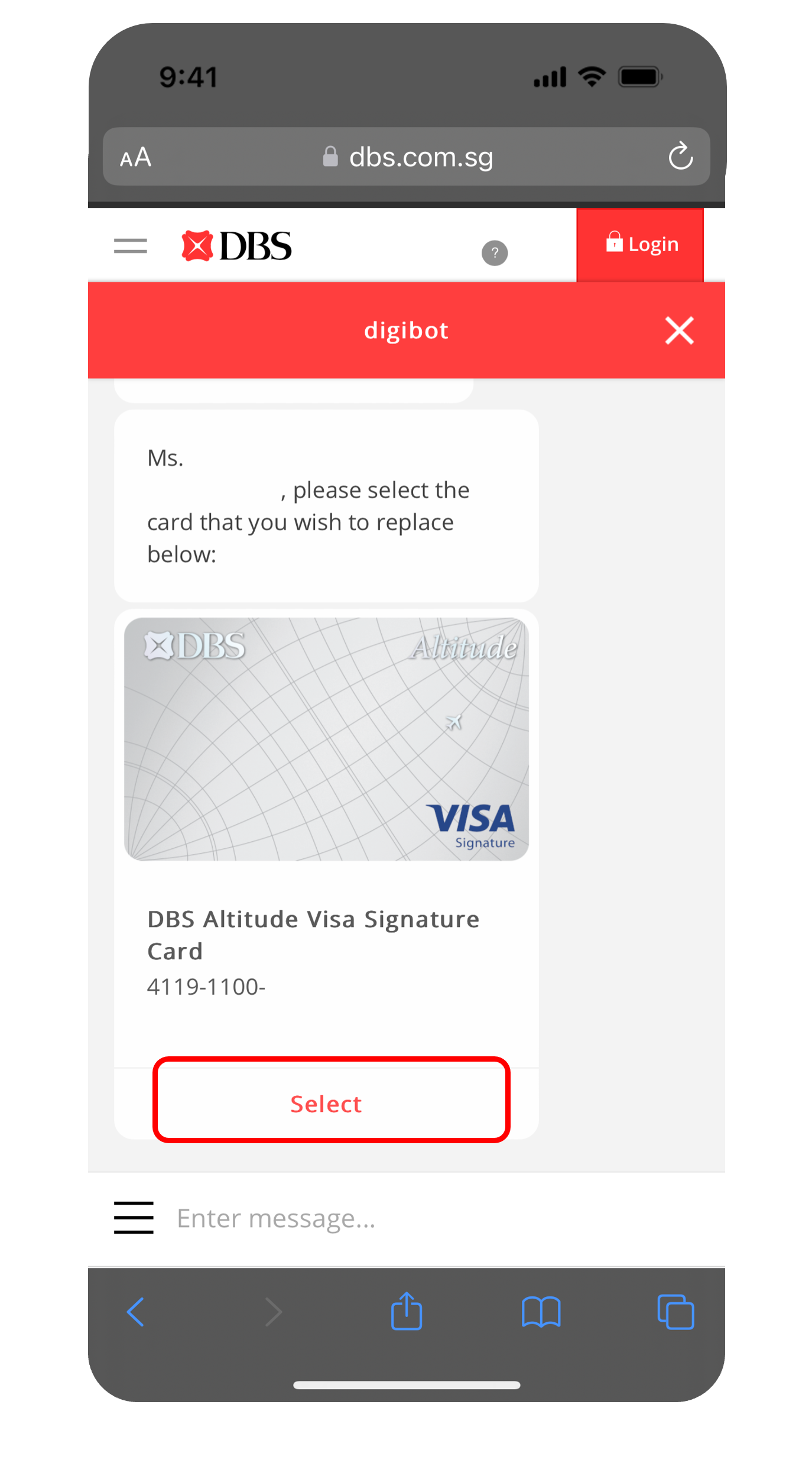
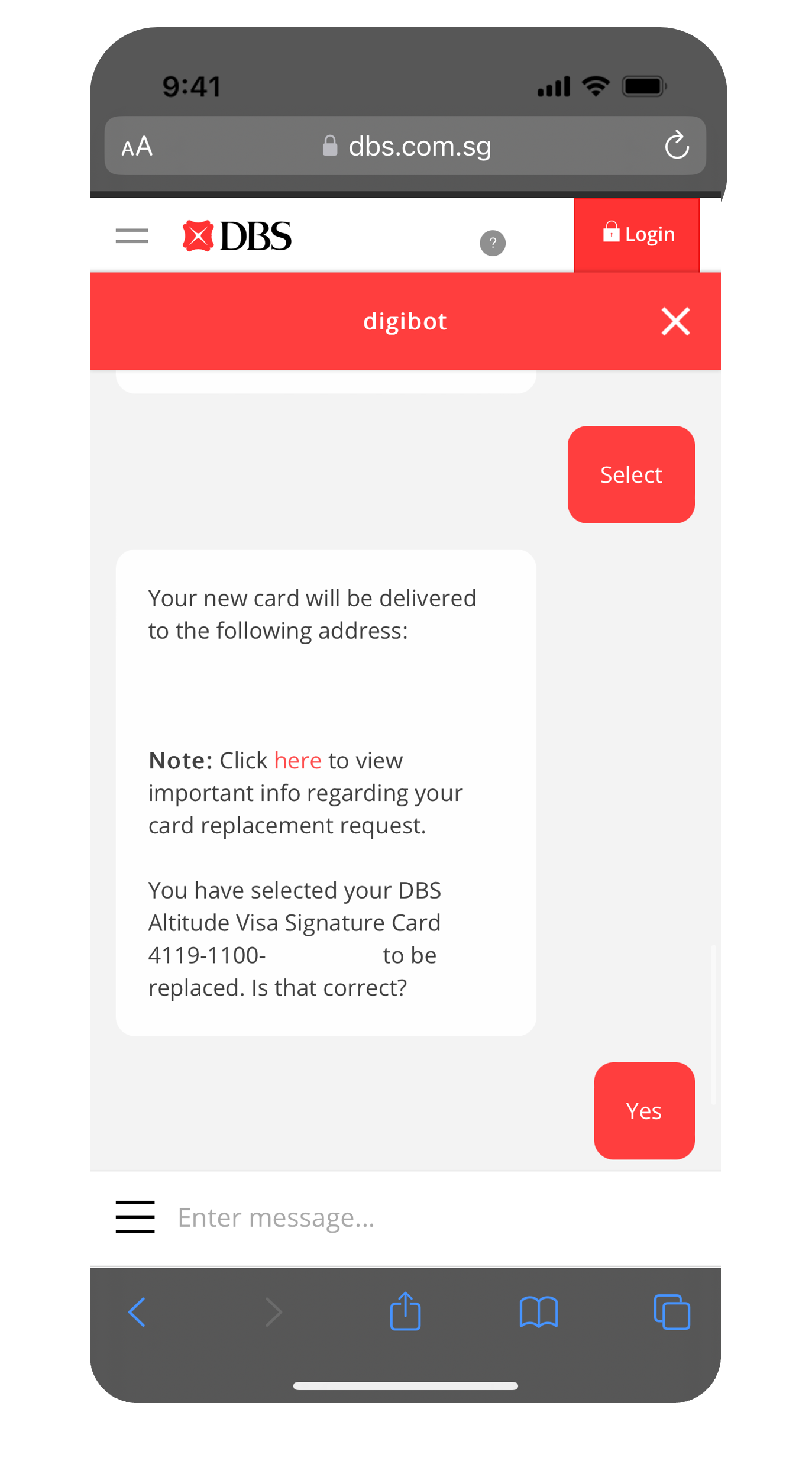
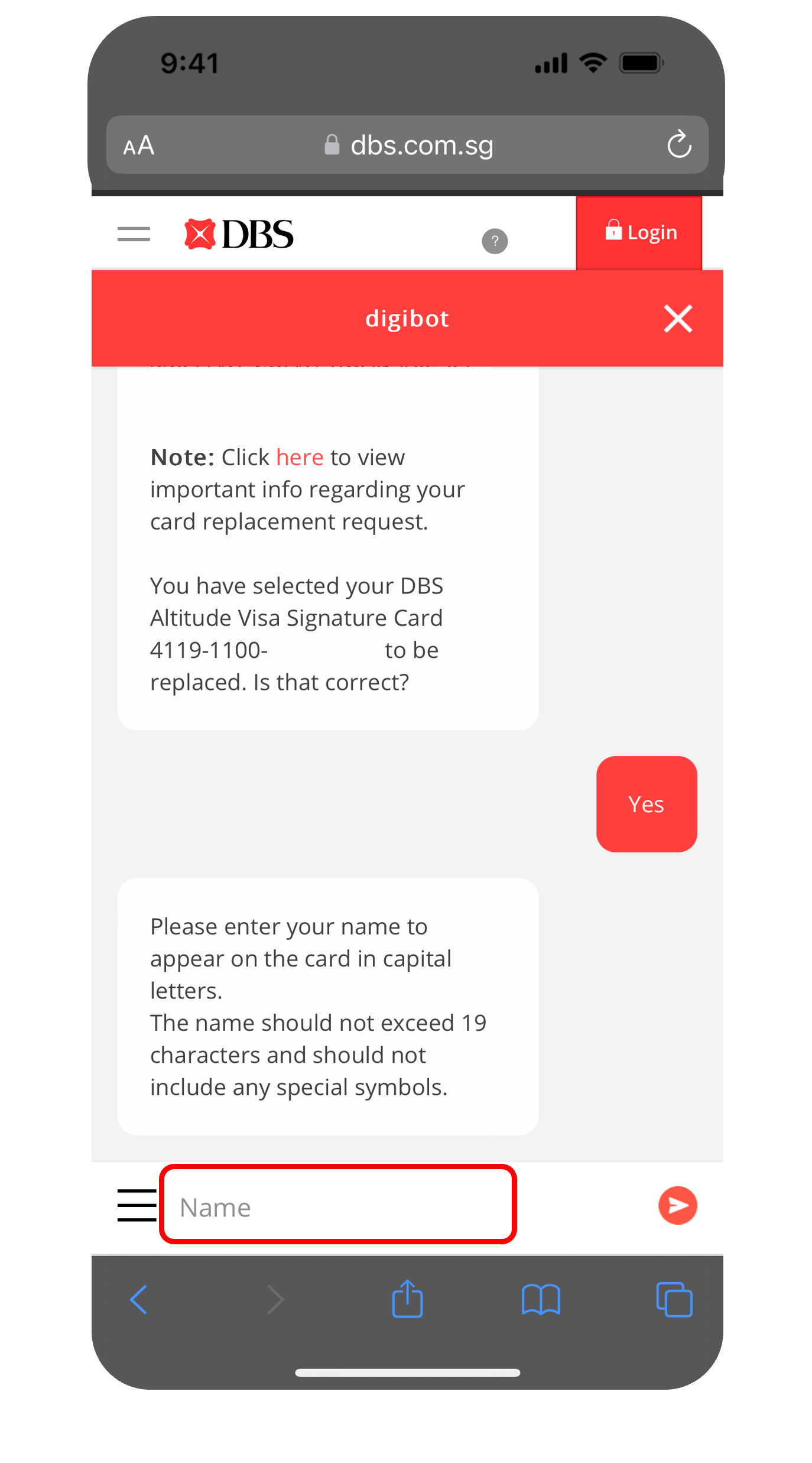
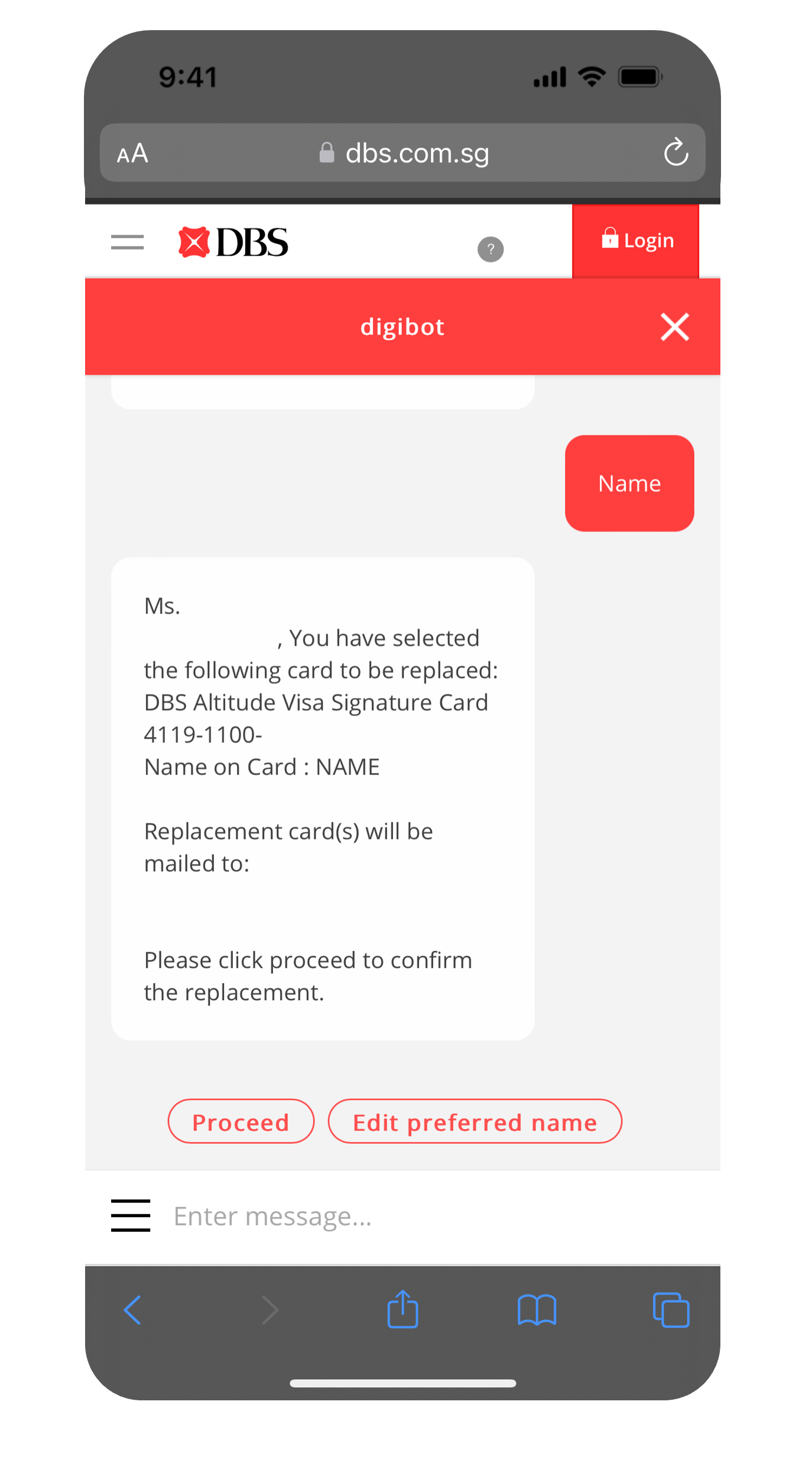
More information
- You will receive your replacement card & PIN (if any) separately within 5 working days for Singapore addresses and at least 14 working days for overseas addresses from the requested date.
Note:- For activation of Renewal Card or Damaged Card Replacement, use the same PIN as your previous card, or the PIN you have created upon online application.
- If you have received a PIN mailer, enter your PIN accordingly.
- If you did not receive a PIN mailer or have forgotten your PIN, you may activate your replacement card and reset your PIN instantly via digibank. Find out how you can Reset Card PIN.
- A replacement ATM/Debit/Credit Card is mailed to you 2 months prior to its expiry date, if you did not receive or had misplace your replacement card after its expiry date, please perform a manual replacement.
Was this information useful?